Category: Featured

Featured posts

  • The Muddy Mess May Not Be Finished

    The Muddy Mess May Not Be Finished

    Last summer my wife Erica starting taking pottery classes from Heather at Talking Rock Pottery. After seeing the joy on her face and stopping by the pottery studio to see what she was working on, I had to give this a shot. I jumped into the introductory class, excited and full of anticipation. Heather was going to teach me to make my own mugs, plates and what ever else I could think of on a pottery wheel. While this was the root of the class, it turns out there was a much bigger lesson waiting for me in the studio.

    Day one of the class was a lot of discussion of the basics with a little bit of hands on. I learned the process to take raw clay and create a finished product is relatively simple yet it takes time for each step. Wheel to final product could take over a week! I eagerly watched as Heather demonstrated the first step of the process where she took a ball of clay and turned it into a small mug on the pottery wheel. Truly a work of art. Now it was our turn. Magically I made my own first “thing” that I really couldn’t describe. It wasn’t really a mug, definitely wasn’t a bowl but it was mine and I was amazed that I built it. Over the next few weeks, I continued learning new skills. I also had the opportunity to use the studio freely to practice on my own. That is when things changed.

    My amazement turned to frustration. I was able to build a “thing” on the first day and now I still couldn’t build the perfect mug weeks later? Pound after pound of clay, I kept trying. Mugs in progress kept tilting, collapsing and even flying off the wheel to the floor! Clay was all over me, the floor and even made it to the inside of my Jeep. It was a mess. I was wasting clay and simply making terrible pottery. At least thats what I thought. One day while working on the wheel I had a mildly successful mug like thing come together. Finally there was success. As I lifted it off the wheel so it could dry, I pressed too hard on one side with my right hand which left some odd shaped ridges on the side. It was now ruined. I hated it! I was about to crush it and put it back into the clay bag to reuse later when I was stopped by both Erica and Heather. I didn’t understand. I sat there, quietly looking at this ugly mug I just made. What where they seeing that I couldn’t? Did they not see how messy this was?

    On to step two of the process. Once the mug was ready the next day I spent some time trimming the clay to clean up the bottom and the ridges I accidentally added the day before. Little by little I carefully adjusted some of the mugs details, smoothed out some of the rough edges and added my own decorative personality. This is where the lesson started to kick in for me. I was refining the art I was working on. What I first made was not perfect yet others around me could see there was potential. I took a second look. It was the same ugly mug yet I could see that maybe, just maybe Erica and Heather were on to something. This really may not be a complete loss. Lets keep rolling with this. Firing makes the work done up to this point permanent. You are essentially start converting the

    clay into stone in this stage by exposing it to extreme temperatures in a kiln. Sounds risky because it is. There is a chance it could crack or even explode due to a variety of reasons, none of which you are able to control once you close the kiln door. Now we Wait. During this period of ultimate stress on me and on the mug, I reflected on the process so far. I spent most of my energy planning the colors I would glaze the mug WHEN it survives. Wait a minute, was I getting excited about how this may turn out? You bet I was.

    The last few steps. We made it through the the firing successfully! I now had the chance to sand off a few bumps and head in to the final steps of finishing my mug. I chose some bright colored glazes, think of the Robert Graham shirts I love, brushed them on the mug with care and sent it off to the kiln for another firing. My work is done.

    A few days later I walked into the studio and approached my shelf. To put this in perspective , imagine yourself as a treasure hunter walking into a pyramid. As you walk into a dark room you see a singular beam of light focus on a pedestal in the center of the room and the world goes into slow motion. Close your eyes an take a dramatic pause here….. now envision in your mind the the jewel on top of that pedestal, that is my mug. Sitting on my shelf in the studio was the most beautiful mug I have ever seen.

    I love this mug. The feel in my hands due to the ridges I mistakenly added, the bright colors of the glaze, all the refinements along the way makes it perfect. What I learn each day when I am throwing pottery is not new or novel yet its something I often forget. Many of us do.

    My ugly mug became beautiful over time. Each step of the process allowed for tweaking and refining until I got to a respectable end product. The time it took between each step allowed for the refinements to be purposeful and thought out and allowed for change. The end product, it has flaws and thats ok. If I allowed myself to throw the mug away to early I would not have had the opportunity to get see what it was meant to be. Any flaws left can be refined in the next version.

    In our push to fail fast, are we sometimes calling the work a failure before it has had time to take shape? Think about what you are working on today. Is it a new product or feature that needs more refinement, or a customer relationship that deserves more time and a different approach? Pause long enough to determine what you are actually looking at so you don’t confuse unfinished work with failed work.

    Your pottery wheel is sitting right in front of you. Is the muddy mess sitting on it finished yet? I bet if you take a second look you will see it still has a ways to go.

  • The Risk of Unmanaged AV Endpoints in Banking Environments

    The Risk of Unmanaged AV Endpoints in Banking Environments

    Financial institutions have invested heavily in cybersecurity over the past decade. Firewalls are more sophisticated, identity management is stronger, and endpoint protection has become standard across enterprise environments. Yet one category of connected technology is still frequently overlooked: AV systems.

    Today’s conference room cameras, room controllers, digital signage players, interactive displays, and video conferencing appliances are no longer standalone pieces of hardware. They are network-connected endpoints that communicate with cloud services, receive firmware updates, and integrate with enterprise collaboration platforms. In other words, they deserve the same level of governance as any other connected device on the network.

    For banks, credit unions, and investment firms operating under strict regulatory requirements, treating AV separately from IT is becoming an increasingly risky assumption.

    AV Is No Longer Just Meeting Room Technology

    Hybrid work, virtual client meetings, and digitally connected branch offices have transformed how financial institutions communicate. Collaboration spaces now rely on technologies like Microsoft Teams Rooms, Zoom Rooms, networked cameras, digital signal processors (DSPs), wireless presentation systems, and room scheduling panels.

    Each of these devices has an IP address, runs firmware, connects to enterprise networks, and often communicates with cloud-based services.

    That means every AV device expands an organization’s technology footprint.

    While cybersecurity teams routinely inventory laptops, servers, and mobile devices, AV systems can sometimes fall outside established endpoint management practices. It’s not because they’re inherently less secure, but because they’re often viewed as facilities equipment rather than enterprise infrastructure.

    That distinction is becoming increasingly outdated.

    Every Connected Device Deserves Attention

    Modern cybersecurity strategies emphasize visibility. Organizations cannot effectively secure assets they don’t know exist.

    This principle, reinforced by frameworks such as the National Institute of Standards and Technology (NIST) Cybersecurity Framework 2.0, applies equally to AV technology.

    When AV endpoints are excluded from routine governance, common operational issues begin to emerge:

    • Firmware updates are delayed or overlooked.
    • Default administrative credentials remain unchanged.
    • Unsupported devices stay connected long after vendor support ends.
    • Equipment purchased outside standard IT processes creates “shadow AV.”
    • Device inventories become incomplete or outdated.

    None of these challenges are unique to AV. They mirror the same lifecycle management concerns IT departments already address across other enterprise technologies.

    The difference is that AV often exists in an ownership gap between facilities, IT, and cybersecurity teams.

    Compliance Doesn’t Stop at the Data Center

    Financial institutions operate in one of the world’s most heavily regulated industries. Guidance from organizations such as the Federal Financial Institutions Examination Council (FFIEC) consistently emphasizes asset management, access controls, software maintenance, and ongoing risk assessment.

    Although these frameworks don’t specifically call out AV equipment, they focus on something broader: every connected technology that could affect the organization’s security posture.

    If a conferencing appliance authenticates users, it belongs in governance discussions.

    If a room controller connects to the corporate network, it should be included in asset inventories.

    If digital signage players receive remote updates, they should follow documented lifecycle management practices.

    Regulators aren’t concerned with whether a device is labeled “AV” or “IT.” They’re concerned with whether organizations understand and manage the risks associated with connected systems.

    Security and User Experience Can Work Together

    Some organizations worry that stronger security controls create a more complicated meeting experience. In reality, standardization often improves both.

    When collaboration platforms are consistently deployed, centrally managed, and maintained through documented processes, employees experience fewer technical issues while IT teams gain greater visibility into system health.

    That consistency delivers benefits across multiple departments:

    • Employees spend less time troubleshooting meeting rooms.
    • IT teams simplify firmware management and monitoring.
    • Security teams gain better endpoint visibility.
    • Compliance teams have clearer documentation for audits.

    Rather than competing priorities, security and usability frequently reinforce one another when systems are designed with long-term management in mind.

    For financial institutions, where confidential conversations occur daily between advisors, executives, and customers, dependable collaboration technology is as much a business requirement as it is a technical one.

    AV Is a Shared Responsibility

    One of the biggest challenges isn’t technology, it’s ownership.

    Facilities teams typically manage meeting spaces.

    IT departments oversee enterprise infrastructure.

    Cybersecurity teams establish security policies.

    Compliance officers ensure governance requirements are met.

    Modern AV sits at the intersection of all four.

    Questions like who manages firmware updates, who approves device purchases, or who retires unsupported equipment don’t always have clear answers. Without defined ownership, devices can gradually drift outside standard operational processes.

    Financial institutions increasingly benefit from treating AV as shared enterprise infrastructure rather than assigning responsibility to a single department.

    When facilities, IT, security, and compliance collaborate throughout the technology lifecycle, from procurement to retirement, organizations gain stronger visibility, greater consistency, and fewer surprises during audits.

    Questions Every Financial Institution Should Ask

    As collaboration technology becomes more integrated into enterprise operations, banking leaders should periodically evaluate their AV environment by asking:

    • Do we maintain a complete inventory of network-connected AV devices?
    • Are firmware updates included in our patch management process?
    • Who owns the security and lifecycle management of AV systems?
    • Can IT monitor collaboration devices remotely?
    • Are AV endpoints included in vulnerability assessments where appropriate?
    • Do our collaboration platforms follow the same security standards as other enterprise technologies?

    These aren’t simply technical questions, they’re governance questions.

    Treat AV Like Enterprise Infrastructure

    The convergence of AV and IT is no longer a future trend; it’s today’s reality. Every connected display, conferencing appliance, room controller, and networked camera contributes to the organization’s overall technology environment.

    Financial institutions that recognize this shift are better positioned to reduce operational risk while supporting secure collaboration across branches, executive boardrooms, and customer meeting spaces.

    That doesn’t necessarily require reinventing existing security programs. Instead, it means extending familiar IT principles, asset visibility, standardized deployments, lifecycle management, centralized monitoring, and documented governance, to technologies that have traditionally been managed separately.

    Experienced AV integration partners can play an important role in that process by helping organizations design environments that align with both enterprise IT strategies and the operational realities of regulated industries.

    Ultimately, the strongest cybersecurity strategies begin with visibility. Financial institutions already apply that philosophy to servers, laptops, and cloud platforms. As AV systems continue evolving into software-driven, IP-connected endpoints, they deserve the same attention.

    The conference room camera may not be the first device discussed during a cybersecurity review, but in today’s banking environment, it has become part of the enterprise network, and it should be managed accordingly.

  • Streaming Services vs. In-Room Experience: Are You Balancing Both?

    Streaming Services vs. In-Room Experience: Are You Balancing Both?

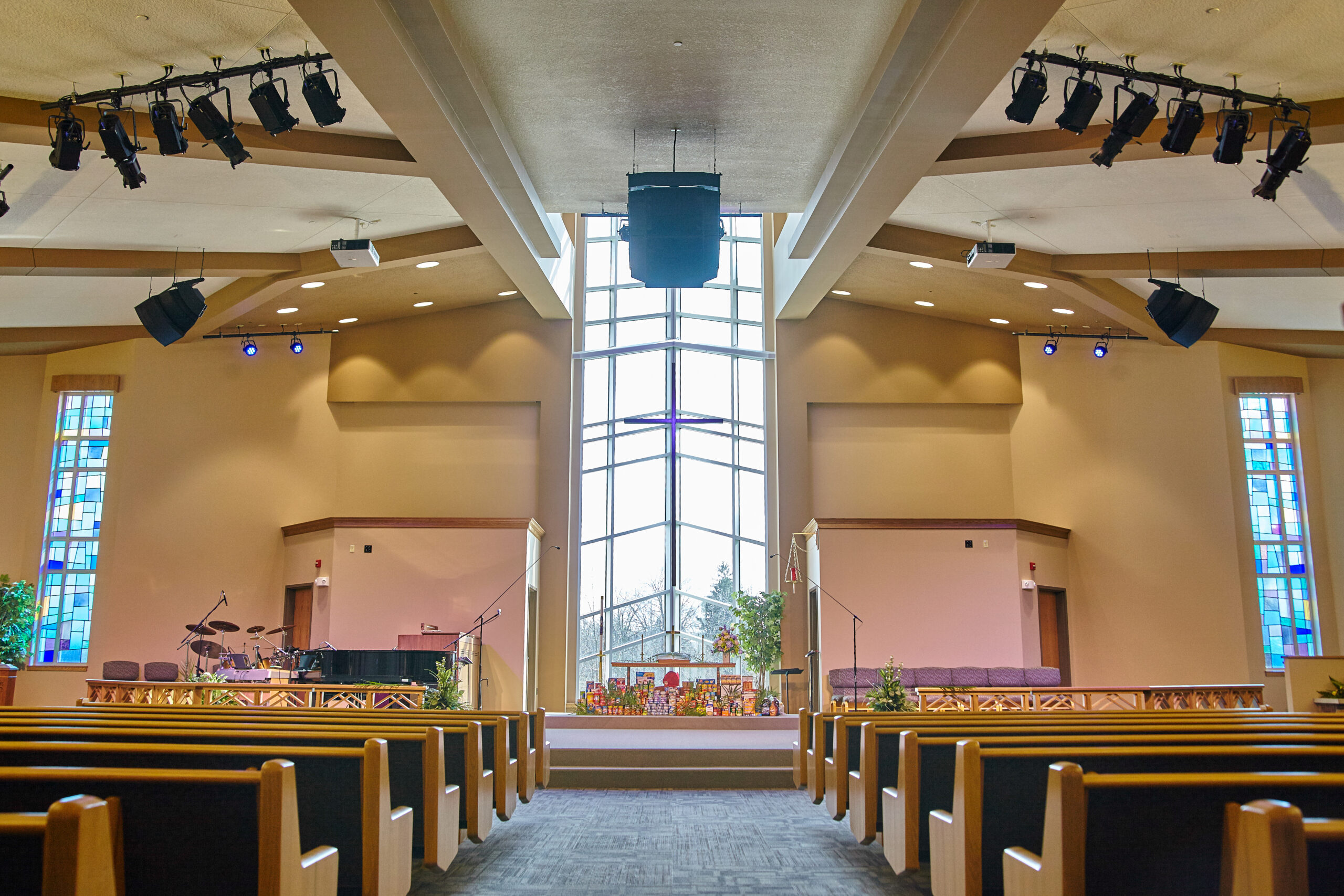
    A Sunday service begins long before the first song.

    Volunteers arrive early to power on equipment, check microphones, verify camera feeds, and make sure lyrics are ready on the projection screens. In the sanctuary, worshippers begin finding their seats. At the same time, another congregation is gathering online, families traveling, members unable to attend in person, homebound seniors, military personnel stationed overseas, or first-time visitors exploring the church before stepping through its doors.

    Today’s worship experience happens in two places.

    For many churches, that’s changed the conversation around audiovisual (AV) investments. Instead of asking, “Should we improve our livestream or upgrade the sanctuary?” leaders are increasingly asking a more strategic question:

    How do we create a meaningful worship experience for everyone, regardless of where they’re participating?

    It’s an important distinction. Framing streaming and the in-room experience as competing priorities often leads to technology decisions that solve one problem while creating another. The most successful ministries recognize that these experiences are connected, and that many of the same technology investments improve both.

    Worship Is No Longer Defined by a Single Room

    Before 2020, livestreaming was often viewed as an enhancement. Today, for many houses of worship, it’s a core part of ministry.

    That doesn’t mean online attendance has replaced gathering in person. Instead, many churches have adopted a hybrid model where digital and physical participation complement one another. Some viewers join every week because distance or health prevents them from attending. Others use livestreams to stay connected while traveling. First-time visitors often watch a service online before deciding to visit in person.

    This shift has expanded, not replaced, the role of the sanctuary.

    The challenge for worship leaders and technical directors is ensuring neither audience feels like an afterthought. A polished livestream can’t compensate for poor speech intelligibility in the sanctuary. Likewise, an engaging in-person service can lose its impact if online viewers struggle with muffled audio or inconsistent video.

    Rather than designing two separate experiences, churches should think about creating one ministry delivered through multiple channels.

    When Technology Investments Become One-Sided

    Limited budgets are a reality for many houses of worship. That often forces difficult decisions about where to spend next year’s technology dollars.

    The temptation is to focus on the most visible problem.

    If online engagement has grown significantly, it may seem logical to invest primarily in better cameras, switching systems, and streaming platforms. Those upgrades certainly matter, but they shouldn’t come at the expense of the in-room experience.

    Imagine a sanctuary equipped with broadcast-quality cameras while attendees struggle to hear the sermon because aging loudspeakers no longer provide even coverage. Or consider a church with an impressive livestream production where volunteers spend more time troubleshooting technology than participating in worship.

    The opposite imbalance can be just as limiting.

    A church might invest heavily in projection, room acoustics, and stage lighting while relying on a single camera and inconsistent audio feed for livestream viewers. Existing members may have a positive experience in person, but online audiences, often the first point of contact for prospective visitors, receive a much weaker impression.

    Neither scenario fully supports the church’s ministry goals.

    Technology decisions should begin with the question, “Whose experience are we improving?” Ideally, the answer is both.

    Audio Is the Foundation of Every Worship Experience

    When conversations turn to livestreaming, cameras often receive the most attention. Yet audio has a far greater influence on whether people remain engaged.

    Congregants in the sanctuary need clear, intelligible speech from every seat. Online viewers expect dialogue and music that sound balanced without requiring constant volume adjustments. Volunteers need systems they can operate confidently every week.

    Fortunately, many audio improvements benefit both audiences simultaneously.

    Replacing aging microphones can improve clarity for the congregation while providing a cleaner signal for livestreams. Updating digital signal processing (DSP) with features such as acoustic echo cancellation (AEC), feedback suppression, and automated mixing can improve consistency while reducing operator workload. Well-designed loudspeaker coverage helps listeners throughout the room without forcing excessive volume levels.

    Just as importantly, good audio reduces volunteer stress.

    Many churches depend on volunteers with varying levels of technical experience. Systems that simplify mixing, automate routine tasks, and provide consistent performance allow volunteers to focus less on equipment and more on supporting worship.

    That’s often a better long-term investment than adding another camera.

    Cameras Matter, but Context Matters More

    None of this minimizes the importance of video.

    Livestream viewers naturally expect a visually engaging experience, especially as production quality across churches has improved over the past several years. Multiple camera angles, thoughtful shot composition, and smooth switching help viewers feel connected to the service rather than simply watching from a distance.

    The key is ensuring production enhances worship rather than becoming the focus.

    For many churches, that means asking practical questions instead of chasing broadcast-level capabilities.

    • Does the current camera placement capture moments that matter most?
    • Can volunteers operate the system consistently each week?
    • Does the production workflow match the size of the ministry?
    • Will additional cameras meaningfully improve engagement, or simply increase complexity?

    In many cases, simplifying workflows produces better results than adding equipment.

    Technology should support the ministry’s goals, not create additional operational burdens.

    The Best AV Investments Serve More Than One Purpose

    One characteristic appears repeatedly in successful church technology projects: versatility.

    Rather than purchasing equipment for a single application, many ministries are prioritizing systems that improve multiple aspects of worship simultaneously.

    Consider a few examples:

    Better display systems

    Upgrading projection or transitioning to direct-view LED displays may improve lyric visibility, sermon graphics, and confidence monitoring for worship teams. Those same visual assets often become part of the livestream production, creating a more cohesive experience across both audiences.

    Flexible control systems

    Modern control platforms allow volunteers to recall preset room configurations with minimal training. Whether preparing for Sunday worship, a wedding, youth ministry, or a community event, consistent operation reduces setup time and minimizes errors.

    Network-based AV infrastructure

    As more churches adopt AV-over-IP (AVoIP) technologies, routing audio and video across standard network infrastructure provides greater flexibility for future expansion. Whether adding overflow seating, recording classrooms, or supporting additional cameras later, scalable infrastructure often reduces the need for major system redesigns.

    The specific technology matters less than the underlying principle: invest in infrastructure that supports future ministry rather than solving only today’s challenge.

    Start With Ministry Goals, Not Equipment Lists

    One of the most common mistakes in technology planning is beginning with products instead of priorities.

    Manufacturers release new displays, cameras, microphones, and control systems every year. While innovation creates new opportunities, it can also encourage organizations to evaluate features before defining objectives.

    Church leaders should reverse that process.

    Questions worth asking include:

    • How are people engaging with our ministry today?
    • Where do attendees experience the most frustration?
    • What challenges do volunteers mention most frequently?
    • Are online viewers experiencing the same message and atmosphere as those in the sanctuary?
    • Which improvements would benefit the largest number of people?

    These conversations often reveal that operational issues, not equipment limitations, are the greatest obstacle.

    A complicated workflow can undermine even the most advanced technology.

    Volunteers Shouldn’t Need Engineering Degrees

    Few environments rely on volunteers as heavily as houses of worship.

    Unlike corporate facilities staffed by dedicated AV professionals, churches often depend on people serving before or after full-time jobs. Some volunteers have years of production experience. Others are learning while operating live services.

    Technology decisions should acknowledge that reality.

    Simple user interfaces, clearly labeled controls, automated presets, and consistent system behavior reduce training requirements while increasing confidence. They also make it easier to recruit new volunteers without overwhelming them.

    When evaluating new technology, usability deserves as much attention as technical specifications.

    A feature that remains unused because it’s too complicated offers little value.

    Likewise, a slightly less sophisticated system that volunteers operate confidently every week often delivers better long-term outcomes than one requiring constant expert intervention.

    Budget Constraints Don’t Have to Limit Progress

    Budget remains one of the most significant challenges facing many churches.

    The good news is that balancing streaming and in-room experiences rarely requires replacing everything at once.

    Phased planning is often the more sustainable approach.

    Rather than pursuing a complete technology overhaul, churches can prioritize foundational improvements that create immediate value while supporting future upgrades.

    For example:

    • Improve audio intelligibility before expanding video production.
    • Replace aging infrastructure before adding new endpoints.
    • Upgrade networking capacity to support future AV growth.
    • Standardize volunteer workflows before introducing additional complexity.

    This approach allows ministries to spread investments over multiple budget cycles while avoiding isolated purchases that may need replacement later.

    Long-term planning also helps churches make better use of existing equipment. In many cases, portions of an existing system can remain in service when integrated thoughtfully with newer technology.

    Planning for the Next Five Years Instead of the Next Five Months

    Technology decisions rarely last only one budget cycle.

    Display systems, audio infrastructure, and control platforms often remain in place for a decade or longer. Choosing equipment based solely on today’s immediate need can limit future flexibility.

    Instead, churches should consider how their ministry may evolve.

    Will additional classrooms eventually require video distribution?

    Could overflow seating become necessary during major events?

    Will volunteer teams expand or change?

    Might remote teaching or weekday community programming become a larger part of ministry?

    These aren’t predictions, they’re planning questions.

    Scalable infrastructure provides options without requiring organizations to anticipate every future requirement perfectly.

    Building One Worship Experience Across Two Audiences

    Perhaps the most significant shift in church technology isn’t the equipment itself.

    It’s the mindset.

    Streaming and in-person worship are often discussed as competing priorities, yet congregants rarely experience them that way. Someone may attend in person one week, watch online the next, and share a livestream with family members the week after.

    From their perspective, it’s the same church.

    Technology should reinforce that continuity.

    When audio is clear, visuals are engaging, volunteers feel confident, and systems operate reliably, the worship experience becomes consistent regardless of where someone participates.

    That’s ultimately the goal.

    Not choosing between streaming and the sanctuary.

    But creating an environment where both experiences strengthen one another.

    The Bottom Line

    The conversation surrounding church technology has matured.

    The question is no longer whether livestreaming matters or whether the sanctuary deserves renewed investment. Both are essential parts of modern ministry.

    The strongest technology strategies recognize that audio quality, thoughtful system design, volunteer-friendly operation, and scalable infrastructure benefit every participant—whether they’re seated in the front row or watching from another city.

    For churches planning future AV upgrades, success isn’t measured by having the newest equipment. It’s measured by how effectively technology removes barriers to worship.

    That often begins with a clear assessment of existing infrastructure, realistic planning for future ministry needs, and investments that improve both the in-room and online experience over time. Working with an experienced AV integration partner can help churches make those decisions strategically, ensuring technology supports ministry goals while maximizing long-term value.

  • The AV Blind Spot in Industrial Digital Transformation

    The AV Blind Spot in Industrial Digital Transformation

    Manufacturers are investing heavily in automation, artificial intelligence, predictive maintenance, Industrial IoT, and connected operations. Smart factories are no longer a future concept. They are being built today, with production environments generating unprecedented volumes of operational data.

    Yet despite billions of dollars flowing into industrial digital transformation initiatives, many manufacturers continue to struggle with operational visibility, workforce communication, and cross-functional collaboration. The challenge is not a lack of data. It is the inability to consistently turn that data into action.

    The question isn’t whether factories are becoming smarter. It’s whether the people operating them have access to the same level of intelligence as the machines.

    That is where many digital transformation strategies reveal a surprising blind spot. Audio visual technology is often treated as a facility upgrade, a conference room project, or a workplace enhancement rather than a strategic operational platform. As a result, manufacturers risk creating an environment where machines communicate seamlessly while people remain disconnected from critical information.

    According to Deloitte’s 2025 Smart Manufacturing and Operations Survey, 92% of manufacturers believe smart manufacturing will be a primary driver of competitiveness over the next three years. At the same time, organizations continue to face operational risks, workforce challenges, and cybersecurity concerns as they scale digital initiatives. The technology foundation is improving. The human connection layer often is not.

    “Digital transformation fails when information moves faster through machines than through people.”

    The Factory Floor Has Become a Data Environment

    Manufacturing facilities have evolved into real-time data ecosystems. Production equipment, sensors, ERP platforms, manufacturing execution systems (MES), quality control systems, and AI-powered analytics platforms continuously generate operational intelligence.

    For years, the industry focused on collecting more data. Today, the bigger challenge is ensuring that information reaches the right employee at the right moment.

    From Machine Visibility to Human Visibility

    Many manufacturers have achieved machine visibility. They know the status of equipment, production throughput, quality metrics, and maintenance schedules. What remains more difficult is delivering those insights to frontline workers, supervisors, maintenance teams, and executives in a way that supports faster decision-making.

    This is where AV technology becomes operationally relevant.

    Real-time production dashboards, large-format visualization systems, digital signage networks, control room environments, and visual management platforms help transform raw data into actionable intelligence. Instead of hiding information inside software dashboards accessible only to a few users, manufacturers can distribute operational awareness across entire facilities.

    Toyota’s visual management principles are often cited as an early example of this approach. Modern smart factories are extending that philosophy through networked displays and real-time operational visualization systems that make production performance visible to everyone on the floor.

    Why Traditional Communication Models Break Down

    Many manufacturing environments still rely on a mix of paper-based processes, email alerts, spreadsheets, and fragmented communication tools.

    Those approaches struggle in fast-moving production environments.

    Production delays, equipment failures, quality issues, and safety incidents often require immediate action. Waiting for information to move through traditional communication channels can introduce delays that directly affect productivity and uptime.

    The factories achieving the greatest gains from digital transformation are increasingly focused on reducing the distance between information and action.

    The Growing Convergence of AV, IT, and OT

    Industrial digital transformation is also reshaping organizational boundaries.

    Historically, AV systems, IT infrastructure, and operational technology existed in separate domains. Today, those distinctions are becoming increasingly difficult to maintain.

    Modern manufacturing AV deployments frequently sit at the intersection of:

    • Operational Technology (OT)
    • Information Technology (IT)
    • Workforce Collaboration

    Production dashboards pull data from operational systems. Digital signage runs on enterprise networks. Collaboration platforms connect remote experts with plant personnel. Command-and-control environments integrate information from multiple operational sources into a single view.

    For AV integrators, this means manufacturing projects are becoming significantly more complex.

    Success increasingly depends on understanding industrial networking, cybersecurity requirements, operational workflows, and data integration strategies rather than simply deploying displays and collaboration technologies.

    The New Stakeholders in Manufacturing AV

    The decision-makers involved in AV projects are changing as well.

    Operations managers want visibility into production performance. Plant managers focus on productivity and safety. IT directors prioritize network management and security. OT engineers care about operational continuity. Facilities teams oversee infrastructure. Safety officers evaluate compliance requirements.

    AV technology has become a shared responsibility across multiple departments, which fundamentally changes how projects are evaluated and justified.

    Why Communication Failures Become Operational Risks

    Manufacturers spend enormous resources minimizing equipment downtime. Yet communication downtime often receives far less attention.

    The reality is that communication failures create operational consequences.

    When critical information does not reach the right teams quickly, troubleshooting slows, escalation paths break down, and production interruptions last longer than necessary.

    In highly automated facilities, communication systems increasingly function as operational infrastructure rather than support technology.

    “In modern manufacturing, communication failures can be just as costly as equipment failures.”

    Safety Is Becoming a Technology Conversation

    Safety is one of the clearest examples.

    Emergency notification systems, visual alerting platforms, mass communication tools, and facility-wide messaging networks play a growing role in protecting workers during incidents.

    As manufacturing environments become more connected, safety communication is increasingly integrated with operational systems. Alerts can be triggered automatically based on equipment conditions, environmental monitoring, or security events.

    The result is a more responsive and coordinated approach to risk management.

    Remote Operations Demand Better Collaboration

    The rise of distributed expertise is creating additional pressure.

    Manufacturers frequently rely on specialists located hundreds or thousands of miles away from production facilities. When equipment fails, remote experts often need immediate visibility into operational conditions.

    Video-enabled troubleshooting, industrial collaboration platforms, and connected operations centers are helping organizations reduce response times and improve maintenance efficiency.

    Rather than flying experts to every facility, manufacturers can increasingly bring expertise into the plant virtually.

    The Cybersecurity Challenge Nobody Talks About

    As AV systems become more connected, they also become more exposed.

    Many manufacturing organizations continue to view cybersecurity through the lens of traditional IT systems. However, connected displays, collaboration platforms, digital signage networks, and AV management systems now represent additional attack surfaces.

    The manufacturing sector remains one of the most heavily targeted industries globally. According to IBM’s 2026 X-Force Threat Intelligence Index, manufacturing accounted for 27.7% of cybersecurity incidents in 2025, marking the fifth consecutive year it was the most targeted industry. IBM notes that operational technology environments create additional vulnerabilities beyond traditional enterprise IT systems.

    AV Is Now Part of the Attack Surface

    The implications for AV professionals are significant.

    Endpoint visibility, device authentication, firmware management, secure remote access, and network segmentation are becoming essential design considerations.

    A display mounted on a factory wall may appear harmless, but if it is network-connected, unmanaged, and integrated with operational systems, it can become part of a broader security challenge.

    The convergence of AV, IT, and OT means cybersecurity can no longer be someone else’s responsibility.

    AI and Operational Intelligence Will Increase Demand for AV

    AI is rapidly transforming manufacturing operations.

    Predictive maintenance systems can identify equipment failures before they occur. Computer vision applications improve quality control. Advanced analytics platforms help optimize production performance and resource allocation.

    But AI introduces a new challenge.

    Insights have no value if employees cannot understand and act on them.

    Deloitte’s research found that 29% of surveyed manufacturers are already using AI or machine learning at the facility or network level, while 24% have deployed generative AI at similar scale. At the same time, manufacturers continue investing heavily in analytics, cloud infrastructure, AI, and Industrial IoT platforms.

    The next stage of industrial transformation is not simply about generating more intelligence. It is about making intelligence accessible.

    That is likely to increase demand for operational dashboards, immersive visualization environments, digital twins, command centers, and collaborative decision-making spaces where AI-generated insights can be translated into action.

    The industry conversation is gradually shifting from data collection to decision acceleration.

    Durability, Serviceability, and Lifecycle Planning Matter More Than Features

    Manufacturing environments impose requirements that differ significantly from corporate offices.

    Displays may be exposed to dust, vibration, moisture, temperature fluctuations, and continuous operation. Communication systems often support mission-critical functions where downtime carries operational consequences.

    For buyers evaluating manufacturing AV solutions, reliability frequently matters more than features.

    Questions about serviceability, lifecycle support, remote management, and vendor responsiveness often have a greater long-term impact than specifications listed on a product datasheet.

    Operations leaders should be asking:

    • How will this technology perform in harsh environments?
    • Can IT securely manage and monitor the system?
    • What is the expected lifecycle?
    • How quickly can failures be addressed?
    • Will this deployment support future digital transformation initiatives?

    Those considerations ultimately determine whether an AV investment delivers operational value over time.

    The Next Phase of Smart Manufacturing Requires Human-Centered Technology

    The future of manufacturing will not be defined solely by automation.

    It will be defined by how effectively organizations connect people, processes, and technology.

    For years, digital transformation strategies focused on machines becoming smarter. The next phase will require equal attention to human decision-making. Operational visibility, collaboration, communication, and situational awareness are becoming strategic capabilities rather than supporting functions.

    This shift challenges a longstanding assumption within manufacturing. Technology investments are often evaluated based on equipment performance, automation levels, or data collection capabilities. Increasingly, the differentiator may be how quickly people can understand and act on the information those systems generate.

    Manufacturers that continue treating AV as infrastructure may struggle to unlock the full value of their digital transformation investments. Those that recognize communication and collaboration as operational technologies may gain a significant advantage in agility, workforce effectiveness, and resilience.

    The smartest factory is not necessarily the one generating the most data.

    It may be the one that enables people to act on that data faster than everyone else.

    The question for industry leaders is no longer whether AV belongs in digital transformation discussions.

    It is whether their transformation strategy can succeed without it.

    FAQs

    Why is AV technology important in manufacturing digital transformation?

    AV technology helps deliver operational intelligence to workers, supports collaboration, improves communication, and enables faster decision-making across manufacturing environments.

    How does AV support Industry 4.0 initiatives?

    AV systems provide the visualization and collaboration layer that helps employees interact with real-time data generated by automation, IoT sensors, analytics platforms, and AI systems.

    What role does AV play in smart factories?

    AV supports production dashboards, digital signage, command centers, remote monitoring, safety communications, and workforce collaboration throughout manufacturing facilities.

    How are AV and OT environments converging?

    Modern AV platforms increasingly connect with operational systems, industrial networks, and manufacturing analytics tools, making AV part of broader operational technology strategies.

    What cybersecurity risks exist with industrial AV systems?

    Connected AV devices can introduce vulnerabilities if they lack proper authentication, monitoring, firmware management, and network security controls.

    What should manufacturers consider before deploying AV systems?

    Manufacturers should evaluate durability, lifecycle support, cybersecurity requirements, interoperability, remote management capabilities, and alignment with broader digital transformation goals.


  • The Security Risks in Modern Court AV Systems

    The Security Risks in Modern Court AV Systems

    Courtrooms Have Become Connected Technology Ecosystems

    Modern courtrooms no longer operate as standalone AV environments. Digital evidence presentation, remote testimony, video conferencing, recording systems, and AV-over-IP infrastructure have transformed judicial spaces into highly connected technology ecosystems. While these tools improve accessibility and efficiency, they also introduce security concerns that extend beyond traditional AV performance.

    For facilities directors, security managers, and IT teams, the question is no longer whether courtroom technology should be connected. The challenge is ensuring that connectivity does not create vulnerabilities that compromise proceedings, evidence, or public trust.

    Every Connected AV Device Expands the Attack Surface

    Many courtroom AV systems now share network infrastructure with broader IT environments. Cameras, DSPs, control processors, wireless presentation systems, and collaboration platforms all communicate across IP networks, creating additional points of entry for bad actors.

    The risk is often not the technology itself but how it is deployed and maintained. Default credentials, delayed firmware updates, unsecured remote access, and poor network segmentation can turn routine AV devices into security liabilities.

    As AV and IT continue to converge, courtroom technology can no longer be evaluated solely on reliability and user experience. Security must be part of the design conversation from day one.

    Protecting Digital Evidence Is More Critical Than Ever

    Few environments place a higher value on information integrity than a courtroom. Digital evidence now includes surveillance footage, body camera recordings, documents, photographs, social media content, and recorded testimony.

    A security lapse does not need to involve a sophisticated cyberattack to create problems. An improperly configured presentation system, accidental screen share, or unauthorized access to evidence files can raise questions about chain of custody and evidentiary integrity.

    For courts, protecting evidence means securing the entire workflow, from storage and access controls to the technology used for presentation inside the courtroom.

    Hybrid Proceedings Introduce New Security Challenges

    Remote hearings and virtual testimony are now permanent parts of many judicial environments. While these tools improve accessibility and reduce logistical barriers, they also create new security concerns.

    Identity verification, unauthorized recording, data privacy, and secure communications all become critical factors when participants join proceedings remotely. As AI-generated content and deepfake technology continue to advance, courts may face additional challenges in verifying the authenticity of digital communications and evidence.

    The technologies designed to improve access to justice must also preserve confidence in the judicial process.

    Physical Security Still Matters

    Cybersecurity often dominates discussions around courtroom technology, but physical access remains an important consideration. Equipment racks, network infrastructure, recording systems, and control interfaces all require protection within high-security environments.

    A secure network means little if unauthorized individuals can access critical technology systems directly. The most effective courtroom security strategies address both digital and physical vulnerabilities as part of a unified approach.

    Security Is Becoming a Procurement Requirement

    Security has become a major factor in courtroom technology purchasing decisions. Buyers increasingly evaluate encryption capabilities, access controls, software update policies, audit logging, and vendor cybersecurity practices alongside traditional AV requirements.

    This shift reflects a broader industry reality. Courtroom technology is no longer judged solely on functionality. It is increasingly measured by its ability to support compliance, protect sensitive information, and reduce operational risk.

    Building a Security-First Court AV Strategy

    The most successful justice technology deployments treat security as a foundational requirement rather than an afterthought. That means bringing AV, IT, facilities, and security stakeholders together early in the planning process.

    Network segmentation, strong authentication, regular updates, user training, and ongoing vendor support all play a role in reducing risk. More importantly, they help ensure that courtroom technology supports its primary mission: enabling fair, secure, and reliable judicial proceedings.

    Trust Remains the Most Important Technology Metric

    The future of courtroom technology will include more cloud services, AI-powered tools, advanced collaboration platforms, and digital workflows. These innovations promise significant operational benefits, but they also raise the stakes for security.

    In the end, courtroom AV systems are not simply about communication or collaboration. They are part of the infrastructure that supports justice itself. Reliability matters. User experience matters. But trust remains the metric that matters most.

    FAQs

    What are the biggest security risks in courtroom AV systems?
    Unsecured network-connected devices, weak authentication, outdated firmware, and improper access controls are among the most common concerns.

    Why is digital evidence security important?
    Any compromise of evidence integrity can affect legal proceedings, chain-of-custody requirements, and public confidence in the judicial system.

    How do hybrid court proceedings impact security?
    Remote participation introduces challenges around identity verification, secure communications, privacy, and unauthorized recording.

    What should courts look for in AV vendors?
    Strong cybersecurity practices, regular updates, secure remote management, audit logging, and long-term support capabilities.

  • Are Your Classrooms Built for Engagement or Just Delivery?

    Are Your Classrooms Built for Engagement or Just Delivery?

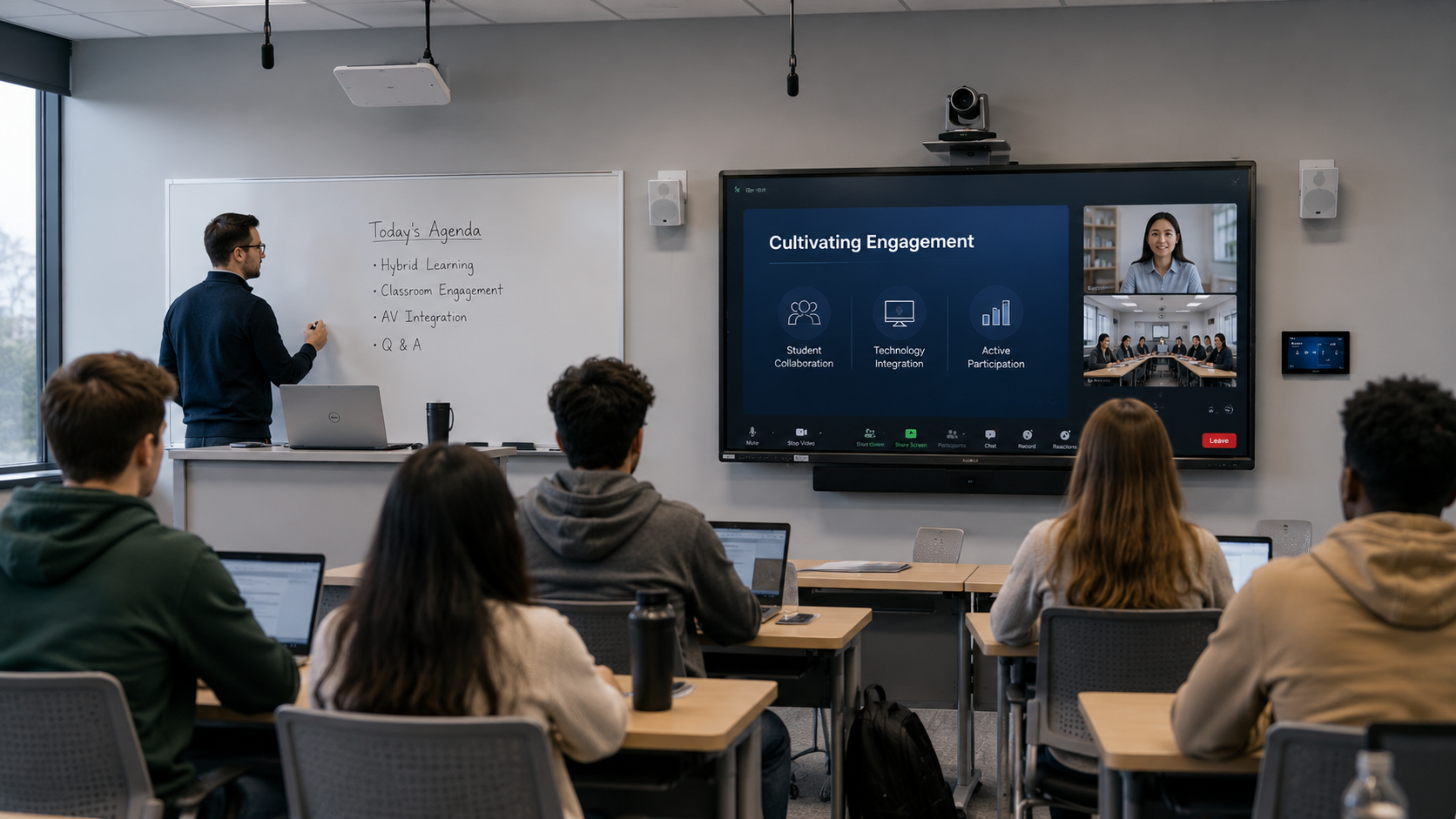
    Classrooms have always been designed around a simple objective: helping students learn. However, the way students learn has changed dramatically over the last decade. Information is no longer confined to textbooks, lectures, or even the classroom itself. Students can access educational content anytime, anywhere, and on virtually any device. As a result, the role of the physical classroom is evolving from a place where information is delivered to a space where ideas are explored, discussed, and applied.

    For educational institutions, this shift creates both opportunities and challenges. School administrators, IT directors, and facilities teams are under increasing pressure to create learning environments that support collaboration, hybrid participation, accessibility, and long-term technology strategies. Yet many classrooms still operate on a model built primarily around content delivery. The question is no longer whether classrooms should include technology. The real question is whether those spaces are designed to create engagement.

    The Technology Conversation Is Really an Engagement Conversation

    Educational technology discussions often focus on products, platforms, and infrastructure. Schools evaluate displays, cameras, collaboration systems, and learning management platforms in an effort to modernize the learning experience. While these investments are important, they can sometimes distract from a larger objective: improving student engagement.

    Research has consistently shown that active participation plays a critical role in learning outcomes. Students retain more information when they collaborate with peers, engage in discussions, and contribute to classroom activities. Yet many learning spaces continue to support a one-way flow of information from instructor to student.

    The most effective AV strategies address this challenge directly. Technology should not simply help educators present content more efficiently. It should help students interact with that content more effectively. Whether through collaborative displays, interactive learning tools, or room designs that encourage participation, engagement has become the metric that matters most.

    What Hybrid Learning Revealed About Classroom Design

    The rapid adoption of remote and hybrid learning forced educational institutions to rethink how learning takes place. Schools quickly deployed conferencing platforms, cameras, microphones, and collaboration tools to maintain instructional continuity. While those technologies solved immediate challenges, they also exposed limitations in traditional classroom design.

    Many classrooms were built around the assumption that every student would be physically present. As a result, remote learners often found themselves watching the classroom rather than participating in it. Being able to see and hear a lesson did not always translate into meaningful engagement.

    Participation Matters More Than Presence

    The most successful hybrid learning environments focus on participation rather than location. Students attending remotely should have the same opportunities to ask questions, contribute ideas, and collaborate with classmates as those sitting in the room.

    This shift is influencing how educational institutions think about AV technology. Cameras, microphones, and displays are no longer viewed as standalone tools. Instead, they are becoming part of a larger ecosystem designed to ensure every participant can engage equally in the learning experience. As hybrid and flexible learning models continue to evolve, classrooms that prioritize participation will be better positioned to support future educational needs.

    Simplicity Matters More Than Features

    One of the biggest barriers to successful classroom technology adoption is complexity. Teachers are expected to manage curriculum requirements, student engagement, assessments, and classroom operations. Adding complicated technology workflows often creates friction rather than value.

    When systems require extensive training or frequent troubleshooting, adoption rates suffer. Even powerful technologies can remain underutilized if educators find them difficult to use. The most successful classroom solutions often share a common characteristic: they simplify the teaching experience rather than complicate it.

    Why IT Teams Are Driving Classroom Decisions

    At the same time, educational IT departments face increasing pressure to support more technology with limited resources. A single district or university may be responsible for managing hundreds of classrooms, multiple campuses, network infrastructure, cybersecurity requirements, and user support requests.

    Because of this reality, IT leaders are placing greater emphasis on manageability, scalability, and reliability. Technology decisions are no longer driven solely by classroom functionality. They are increasingly influenced by how easily systems can be deployed, monitored, maintained, and supported over time. Solutions that reduce complexity for both educators and IT teams often deliver the greatest long-term value.

    Building for the Future Without Predicting It

    Educational institutions face a difficult challenge when planning technology investments. Budgets are limited, expectations continue to rise, and the pace of technological change shows no signs of slowing. The learning environments being designed today will need to support students and educators for years to come.

    Rather than attempting to predict every future trend, many institutions are focusing on flexibility. They are looking for solutions that can adapt to changing teaching methods, support emerging technologies, and integrate with existing infrastructure.

    Interoperability Is No Longer Optional

    Few schools have the luxury of building technology environments from scratch. New classroom solutions must work alongside existing collaboration platforms, learning management systems, networks, and AV infrastructure.

    Interoperability has become one of the most important factors in classroom design because disconnected technologies create additional support burdens and reduce the overall user experience. As classrooms become more technology dependent, the ability to integrate systems seamlessly will play a significant role in determining long-term success.

    Engagement Is the New Measure of Success

    For years, classroom technology decisions were often evaluated through technical specifications and budget considerations. Today, educational leaders are taking a broader view. They are asking whether technology improves participation, supports accessibility, simplifies instruction, and creates better learning experiences for students.

    This represents a significant shift in how educational technology is measured. Success is no longer defined solely by what technology can do. It is increasingly defined by the outcomes it helps achieve.

    The institutions that will thrive in the coming years are those that recognize the classroom’s evolving role. In a world where information is available almost anywhere, the physical learning environment must offer something more valuable than content delivery alone. It must create opportunities for interaction, collaboration, and meaningful engagement. The classrooms that succeed will not necessarily be the ones with the most technology. They will be the ones that use technology to bring students, educators, and ideas together in more effective ways.

    FAQ:

    How can AV technology improve classroom engagement?

    AV technology supports engagement by enabling collaboration, interaction, and participation rather than simply delivering content. Tools such as interactive displays, intelligent audio, and collaboration platforms help create more active learning experiences.

    Why is interoperability important in education technology?

    Interoperability ensures new classroom solutions work with existing learning platforms, networks, and AV systems, reducing complexity for both educators and IT teams.

    What makes a classroom future-ready?

    A future-ready classroom is flexible, easy to use, and adaptable to changing teaching methods, learning models, and technology requirements.

    Why are IT teams increasingly involved in classroom design?

    As technology becomes central to learning, IT teams play a critical role in ensuring classroom solutions are secure, scalable, manageable, and reliable over the long term.

  • Why AV Network Security Is Now an AV Integrator’s Responsibility

    Why AV Network Security Is Now an AV Integrator’s Responsibility

    For most of the history of the AV industry, security was someone else’s job. Integrators focused on displays, DSPs, cameras, control systems, and the user experience inside the room. The network existed, but it was simply the pipe connecting everything together. If there were firewall rules or authentication policies, those belonged to the IT department. AV network security is now the integrator’s responsibility.

    Today, the moment an AV device touches the network, it becomes part of the organization’s security posture. Cameras, touch panels, DSPs, encoders, decoders, control processors, and collaboration appliances are all endpoints. And to IT and cybersecurity teams, every endpoint represents a potential attack surface.

    For AV integrators, that shift changes the job in a fundamental way. The question is no longer simply, “Does the room work?” The question is now also, “Does this system meet the organization’s security expectations?” If integrators cannot answer that question with confidence, someone else will.

    AV Devices Are Now Network Infrastructure

    The first step is recognizing how the role of AV equipment has evolved. Ten years ago, most AV systems lived largely on isolated networks. Control processors talked to displays. DSPs connected to microphones. Video distribution happened over proprietary links.

    Today’s systems look very different.

    AV over IP platforms, network-based control systems, collaboration appliances, digital signage players, and room scheduling systems all connect directly to enterprise networks. They often sit on the same infrastructure supporting corporate data, cloud services, and critical applications.

    From the perspective of IT, an AV device is no different than any other network-connected system.

    It has firmware and network ports. The system communicates with external services. Which means it can potentially be exploited.

    This is why many IT teams now treat AV hardware the same way they treat IoT devices. Not because AV products are inherently insecure, but because they represent additional entry points into the network. They are network devices.

    That mindset is becoming standard across enterprise environments.

    The Rise of Security Frameworks

    As organizations have become more security-conscious, many have adopted formal frameworks to guide how devices are deployed and managed. AV integrators increasingly encounter these frameworks during project planning and deployment.

    One of the most common is the NIST Cybersecurity Framework, which provides guidance for identifying, protecting, detecting, responding to, and recovering from cybersecurity threats. For IT departments using NIST as a baseline, every device connected to the network must support policies that align with those principles.

    Another widely adopted model is Zero Trust.

    Zero Trust assumes that no device or user should automatically be trusted simply because they are inside the network. Instead, access must be verified continuously. This affects how AV devices authenticate, communicate, and receive updates.

    Technologies such as 802.1X authentication are increasingly used to enforce this approach. With 802.1X, devices must authenticate with the network before they are granted access. For AV hardware, that means supporting certificate-based authentication or other identity mechanisms.

    Even basic network practices such as segmentation using VLANs can have implications for system design. IT teams often isolate AV systems on their own network segments to limit potential exposure.

    None of these requirements are unreasonable. But they do require integrators to understand how their systems interact with enterprise security policies.

    Firmware Is Now Part of the Conversation

    Security expectations also extend beyond initial deployment.

    Enterprise IT teams increasingly ask questions such as:

    • How often is firmware updated?
    • How are vulnerabilities disclosed?
    • What is the lifecycle support for this product?
    • Can updates be deployed centrally?

    These questions were once rare in AV conversations. Today they are common. Firmware management has become a critical piece of the security puzzle. Devices that cannot be updated or that require manual, on-site updates create operational challenges for IT teams responsible for maintaining hundreds or thousands of endpoints.

    For integrators, this means product selection must consider not only features and performance but also security lifecycle support.

    In many cases, manufacturers have already begun addressing these concerns. Secure boot processes, signed firmware updates, encrypted communication protocols, and vulnerability disclosure programs are becoming more common across professional AV products.

    But those capabilities only matter if integrators understand them and can communicate them to customers.

    Integrators Must Speak the Language of IT

    One of the biggest challenges in this shift is not technical. It is cultural. Many AV professionals are extremely skilled in system design, signal flow, and user experience. But enterprise security conversations operate with a different vocabulary.

    IT leaders talk about:

    • Endpoint risk
    • Authentication policies
    • Certificate management
    • Device lifecycle management
    • Network segmentation
    • Patch compliance

    When integrators cannot engage in those conversations, they lose credibility with the teams responsible for the network. This is where the industry is beginning to see a divide.

    Some integrators are investing heavily in IT literacy and cybersecurity awareness. They understand how AV systems interact with enterprise infrastructure and can collaborate effectively with security teams.

    Others continue to treat the network as someone else’s problem. That approach is becoming increasingly difficult to sustain.

    AV Network Security Is Becoming a Competitive Advantage

    The AV industry often talks about evolving toward IT integration. Network security is one of the clearest examples of what that evolution actually means.

    Integrators do not need to become cybersecurity experts. But they do need to understand the environment their systems operate in.

    That includes:

    • Knowing how AV devices authenticate to the network
    • Understanding the role of segmentation and VLANs
    • Evaluating firmware update processes
    • Selecting manufacturers that prioritize security
    • Communicating clearly with IT and security teams

    Organizations are not asking AV companies to replace their cybersecurity departments. They are asking them to ensure that AV systems do not introduce unnecessary risk.

    Integrators who can demonstrate that awareness gain something extremely valuable: trust. And in enterprise environments, trust often determines who gets the next project.

    The Industry Is Crossing a Threshold

    The AV industry is entering a period where technical excellence alone is no longer enough. Designing a great room experience still matters. Signal flow, acoustics, and usability remain core skills.

    But systems now live inside complex enterprise networks governed by security policies, compliance requirements, and operational risk management. That reality changes the expectations placed on AV professionals.

    Integrators who adapt by learning the fundamentals of network security will find themselves better aligned with modern IT organizations. Those who ignore the shift may increasingly find themselves on the outside of conversations that shape technology decisions.

    In short, network security is no longer someone else’s responsibility.

    If your system connects to the network, security is part of the job.

    To learn more about AV network security, join me at the Almo E4 Experience this year. This topic is a major pillar of my keynote. I’m also teaching a dedicated hour long class on the subject. You can register for DC, Dallas, or Boston here.


  • Digital Signage Content That Doesn’t Get Ignored

    Digital Signage Content That Doesn’t Get Ignored

    If you work in AV or retail technology, you’ve seen it firsthand. Screens are everywhere, yet most shoppers walk right past them. Not because they hate digital signage, but because it rarely gives them a reason to care.

    Retailers have invested heavily in displays, players, and platforms. But attention is still the rarest currency on the store floor. The truth is uncomfortable but necessary to say out loud: digital signage doesn’t fail because of hardware limitations. It fails because the content was never designed to compete in the real world.

    And that’s exactly why this conversation matters right now.

    Digital signage remains one of the most powerful in-store marketing tools available, when it’s done right. It can influence decisions in real time, reinforce brand trust, and guide customers at the moment it counts. The question isn’t whether signage works. It’s whether the content is working hard enough.

    The In-Store Attention Economy: Seconds That Decide Everything

    Retail environments move fast. Shoppers don’t stop, stare, and study screens. They glance while walking, scanning shelves, or checking their phones. That means digital signage content has seconds, sometimes less, to earn attention. This is where many deployments miss the mark. Screens are treated like static billboards instead of dynamic marketing channels. Content is overloaded, brand-heavy, or disconnected from what the shopper is actually doing in that moment.

    The most effective retail signage strategies start with a simple mindset shift: marketing drives the message, not the screen. When content aligns with goals like awareness, promotion, or conversion, and is designed for motion, it stops blending in and starts influencing behavior.

    For the AV community, this is where design, placement, and intent intersect. It’s not about more content. It’s about smarter content.

    What Content Looks Like When It Actually Works

    High-impact digital signage content respects the reality of retail. It’s clear, visually disciplined, and immediately valuable. It doesn’t ask for attention, it earns it.

    Strong hierarchy ensures the message lands instantly. Controlled motion draws the eye without overwhelming it. Messaging is benefit-led, not brand-heavy. Most importantly, the content feels relevant to where the customer is standing and what they’re likely thinking.

    Dynamic content consistently outperforms static loops. Time-based promotions, localized messaging, and inventory-aware visuals feel alive because they respond to the environment. They signal to the shopper that this screen has something useful to say right now, not just something to show. When signage content is designed this way, it stops being background noise and starts becoming part of the shopping experience.

    Why Data and Personalization Change the Game

    Today’s digital signage platforms aren’t guessing anymore. Foot traffic data, dwell time insights, and engagement metrics offer real visibility into what content performs and what gets ignored. That data becomes even more powerful when paired with personalization. Content that adapts based on location, time of day, or customer behavior feels intentional instead of generic. A message at the store entrance serves a different purpose than one at checkout, and smart signage knows the difference.

    From a marketing perspective, this is where digital signage earns credibility. Performance can be measured. Content can be optimized. Engagement can be tied back to real outcomes. For AV and IT teams, it also means signage finally speaks the same language as the rest of the retail marketing technology stack.

    Designing Content That Scales in the Real World

    Retail isn’t controlled or predictable. Lighting changes. Layouts evolve. Stores differ by location and audience. Digital signage content has to work across all of it. That means designing with placement in mind, from high-traffic entrances to product zones to point-of-sale displays. It also means building systems that scale. Centralized content management allows brands to stay consistent while giving local teams flexibility to stay relevant.

    This is where collaboration across marketing, AV, and IT becomes critical. When those teams work together, signage stays fresh, aligned, and purposeful. When they don’t, screens age quickly, and get ignored just as fast.

    Where Digital Signage Is Headed Next

    Digital signage is no longer a standalone tool. It’s becoming a core part of the retail marketing ecosystem. AI-driven content creation, automated optimization, real-time personalization, and tighter omnichannel integration are already reshaping what’s possible.

    As stores become smarter, signage will become more responsive, adjusting messaging in real time and playing a larger role in shaping customer experience and conversion strategies. For retailers and AV professionals alike, this evolution opens the door to signage that doesn’t just display content, but actively drives results.

    From Screens People Ignore to Screens That Actually Matter

    Digital signage doesn’t fail because shoppers don’t care. It fails when the content doesn’t respect their time, context, or intent.

    When driven by marketing strategy, powered by data, and supported by the right AV infrastructure, digital signage becomes something far more valuable than a screen on a wall. It becomes a storyteller. A guide. A decision influencer.

    For the AV community, this is the opportunity. To move beyond installs and uptime, and start shaping experiences that customers actually notice. If digital signage is going to earn attention, the content has to earn its place. And when it does, the impact speaks for itself.

  • Inside the Modern Hybrid Studio: Where Virtual, Remote, and On-Site Production Meet

    Inside the Modern Hybrid Studio: Where Virtual, Remote, and On-Site Production Meet

    Broadcast has always been a high-pressure world, but today’s demands hit differently. Teams must move faster, deliver cleaner content, scale instantly, support remote talent, and stay on the cutting edge while keeping uptime rock solid. That’s why the hybrid studio, where virtual, remote, and on-site production all work together, has evolved from an interesting idea into the new operational standard.

    For broadcast engineers and station managers, this shift isn’t just about keeping up. It’s about staying ahead, and winning in a competitive, rapidly transforming industry.

    Why Hybrid Studios Are Suddenly Everywhere

    The broadcast industry is evolving faster than ever. IP-based production, cloud editing, and real-time collaboration have gone from emerging trends to core expectations. Viewers expect high-quality content from anywhere in the world, and production teams want workflows that follow them, not the other way around.

    Leading brands like Ross Video, Sony, and Blackmagic Design are reshaping the studio model, giving teams the power to scale production flexibly, on-premises, in the cloud, or somewhere in between, without sacrificing quality or reliability.

    Where Hardware and Software Finally Work Together

    Hybrid production isn’t about tacking on cloud tools, it’s about creating tightly integrated ecosystems where hardware and software work in perfect sync.

    Blackmagic Design leads the way with gear built for hybrid workflows. Its cameras and switchers adapt easily to both IP-based and traditional setups. Ross Video offers seamless control through a blend of automation, hardware integration, and remote-friendly software, enabling production teams to move faster and smarter.

    Supporting all of this are Bluefin’s high-performance displays, which deliver dependable visual infrastructure for studios that simply can’t afford failure.

    The result? Broadcast environments that are agile, scalable, and ready for what’s next.

    The Rise of the Remote Layer

    What started as a workaround is now standard practice. Remote production empowers teams to operate shows from anywhere, with the same confidence as being on-site.

    Ross Video’s robust automation tools and remote production suites allow for seamless switching, graphics handling, and live control from across the country, or across the globe.

    Sony’s IP-ready camera systems and remote control capabilities help producers deploy flexible, high-quality imaging setups without having to staff every physical location.

    Remote workflows mean reduced travel, leaner staffing, and built-in continuity, no matter what the day throws at you.

    The Virtual Layer: Cloud Tools That Scale on Demand

    The cloud isn’t here to replace physical studios, it’s here to supercharge them.

    With tools like Sony’s Creators’ Cloud and Blackmagic Design’s DaVinci Resolve cloud ecosystem, teams can collaborate on editing, grading, and finishing projects in real time from anywhere in the world. These platforms provide agility for global teams working under tight deadlines.

    Dante adds yet another layer of hybrid power, offering cloud-enabled routing, monitoring, and control that unites physical I/O with virtual environments across the network.

    Together, these solutions create an environment where scaling production, even under pressure, becomes frictionless.

    Reliability and Uptime: The Deal-Breaker for Broadcast

    In broadcast, uptime is everything. A hybrid studio built with redundancy and smart failover tools can stay resilient, even under pressure.

    Ross Video’s automation pipelines reduce the chance of human error, while their real-time monitoring tools keep operations smooth and steady. Dante’s software-based redundancy enables rapid troubleshooting and recovery.

    Bluefin’s commercial-grade displays support mission-critical applications with consistent performance and zero tolerance for failure. With layers of protection in place, studios stay live, responsive, and secure.

    How Engineers Can Future-Proof Their Studios

    To build a studio that’s truly future-ready, engineers should prioritize IP-native, cloud-integrated systems that are modular, scalable, and designed around automation and interoperability. Brands like Sony offer advanced, cloud-connected imaging and production tools. Ross Video stands out with its powerful automation and remote-control capabilities, while Blackmagic Design provides accessible, professional-grade hardware and software designed for fast, flexible deployment. Dante enables smooth AV-over-IP routing and seamless cloud integration, ensuring everything works together across locations. And Bluefin delivers the reliable visual infrastructure needed to keep everything running flawlessly. These technologies don’t just meet current needs, they position studios to evolve, scale, and thrive in the years ahead.

    The Payoff: Smarter Workflows, Better Content, Stronger ROI

    Hybrid studios aren’t about jumping on the latest tech trend. They’re about enabling teams to deliver more, faster, with fewer resources and greater impact.

    From cutting downtime and reducing travel to enabling real-time collaboration across continents, the benefits are both operational and creative. The payoff? Smarter workflows, stronger teams, and higher-quality content that meets, and exceeds, audience expectations.

    As AV and IT continue to merge, hybrid production will define the next decade of broadcast. And those who invest now won’t just survive the shift, they’ll lead it.

    The future of broadcast isn’t coming. It’s already live.

  • Ecosystems – Done Right

    Ecosystems – Done Right

    Technology needs in today’s business and educational campuses are evolving rapidly. In the new era of hyper-connected workers and students collaborating in-person, remotely, or in a hybrid scenario, or in the roll-out of digital signage systems, we often hear that the pursuit of better AV tools has now transformed into the pursuit of the ideal AV “ecosystem.” While that term can be overused, the stakes couldn’t be more real. For IT and AV leaders managing workplaces, global campuses, and even displays in public spaces, the promise of robust ecosystems that can reduce operational friction between hardware and software solutions, increase system reliability, and make technology easier to deploy, manage, and evolve is an exhilarating one. Are we as an industry getting there? We are, if you follow the industry leaders at the vanguard of this technology sea-change. Sony is at the forefront – but intentionally not alone – in establishing ecosystem best practices.

    Creating robust ecosystems

    What defines an AV ecosystem, as opposed to a typical AV system cobbled together with many vendors’ solutions? “In a true ecosystem,” says Kianna Pompa, Product Manager, Sony BRAVIA Displays, “products, technologies and services are designed to work together seamlessly. It’s not about spec’ing and installing products from different companies then hoping you can get them all to work together harmoniously. You create an experience where yes the end user can choose some of their preferred devices, but you insure with your ecosystem provider partners that all the solutions are not only fully compatible with each other but work together synergistically within the larger network, including if necessary an IoT or AV over IP landscape.”

    Ultimately the goal of AV ecosystem design is to ensure that the whole is meaningfully greater than the sum of its parts. The only way to get there is with alliances among AV providers that go beyond marketing talk and focus on reliability, and reducing friction across multiple AV hardware and software components of the system.

    Bob Bavolacco, Director, Strategic & Technology Partnerships at Crestron, describes that partnering process succinctly, and with real-world examples of its success. “We actually learn from our partners,” he says. “Sony is a key part of our strategy. For example – we went to Sony, and asked them to help us when we were creating Crestron’s AirMedia, that provides BYOB conferencing and wireless presentation in digital signage. We don’t do this in a vacuum. We asked Sony, and we standardized, and that’s why we have Korbyt, and Appspace, as applications out of the gate. And we have a larger roadmap for our AV ecosystems thanks to our alliance with Sony. On a weekly basis our engineers are talking to Sony engineers – because our customers want this high level of integration.”

    “We actually learn from our partners. And we have a larger roadmap for our AV ecosystems… thanks to our alliance with Sony.”

    – Crestron’s Bob Bavolacco

    What becomes clear when talking to industry leaders and top solution providers is that the relationship between Sony and its partners is less like “compatibility testing” and more like joint product development. In addition to Crestron, good examples of this approach are Appspace, and Korbyt.

    Many are familiar with Appspace as a cloud-based CMS (content management system) provider for digital signage, but the company has evolved beyond providing only typical digital signage solutions, and now can transform “signage” into robust workplace experience platforms. AppSpace’s entire platform thrives on the assumption that it can run across many vendors’ hardware solutions, including displays – an assumption that can’t be made lightly. For AppSpace, the stakes are high. Tom Pennella, Senior VP of Sales at Appspace says that “without the ecosystem approach, we would not survive.” Fortunately, Sony’s willingness to open up APIs, provide early engineering samples, and collaborate deeply on development with Appspace makes that work.

    Another key Sony Alliance Partner is Korbyt. Korbyt helps customers build content feeds that broadcast simultaneously across digital signage, desktop, web, and mobile. They’ve evolved into what’s now called the workplace experience platform, which includes much more than digital signage. It’s digital signage, but it’s also space management, and more.

    Andrew Gildin, VP, Global Partners and Sales at Korbyt, frames the company’s reliance on ecosystem partners, with Sony at the top of that list, with this question: “Is the customer getting more value out of a joint Sony + Crestron + Korbyt solution, say, than they would from each of those companies separately? The essential point is that partnership is a two-way street – it extends beyond provider relationships, important as those are Partnership is also about solving the customer’s business objectives.”

    Indeed, the customer’s business objectives should guide ecosystem priorities. Every provider partner reinforces Sony’s model – and that works because it is built backwards from the customer, not forward from the manufacturer.

    Openness as a defining technical approach, not a marketing phrase

    The end-goal of industry leaders like Crestron, Sony, Korbyt, and Appspace? It is not an ecosystem built to keep people in, or certain products out. It is an ecosystem built to pull people together with the overarching goal of making life easier for AV and IT managers and making the technology experiences better for end users. And that distinction matters – it can actually transform how global organizations deploy and support AV infrastructure.

    Sony’s ecosystem strategy is highlighted with a refreshing anecdote from Rich Ventura, VP of Professional Display Solutions at Sony. “The first week I started with Sony, 5 years ago,” he notes, “I asked, who are our partners? What are my customers’ pain points, and can we, together, help them get past those pain points? We can’t do all this by ourselves – how do we the solution partners, make each other better? And make the customers better?”

    For any manufacturer, those questions are far from simple and raising them transparently is significant in itself. It signals the philosophy behind Sony’s approach to partnerships, integrations, and the broader AV/IT ecosystem that must seamlessly coexist across meeting rooms, classrooms, corporate offices, and campuses. Rather than attempting to build a walled garden with its solutions, Sony has invested deeply in making its products compatible, controllable, and extendable with other solution providers. Kianna Pompa framed it this way, “We turn the process into something that is more open source – and that facilitates, not hinders, letting the customer decide on their exact mix of user-facing AV tools.”

    Sony’s approach is about strategic clarity. The modern workplace is no longer a single stack. It is a constant negotiation between displays, BYOD workflows, digital signage platforms, room scheduling applications, control systems, media transport protocols, and cloud platforms. No vendor, not even the world’s largest, can credibly claim to have every piece of hardware or software needed to complete the ecosystem. Rather than fighting the complexity, Sony leaned into it. Rather than isolating their hardware, they “opened up.”

    That openness shows up in tangible ways: more than 50 signage platforms certified on Sony SOC displays; publicly available cloud APIs; and dedicated engineers whose full-time job is making sure control and signage partners can integrate before a new product ships. For customers’ IT and AV teams, that means the ecosystem isn’t something they’re forced into. It’s something they can assemble around existing standards, workflows, and global templates.

    This is not the typical ecosystem pitch built around lock-in. Sony does not insist on a Sony-only signage platform or a proprietary content system. Instead, more than 50 signage platforms can run natively on Sony’s System-on-Chip (SoC), with Sony publicly posting cloud APIs so partners can build their own integrations if they wish.

    Sony’s Kianna Pompa puts the goal plainly. “We don’t want to lock you down into only using a Sony service.”

    In an industry where vendors often pursue vertical integration at the expense of flexibility, Sony has taken the opposite path. This openness is not merely philosophical—it is operational, and it is engineered into the product line. Rather than fighting the complexity, Sony leans into it. Rather than isolating their hardware, they opened it up. That philosophy radiates through all the partners – Crestron, Korbyt, Appspace, and many more – who have joined the Sony Alliance Partnership.

    Global standardization: a real-world ecosystem requirement

    Enterprise AV is now global by default. It’s common to have a customer headquartered in New York, with engineering in London, operations in Singapore, training in Bangalore. Technology has to work the same everywhere.

    “So many enterprise customers have asked us for global solutions”, Pompa says. “Sony’s response goes far beyond regional sales coordination. We launched a global AV solutions website listing what models are available per country – critical for organizations trying to standardize room templates across continents. And when exact hardware parity isn’t possible, Sony’s account managers “quarterback” the process, ensuring equivalent models; identical control behaviors, uniform SOC and signage support, even local deployment assistance

    Pompa explains how this works in practice, “The account manager is the liaison  – bringing in any other Sony member that would support the account.”

    For IT and AV teams supporting dozens or hundreds of sites worldwide, this makes global standardization possible. Bringing on global partners – whether Crestron, Appspace, or any of the dozens of Sony’s Alliance Partners – ensures that it’s a more sustainable business model.

    What IT and AV end users can take from Sony’s approach

    After looking at Sony’s model and hearing from some of its closest ecosystem partners, several high-level lessons apply directly to IT and AV professionals building their own organization’s technology strategies:

    • Openness scales, across both space and time. Closed systems eventually break.
    • in pursuit of better system performance.
    • Reliability comes from consistently following the partnership model, not cobbling together the AV system and hoping it all works together seamlessly.
    • Global standardization and efficiency at scale is achievable—but only with deliberate alignment.

    Conclusion

    An ecosystem thrives only when everyone involved understands who it truly serves. It’s not built for the manufacturer, nor for the partner network – it’s designed for the person who walks into a room and starts a meeting effortlessly, and for the signage manager who depends on nonstop reliability even as content shifts in real time. Success isn’t defined by the number of integrations or logos attached; it’s defined by simplicity in use, management, deployment, and in ongoing evolution. When the customer experiences that ease, the ecosystem is fulfilling its purpose. Achieving this is possible today by following the lead of industry pioneers – Sony among them – who are setting new standards for ecosystem best practices.