Category: Reviews

  • ATEN KE8950: A Review

    AVNation’s review of the ATEN KE8950 HDMI extender

    The ATEN KE8950 is a simple point-to-point HDMI extender. Upon unboxing the devices it is clear these are not boxes to be hidden easily. HDMI inputs are only on the front of the transmitter. Ideally it would be great to see inputs on both the front and back.

    We connected a standard Cat5 cable between the transmitter and receiver. Once power was applied to both devices the picture showed pretty quickly. In testing the latency and sync the system held up really well. Color reproduction on some spectrums of green and yellow were not ideal but within acceptable variances.

    When testing detail images such as spreadsheets the system performed well. The ATEN KE8950 reproduced the fine lines separating the individual cells of the sheet.

    Overall the video was pretty solid. There were no noticeable artifacts. This was a point-to-point review. The KE8950 is an extender not an AV over IP solution. The device does support single and multi-mode fiber but our review involved pre-made Cat5 cables.

    Installation of the ATEN KE8950 would be relatively simple. The transmitter is not designed to be seen. The makeup of the box is a very basic black rectangular box. The receiver, on the other hand, could be placed within a credenza or other publicly facing space. The design of the receiver is asthetically pleasing with curved corner covers and fashionable front buttons for selecting on screen display overlays, power, and video.

    The ATEN KE8950 is a solid HDMI extender. You can find the product for around $3,000 USD. If this was just an extender that would be a bit much. The receiver can also create video walls, scheduling, and has a built-in graphics overlay which was not tested or reviewed. With these additional functions the price point seems in-line with comparable products.

    4 out of 5 stars. See the review below.
  • BenQ InstaShow: a review

    We reviewed the BenQ InstaShow wireless presentation system

    Wireless presenation and video has become a mainstay in the audiovisual space. Corporate clients look to wireless video for ease of presentation in board rooms and huddle spaces. Sending video to the display without the use of wires, conduit, and running cables is a benefit to your clients as well as to your team. Finding a secure and stable system can be a challenge.

    BenQ provided AVNation with an InstaShow system. The package includes two (2) BenQ InstaShow transmitters, the receiver with antennae, and a cradle to place your two transmitters.

    Setting up the wireless presentation system was pretty straightforward. If you have ever installed a video switcher or other video transport system you will be fine. There are video outs to connect the receiver to. The InstaShow receiver is small enough to be placed directly behind a display or at a projector. You will have to install the antennae before beginning or your are not getting a signal.

    The transmitter itself is about palm-sized. Users must connect both the USB and HDMI to the transmitter. I’m not particularly fond of this design, the two cables. According to BenQ customer feedback indicates users like the two cable connectivity. I find it a bit cumbersome.

    The video produced by BenQ’s wireless video system is flawless. Switching on and off presentation is seamless. Once the receiver is powered on there is a friendly welcome screen giving instructions on how to connect and transmit the video. This screen also comes up when there is no active transmitters.

    Security has become a significant concern with these wireless devices. The BenQ InstaShow has WPA2 and WPA2-Enterprise authentication protocols. This makes it more difficult for bad actors to hack into your system and spy on your presentations or use the device as a gateway to the network. You also do not have to put the InstaShow on the network. As you can see in the video below, we never connected to the network and was able to present.

    Overall the BenQ InstaShow is a solid wireless presentation system. I’m not a fan of the combination of HDMI and USB connections. Street price on the system has an MSRP of $999 for WDC10 and $1,099 for WDC10C. The video resolution goes up to 1080p and supports all major operating systems. 4 out of 5 stars.Price (MSRP): $999 for WDC10 and $1,099 for WDC10C


  • Reviewing Edifier bookshelf speakers

    Putting R1850DB through the paces

    By: Michael Drainer, Drainer Technolgies

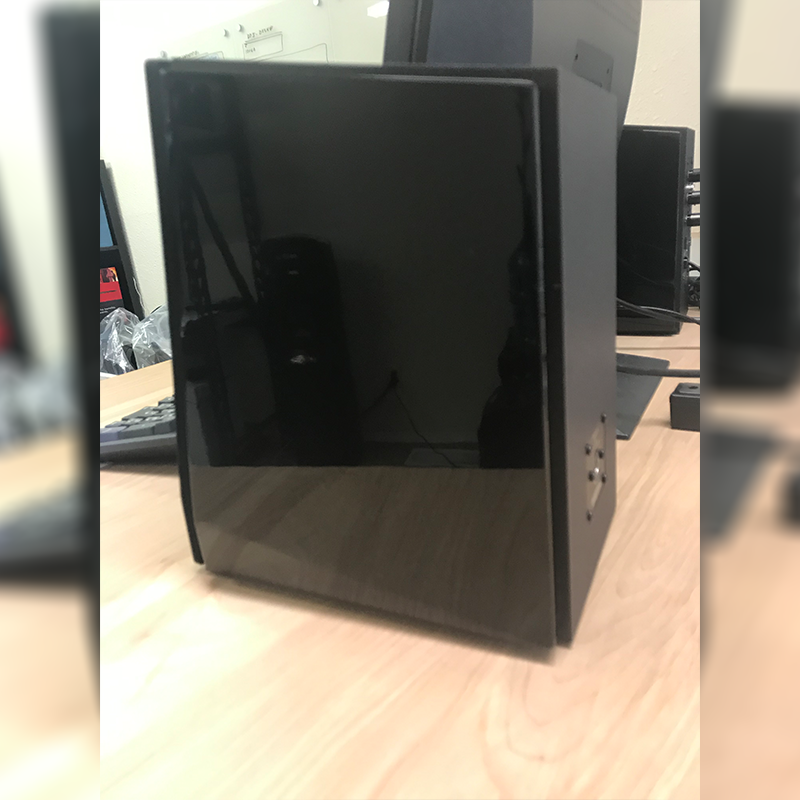
    Edifier R1850DB Side
    Side of Edifier R1850DB

    When I was asked by the AVNATION team to give my thoughts on these speakers I can’t say that I was terribly excited.  I thought “they are just another small format speaker in a sea of hundreds of commodity consumer products.”  That’s not necessarily a false statement.  There are literally hundreds of options out there for two-way, bookshelf format speakers.  I’m not a consumer audio guy guru so I don’t expect to know all the manufacturers in this space, but if these are worth my time shouldn’t I have at least heard of them?

    Edifier did not exist in my vocabulary prior to experiencing this product.  Upon reading the marketing literature I was convinced this was not going to be a pleasant experience. I mean, how good can a $200 pair of speakers really sound?  Not to mention the obvious disconnect between the marketing message on their website and the performance features of the speakers, but I digress.

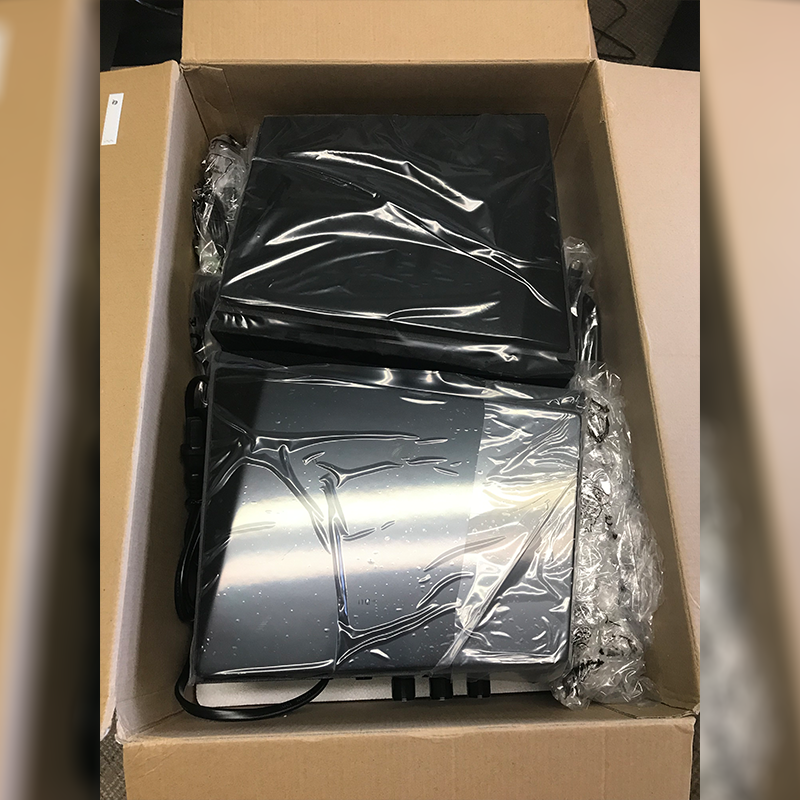
    Edifier R1850DB package
    Edifier R1850DB unboxing the package

    After unboxing everything and taking inventory I hit my first moment of satisfaction, wood construction!  Okay… I thought “Edifier is just trying to make up for poor audio.”   I peeled off the protective plastic to reveal a very nice glossy finish, giving the cabinet a high-end look.  Alright, Edifier, it looks and feels decent but how does it sound?

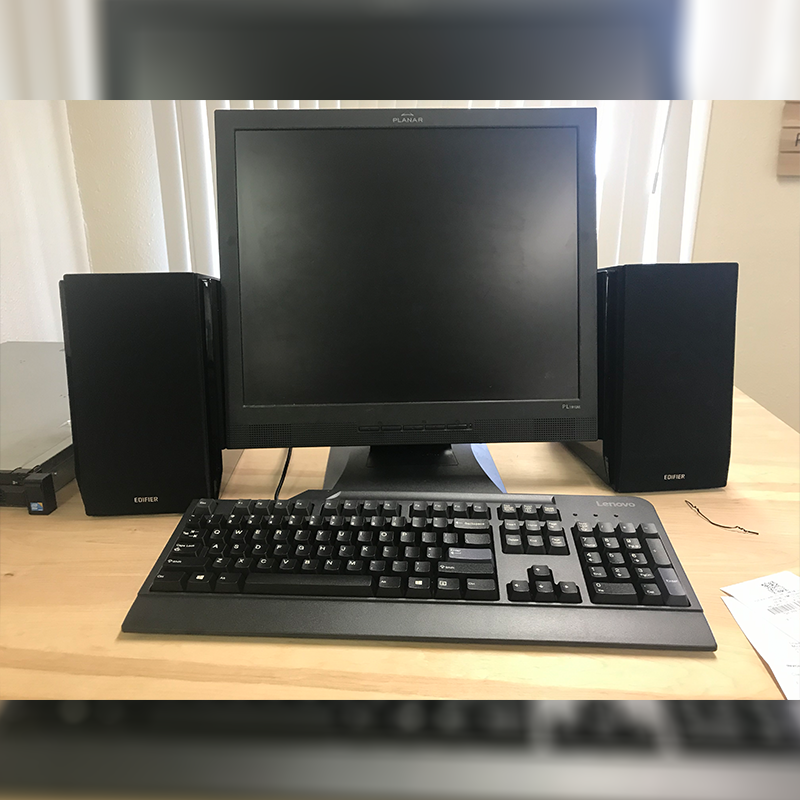
    I placed the speakers atop my standing desk, flanking either side of my monitor and fired up some tunes.  Hmmm, not bad at low volume.  The high end was crisp with full balanced mids and fairly decent low-end response.  Okay, at low volume it’s not hard to make a small format speaker sound decent.   Surely they’ll fall apart at higher volume.  I got out my SPL meter and placed it on axis, 3’ from the cabinets.   Fired up Thunderstruck by AC/DC and slowly brought up the volume.  I kept waiting for noticeable distortion but did not find it till I hit about 94dB SPL A-weighted.  I pushed them up to 96dB before I hit the max.  These things definitely get loud enough. The bottom end started to taper off when I hit approximately 60% of max volume.  This is expected though, how much can a 4” woofer really do?  The system does have a subwoofer output so you can augment the bottom end (definitely recommended if you will be listening at high volume).

    Edifier R1850DB with computer
    Edifier R1850DB shown with computer

    In all, the system is a great value.  With a $199 price tag, the price to performance ratio is excellent.  It looks, feels and sounds great.  The abundance of connectivity options, including Bluetooth (which by the way as very easy to pair), optical, and analog, along with the expandability and output capabilities allow for use in a multitude of applications.  If you need decent performance at a value the R1850DB from Edifier just may be the answer.

  • Reviewing Vanco 4K HDMI extender

    The EV4K2006 in action

    In the world of AV over IP there are still needs for HDMI extenders. In classrooms, sending a computer or media player video signal to the projector is typically easier to do with category cable instead of fishing an HDMI cable through the wall. Home installs can use an extender for overflow or long distance runs for single video signals.

    We were sent the Vanco 4K HDMI Extender (EV4K2006) to try out in the studio. Below you can watch the video of the setup. Here are our thoughts.

    The equipment AVNation provided was a Sharp HD display, MacBook pro, HDMI cables, and Cat5 cable.

    Ease of setup. As you can see in the video, the setup on this product is minimal. The two-way POE (power over ethernet) means you can supply electricity to either the transmitter or the receiver. Their POE technology is a Vanco patented technology. Out of box, you receive a transmitter, receiver, and one power supply. It’s up to you which side to power. From out of the box until we were receiving a signal to the monitor was five minutes. Understanding, this setup was in our office and we ran the cable over the floor. In most installs, though, your cable will either already be run before you take this out of the box or it will be part of the process.

    We tried both a static as well as video content. Both looked quite good. After switching some settings on the computer we watched for audio sync issues. There were no audio issues we could witness.

    The EV4K2006 comes equipped with IR transmitters and receivers. In a residential installation this could be used to remotely control either the media player and/or the display. The 3.5mm connectors make them easy to setup. The IR systems simply passes through the signal.


    Overall the EV4K2006 is a solid product that does what it says and is incredibly simple to setup. The extender is compliant up to HDCP 2.2 and will reproduce up to 4K signals a max of 50 meters, though we only tested HD at 10 meters.The technology is an EP chipset, no HDBaseT. It would be great to see the product line develop a distribution amplifier for this system and they are apparently in development of such a DA. It would also be a nice addition to have wallplates with either the transmitter and/or receiver technology built in for the commercial space.

    Four out of Five stars. Definitely would buy and use in an installation.