When AP News reported that France plans to move its civil service away from platforms like Microsoft Teams and Zoom, it was easy to frame the story as a political or regulatory shift. Now IT and AV leaders need to know how to switch conference rooms from Zoom or Teams to Visio. Or another platform.
France’s transition to a government-backed platform called Visio is part of a broader push for digital sovereignty, data control, and reduced dependence on foreign cloud providers. And while Visio is currently positioned as a national platform, the underlying trend is global.
Organizations are increasingly asking: What happens to our conference rooms when our collaboration platform changes?
This article outlines what you need to consider when migrating from Zoom Rooms and Microsoft Teams Rooms to a new platform like Visio, and how to do it without disrupting productivity.
Why This Shift Matters for Enterprise IT
France’s decision reflects pressures many organizations already face. That includes stricter data protection requirements and increased scrutiny of cloud jurisdiction. Where, exactly, is your cloud. Because we all know the “Cloud” is just someone else’s server. They are also being asked about long-term licensing, subscription costs, and infrastructure control. Figuring out how to switch conference rooms from Zoom or Teams to Visio is just the starting point.
Collaboration platforms are no longer viewed as simple productivity tools. They are now part of an organization’s security posture, compliance framework, and risk strategy.
For IT leaders, this means conference rooms can no longer be designed around a single vendor ecosystem. Flexibility is becoming a strategic requirement.
The Reality: Most Rooms Are Platform-Centric
Over the last decade, enterprises standardized around tightly integrated systems. This includes Zoom Room appliances. Microsoft Teams Certified gear. These rooms also include cloud-managed scheduling. Those environments deliver excellent user experiences, but they are optimized for one ecosystem. When the platform changes, the room often has to change with it.
A successful migration starts with acknowledging this dependency and planning around it.
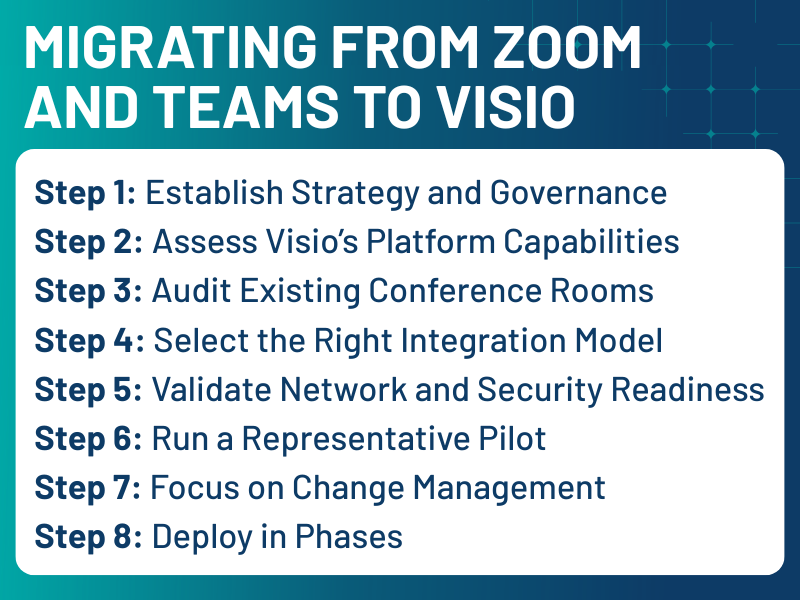
Step 1: Establish Strategy and Governance
Before touching hardware or software, leadership alignment is essential.
Key questions include:
- Is this migration driven by compliance, cost, security, or all three?
- Will Visio replace existing platforms or operate in parallel?
- Who owns governance: IT, security, compliance, or AV?
Without clear answers, deployments tend to become fragmented and difficult to support. Documenting this strategy early helps prevent technical decisions from being made in isolation.
Step 2: Assess Visio’s Platform Capabilities
Every migration depends on what the new platform can support.
Before committing, IT teams should validate:
- Room participation models
- Web versus native clients
- Identity and SSO integration
- Encryption and security policies
- Recording and compliance features
Many sovereign or government-backed platforms rely on browser-based or WebRTC technologies. This can simplify deployment, but it may also require changes to existing room workflows.
Understanding these limitations early prevents costly redesigns later.
Step 3: Audit Existing Conference Rooms
Next, conduct a detailed room inventory.
At minimum, document:
- Cameras, codecs, and compute devices
- Control systems and touch panels
- Network segmentation and QoS policies
- Authentication and directory services
Most enterprises discover their room environments are far more diverse than expected. Some rooms may be easily adaptable, while others will require upgrades or replacement.
This audit becomes the foundation for budgeting and scheduling.
Step 4: Select the Right Integration Model
There are three primary ways organizations can enable Visio in meeting rooms.
Native Room Integration
If Visio supports certified hardware or native room clients:
- Deploy supported software
- Integrate calendaring systems
- Enable centralized monitoring
This provides the closest experience to existing Teams Rooms and Zoom Rooms environments, but depends on vendor maturity.
Browser-Based Room Access
If Visio is web-centric:
- Configure room PCs in kiosk mode
- Optimize browsers for WebRTC
- Validate camera and audio routing
This model reduces vendor lock-in and often accelerates deployment, making it attractive for early adoption.
SIP and Gateway Interoperability
If legacy systems must be preserved:
- Deploy SIP/H.323 gateways
- Map meeting IDs to room endpoints
- Maintain codec compatibility
This approach protects existing investments but adds operational complexity. Most enterprises use a hybrid of these models during transition periods.
Step 5: Validate Network and Security Readiness
Video platforms are sensitive to network conditions.
Before scaling, confirm:
- Firewall and port configurations
- QoS policies for real-time traffic
- Certificate management
- Identity federation
Security and networking teams should be part of early testing cycles. Late-stage policy changes are one of the most common causes of rollout delays.
Step 6: Run a Representative Pilot
A structured pilot reduces risk.
Select rooms that reflect real usage:
- Huddle rooms
- Standard conference rooms
- Executive spaces
During the pilot, measure:
- Join success rates
- Audio and video quality
- Scheduling accuracy
- Support ticket volume
Use these results to refine standards before expanding.
Step 7: Focus on Change Management
Platform changes impact daily workflows.
Successful organizations invest in:
- Quick-start guides
- Training sessions
- Updated help desk processes
- In-room signage
User confidence is a critical success factor. Even technically sound systems fail when adoption is poor.
Step 8: Deploy in Phases
Large-scale migrations should follow staged rollouts:
Phase 1: Early adopters
Phase 2: Departmental deployments
Phase 3: Enterprise-wide implementation
Track metrics such as reliability, utilization, and support demand to guide adjustments.
What This Means for You
France’s move to Visio highlights three long-term trends. Collaboration is now a governance issue. Meeting platforms are increasingly tied to regulatory and risk frameworks. Open Standards are strategic assets. Rooms built on open protocols and modular designs adapt more easily to platform changes. And experience still matters. Users expect simplicity. Any alternative must meet the usability standards set by Zoom and Teams.
Designing for Platform Independence
Migrating from Zoom or Teams to a platform like Visio is not just a technical refresh. It is an investment in resilience, compliance, and long-term flexibility.
For IT leaders, success depends on:
- Clear governance
- Accurate infrastructure audits
- Flexible integration strategies
- Strong user support
- Phased execution
Organizations that approach this transition strategically can reduce dependency on single vendors while maintaining high-quality collaboration environments.
As digital sovereignty becomes a larger part of enterprise planning, conference room design will increasingly reflect not just technical preferences, but organizational priorities.

Tim Albright is the founder of AVNation and is the driving force behind the AVNation network. He carries the InfoComm CTS, a B.S. from Greenville College and is pursuing an M.S. in Mass Communications from Southern Illinois University at Edwardsville. When not steering the AVNation ship, Tim has spent his career designing systems for churches both large and small, Fortune 500 companies, and education facilities.
- Tim Albright

- Tim Albright

- Tim Albright
- Tim Albright