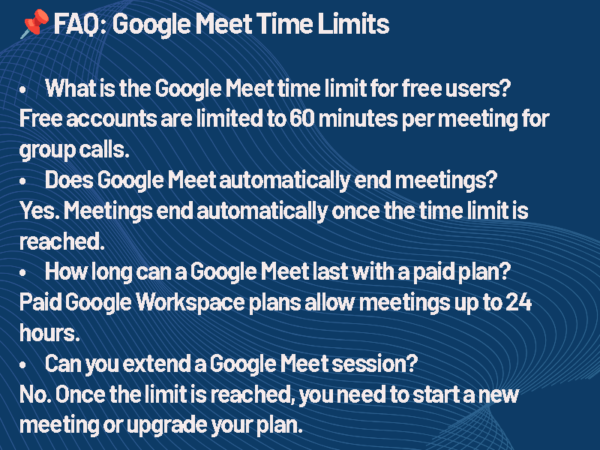
The Google Meet time limit depends on your account type, but for most users, the answer is simple. If you’re using a free Google account, meetings can last up to 60 minutes. Once that time is reached, the meeting ends automatically, and participants are removed. For paid Google Workspace users, meetings can run up to 24 hours, which effectively removes the limit for most real-world use.
That’s the headline. The details depend on how you’re using the platform.
Google Meet Time Limits by Plan
| Plan | Time Limit | Participants | Key Notes |
| Free (Google Account) | 60 minutes | Up to 100 | Meeting ends automatically at 60 minutes |
| Business Starter | Up to 24 hours | Up to 100 | No practical time limit |
| Business Standard / Plus | Up to 24 hours | 150–500 | Includes recording |
| Enterprise | Up to 24 hours | Up to 1,000 | Advanced controls |
For most organizations, the time limit isn’t something you’ll ever hit. For free users, it’s a hard stop you need to plan around.
What Happens When You Hit the Time Limit?
Google Meet handles this in a very straightforward way.
- You’ll receive a warning as the meeting approaches the limit
- At the time limit, the meeting ends automatically
- Everyone is removed and must rejoin a new session
There’s no extension window or grace period. If your meeting runs long, it stops.
Why Google Meet Has a Time Limit
For free users, it’s part of Google’s broader model of offering basic access while reserving extended functionality for paid Workspace plans. It also helps manage platform load across a massive global user base.
For businesses, the removal of that limit is part of what you’re paying for. Longer meetings, recordings, and larger participant counts are all tied to those plans.
Does the Google Meet Free Time Limit Change?
It has in the past, which is why this topic creates confusion. During the pandemic, Google temporarily extended meeting durations for free users. Since then, the platform has settled back into its current structure, with a 60-minute limit for free group meetings.
That history is why you’ll still see conflicting answers depending on when an article was written.
How to Work Around the Google Meet Time Limit
If you’re consistently running into the limit, there are only a few realistic options.
- Upgrade to a Google Workspace plan to remove the restriction
- Restart the meeting immediately after it ends
- Structure meetings to stay within the 60-minute window
None of these are complicated, but they do require planning if you’re relying on the free version.
Extending Google Meet’s time limit is technically straightforward: upgrade to a Workspace plan and ensure all participants use organizational accounts. But the strategic implications go deeper. Paid tiers centralize management, improve compliance logging, and integrate with room scheduling and calendar systems, all of which reduce friction for AV support staff.
Google Meet vs Other Platforms
Time limits are one of the simplest differences between collaboration tools.
Most platforms follow the same pattern:
- Free versions include restrictions
- Paid plans remove or extend those limits
If your meetings regularly go beyond an hour, the limitation becomes less about the tool and more about choosing the right plan.
The Limits of “Free”
Google Meet’s free plan allows meetings up to 60 minutes for groups and 24 hours for one-on-one calls. Once the clock runs out, participants are automatically disconnected. That constraint might not matter for a quick stand-up or customer check-in, but it can disrupt longer strategy sessions or hybrid workshops.
For organizations relying on Meet for daily collaboration, these limits quickly push them toward Google Workspace. The company’s paid business platform. Workspace tiers such as Business Starter, Business Standard, and Business Plus remove the 60-minute cap, allowing meetings to run up to 24 hours and adding management features that enterprise AV teams often depend on: attendance tracking, noise cancellation, and enhanced recording.
Understanding the Google Meet Time Limit
For AV/IT directors, the question isn’t just “which is cheapest?” but which fits our infrastructure best? Zoom Rooms and Teams Rooms have mature hardware certification programs, while Meet hardware has gained ground through partnerships with Logitech, Lenovo, and Poly. Each ecosystem dictates different hardware, codecs, and management tools making the UC license decision inseparable from the AV design process.
The Google Meet time limit isn’t complicated, but it’s easy to overlook until it interrupts a meeting. If you’re using the free version, the 60-minute cap is something to actively plan around. If you’re running longer sessions regularly, upgrading removes that friction entirely.
- AVNation Staff

- AVNation Staff

- AVNation Staff

- AVNation Staff