Category: UC

  • NetSpeek Announces Public Debut of Lena as a Fully Available AI Orchestration Platform at ISE 2026

    NetSpeek Announces Public Debut of Lena as a Fully Available AI Orchestration Platform at ISE 2026

    NetSpeek has announced the public debut of Lena, its AI orchestration platform for Pro AV and Unified Communications, at ISE 2026. After being introduced as a concept at ISE 2025, Lena is now a fully available, production-ready platform already used by enterprises, MSPs, and workplace technology teams. Lena helps IT and AV teams manage complex, multi-vendor collaboration environments from a single intelligent layer.

    Powered by AI automation and specialized agents, Lena can monitor, troubleshoot, and even fix issues across AV and UC systems with minimal human intervention. With strong enterprise-grade security, privacy controls, and expanding partner integrations, Lena aims to reduce downtime, simplify operations, and deliver consistent meeting experiences at scale.

    NetSpeek today announced that Lena, the company’s flagship AI orchestration platform for Pro AV and Unified Communications (UC), will make its first public appearance as a fully available product at Integrated Systems Europe (ISE) 2026. Visitors can witness Lena live in action at the NetSpeek booth, 2T200.

    This significant milestone comes exactly one year after NetSpeek first entered the industry spotlight at ISE 2025, where Lena was introduced as a forward looking concept in the Innovation Park. Since its debut, NetSpeek has transformed the concept into a production ready platform already in use by large scale enterprises, MSPs, and workplace technology teams.

    The AI Orchestration Platform Built for Multi-Vendor AV/UC Environments

    Lena is designed to solve one of the most complex challenges facing modern IT, AV, and workplace operations teams: the difficulty of monitoring, managing, and troubleshooting fragmented, multi-vendor collaboration environments. Today’s rooms and workspaces rely on a blend of devices, software platforms, conferencing systems, and digital experiences that rarely speak the same language.

    Lena changes that.

    Powered by AI automation, contextual intelligence, and an expanding ecosystem of device and platform integrations, Lena acts as a unified orchestration layer that keeps collaboration environments healthy, observable, and easy to support at scale.

    Lena’s Key Capabilities

    • Multi-Vendor Device & Platform Orchestration
      Connects to leading AV and UC hardware and software across conferencing, control, audio, displays, digital signage, and room control technologies.
    • AI-Driven Automation & Remediation
      Through observation, advanced reasoning, and the power to take action, Lena is able to keep technologies and spaces functioning as expected. Fully autonomous or human-aided workflows ensure spaces are configured and ready for work, and issues are identified and resolved far more efficiently through leading edge AI orchestration.

    Evolving beyond traditional monitoring tools, delicate and complex coding scripts, and reactive hands-on troubleshooting, Lena is able to observe, think, and act, all while learning the patterns and nuances of a user’s specific technology and spaces.

    • Fleet of Specialized AI Agents
      Each Agent brings deep expertise for specific manufacturers, services, or device categories, ensuring the platform understands context across entire room ecosystems.
    • Enterprise First Privacy & Security
      All data and AI models remain within the organization’s environment, ensuring compliance, sovereignty, and zero data leakage. NetSpeek platform is designed for controlled operations, with policy based guardrails, role based access, and audit ready action logs so teams can review what changed, when, and why.

    Who Lena Is For?

    Lena is built for organizations that depend on high performance collaboration, including:

    • Enterprise IT and AV teams managing diverse, room based technologies
    • MSPs supporting multi-tenant or large scale customer environments
    • Facilities and workplace experience leaders seeking real-time visibility and automation across digital workspaces

    In short, Lena empowers anyone responsible for uptime, support, and reliability in AV and UC environments. By unifying systems and automating operational tasks, Lena helps teams reduce resolution time, drive consistency, and deliver exceptional meeting experiences.

    A Year of Progress: From Concept to Production Platform

    The evolution of Lena from concept to market ready platform marks a significant milestone for NetSpeek. After debuting as a prototype in the Innovation Park at ISE 2025, Lena has undergone extensive development, customer validation, and ecosystem expansion. The platform now includes specialized Agents from leading partners such as Barco, BrightSign, HP Poly, Logitech, Neat, Samsung, Sennheiser, and Zoom.

    “Lena has grown from an exciting idea into a first of its kind orchestration platform that gives organizations real-time control and intelligence across their collaboration environments, while dramatically reducing operational overhead,” said Erik DeGiorgi, CEO of NetSpeek. “ISE 2026 marks the perfect opportunity to show our industry what’s now possible.”

    Expansion of Fleet Partnerships

    NetSpeek is proud to announce LG and Shure as NetSpeek Fleet Partners.  This expands Lena’s reach to deliver richer insights and expanded control ensuring rooms that include LG and Shure solutions to perform reliably and consistently for end users.

    See Lena Live at ISE 2026

    NetSpeek invites all attendees to experience Lena firsthand at ISE 2026.
    Visit Booth 2T200 to see autonomous remediation, AI-guided troubleshooting, and multi-vendor orchestration in action.  Come meet the team behind the world’s first AI orchestration platform for multi-vendor AV/UC environments.

  • Airtame Makes First Public Showcase of Airtame 3 at ISE 2026, Highlighting a Unified Platform for Smarter Screen Collaboration

    Airtame Makes First Public Showcase of Airtame 3 at ISE 2026, Highlighting a Unified Platform for Smarter Screen Collaboration

    Airtame used ISE 2026 to publicly showcase Airtame 3 for the first time, presenting it as the core of a unified platform for screen sharing, video conferencing, digital signage, alerts, and remote management. The new device supports 4K sharing, dual screens, and native integrations with Microsoft Teams, Zoom, Google Meet, and Webex, making it easy for users to walk in and start presenting or joining meetings within seconds.

    Alongside Airtame 3, the company highlighted Virtual Airtame, a software-based option that brings the same experience to compatible Windows and Android displays, video bars, and room PCs. With features like Scan to Connect, zero-touch deployment, and centralized control through Airtame Cloud, the platform gives IT teams flexibility to scale and manage rooms easily, while keeping the user experience simple and consistent across classrooms and meeting spaces.

    Airtame, the all-in-one platform for screen sharing, video conferencing, digital signage, emergency alerts, and remote management, is making the first public showcase of Airtame 3 at ISE 2026. Recently launched in December, Airtame 3is the company’s most powerful device to date and anchors Airtame’s broader platform strategy, delivering fast, reliable wireless screen sharing, video conferencing, and digital signage while supporting scalable deployment and centralized management for IT and AV teams.

    Airtame is also showcasing Virtual Airtame, a software-based solution that turns compatible Windows and Android displays, video bars, and room PCs into fully functional Airtame screens. Together with Airtame 3 and partner-integrated solutions from Neat, SMART, and Amazon, the platform enables organizations to standardize collaboration across classrooms, meeting rooms, and shared spaces.

    Additionally, Airtame will showcase a new functionality called Scan to Connect which enables mobile users to quickly scan the on-screen pairing code using their device’s built-in camera, allowing them to connect in seconds without manually entering the code.

    “We’ve always believed technology in shared spaces should feel invisible. It should just work,” said Jonas Gyalokay, Co-founder of Airtame. “ISE is the first time people can experience Airtame 3 in person, and it’s also where we’re showing the new and improved portfolio. Whether customers choose dedicated hardware, Virtual Airtame, or a mix of both, they get one simple platform that makes collaboration easy for users and manageable at scale.”

    Airtame 3 supports 4K screen sharing, dual-screen configurations, and native integrations with Microsoft Teams, Zoom, Google Meet, and Webex, enabling users to walk in and start presenting or joining meetings within seconds. Power over Ethernet (PoE+) and HDMI connectivity provide a stable, hardwired setup suitable for classrooms and meeting rooms alike.

    Designed for large-scale rollouts, Airtame 3 includes zero-touch deployment capabilities that allow IT teams to preconfigure and ship devices before they are unboxed. Once installed, devices can be registered, monitored, updated, and supported remotely through Airtame Cloud, reducing on-site service calls and ongoing maintenance.

    Alongside Airtame 3, Virtual Airtame expands the platform’s reach by enabling the same Airtame experience on compatible Windows and Android displays, video bars, and room PCs, without requiring additional hardware. This approach allows organizations to maximize existing investments while maintaining a consistent user experience across rooms.

    “Customers want flexibility without complexity,” added Gyalokay. “At ISE we’re showing that organizations are no longer forced into a single hardware approach. They can standardize the experience across every room while choosing the right deployment model for each space. That flexibility is critical for schools and enterprises that want to scale, simplify management, and future-proof their collaboration environments without adding complexity for users.”

    This flexibility is reinforced by Airtame’s expanding partner ecosystem, including Neat, SMART, and Amazon, where Airtame software comes pre-installed or runs seamlessly on select devices. These partnerships help organizations deploy Airtame across a wide range of classroom and meeting room technologies while remaining future-ready.

    Together, Airtame 3, Virtual Airtame, and Airtame Cloud form a unified platform that brings presenting, video conferencing, digital signage, alerts, and remote management into one simple solution, reducing friction for end users and simplifying operations for IT teams.

  • Utelogy Advances AI and Cloud-First Innovation at ISE 2026, Unveiling Smarter Tools for Connected Workspaces

    Utelogy Advances AI and Cloud-First Innovation at ISE 2026, Unveiling Smarter Tools for Connected Workspaces

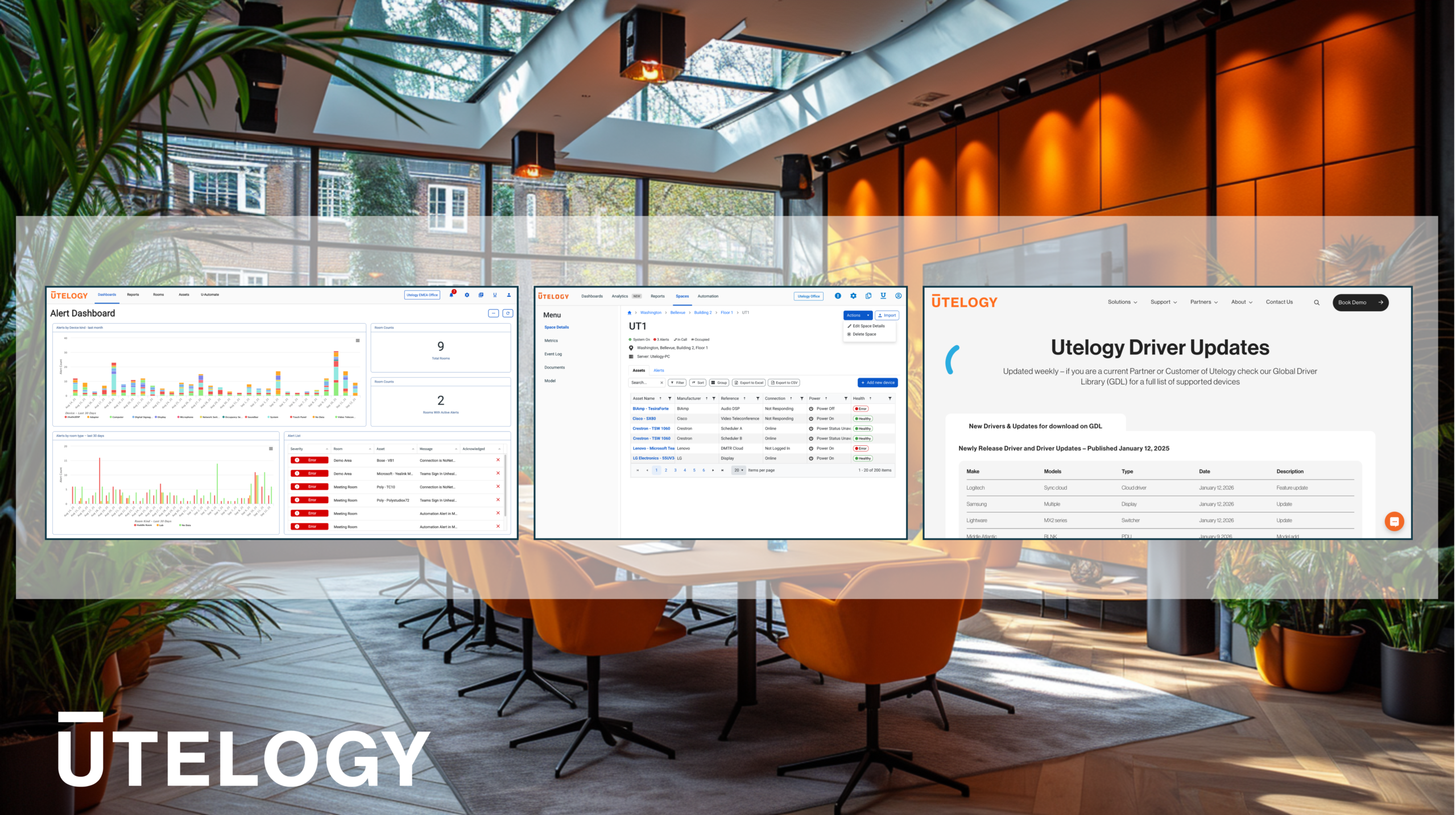
    Utelogy is entering ISE 2026 with strong momentum after a record-breaking 2025, marked by rapid global growth, expanded partnerships, and hundreds of new platform integrations. The company will highlight how its cloud-first approach is simplifying the management of AV and UC environments, allowing IT and AV teams to monitor, configure, and scale connected workspaces through secure, browser-based tools without added complexity.

    At the show, Utelogy will also demonstrate how AI-driven intelligence is transforming daily operations. From natural language interactions and automated workflows to predictive maintenance and real-time data integration with IT service platforms, Utelogy is helping enterprises reduce downtime, improve visibility, and better align AV and UC operations with core IT and security practices.

    Utelogy Corporation, the global leader in connected workplace management, monitoring, control, automation and analytics closes out a record-breaking 2025. The company enters 2026 with strong momentum, continued global expansion, and a growing ecosystem of customers, partners, and technology alliances driving the evolution of the connected workspace.

    Utelogy has continued triple-digit growth, expanded its global footprint, and strengthened its partner ecosystem to include more than 50 certified service providers worldwide and added a significant number of Utelligent Technology Partners. The platform has continued to scale rapidly, with over 200 new integrations released in 2025, reinforcing Utelogy’s open, hardware-agnostic approach to AV and UC management.

    This momentum has been shaped by close collaboration with customers and partners, as well as ongoing investment to further enhance the management, monitoring, automation, and analytics elements of the platform. Utelogy’s progress has been recognised through multiple industry accolades, including Best of Show awards at ISE 2025 and InfoComm 2025, alongside recognition for Agentic AI innovation and finalist placements across leading industry awards.

    Building on this foundation, Utelogy will showcase its latest cloud-first platform advancements at ISE 2026, demonstrating how modern AV and UC operations can scale more efficiently, operate more intelligently, and align more closely with enterprise IT and security expectations. With a growing roadmap and several major announcements planned for early 2026, Utelogy remains focused on delivering innovative, reliable, and intelligent solutions that empower organisations to operate their connected environments more effectively and deliver an improved customer experience.

    Utelogy Drives Cloud Innovation at ISE 2026

    Utelogy Drives Cloud-First Operations for Enterprise Scale
    At ISE 2026, Utelogy will showcase how cloud-based operations and cloud-to-cloud connectivity are transforming the way organisations manage AV and UC environments at scale.

    By moving configuration, monitoring, and lifecycle management into the cloud, Utelogy enables IT and AV teams to manage rooms, locations, and devices through a browser-based interface without the need for VPN or on-site access. This approach reduces deployment friction, accelerates change management, and supports consistent operations across globally distributed environments.

    Utelogy’s cloud-to-cloud connections extend these capabilities by integrating directly with leading UC and AV platforms through secure APIs and real-time webhooks. This enables automated device discovery, unified monitoring, and service-level visibility across cloud-native and hybrid environments. Organisations can onboard thousands of devices using credential-based access while maintaining seamless coexistence with existing on-prem infrastructure.

    Designed for enterprise IT teams, AV operations, system integrators, and managed service providers, Utelogy’s cloud-first model delivers the scalability, flexibility, and control required to support modern workplaces without adding operational complexity.

    “Over the past year, we have focused on removing friction from AV and UC operations while preparing our platform for a cloud-first future,” said Kevin Morrison, CEO of Utelogy. “The innovations we are showcasing at ISE 2026 reflect how our customers are evolving – from distributed teams to cloud-managed ecosystems. By moving configuration, connectivity, and intelligence deeper into the cloud, we are giving organisations greater visibility, flexibility, and control without increasing complexity.”

    Advancing Operations with AI-Driven Intelligence and Data Integration

    Utelogy continues to advance AI-driven intelligence and data integration to elevate operational performance across enterprise environments.

    Agentic AI enables secure natural language interaction with rooms and devices, automates workflows at scale, and answers complex operational questions across AV, UC, and workplace technology environments. These capabilities allow teams to orchestrate actions such as firmware updates, device recovery, and usage analysis with greater speed and precision.

    Predictive AI, developed in collaboration with Intel, brings intelligence to asset management through predictive maintenance and anomaly detection. By identifying potential issues before they impact users, organisations can reduce downtime, optimise maintenance cycles, and improve long-term system reliability.

    In parallel, Utelogy’s data and webhook integrations allow real-time operational events to flow directly into third-party ITSM, AIOps, and incident management platforms. This enables faster alert handling, automated remediation, and tighter alignment between AV, UC, and enterprise IT operations by reducing mean time to resolution and improving service outcomes across the organisation.

    Visit Utelogy at ISE 2026

    As the AV and UC industry continues its transition toward cloud-managed architectures, Utelogy remains focused on delivering scalable, future-ready solutions that simplify operations and empower both enterprise teams and service providers.

    At ISE 2026, attendees can experience firsthand how Utelogy’s cloud-first platform, AI-driven intelligence, and data integration capabilities are shaping the next phase of intelligent, connected workplaces. To learn more or schedule a meeting, visit Utelogy at ISE 2026 stand #2W800.

  • NDI and Zoom team up to bring seamless connectivity to meeting and event spaces

    NDI and Zoom team up to bring seamless connectivity to meeting and event spaces

    NDI and Zoom have announced a strategic collaboration that brings NDI Advanced video connectivity directly into key Zoom products, making it easier for organizations to build flexible, high-quality meeting and event spaces. With NDI integrated into Custom AV for Zoom Rooms, IT and AV teams can connect NDI-enabled cameras, displays, and other devices straight into Zoom meetings, supporting multi-camera and multi-display setups with low latency and reliable performance across hybrid workspaces.

    The partnership also enhances Zoom’s broadcast and event tools, including ZoomISO and Tiles for Zoom, enabling virtual and hybrid events with broadcast-level quality and greater interactivity. By combining NDI’s network-based, plug-and-play AV-over-IP technology with Zoom’s collaboration platform, enterprises can scale their meeting and event environments more easily, without complex hardware or costly infrastructure changes.

    NDI, the leading video connectivity standard for AV-over-IP, and Zoom, the AI-first collaboration platform, announce a strategic collaboration to integrate the NDI Advanced technologies across multiple Zoom product offerings. This collaboration empowers organizations to transform their meeting rooms, shared spaces, and event venues with flexible, high-quality video and audio connectivity.

    With NDI-enabled within Custom AV for Zoom Rooms, enterprises can connect any NDI-compatible device or stream, such as cameras, displays, and other AV equipment directly into Zoom meetings. This integration supports multi-camera and multi-display setups, making it easy to implement advanced AV-over-IP workflows that facilitate creativity and collaboration for in-person and remote participants in various spaces – including hybrid auditoriums, all hands rooms, lecture halls, training spaces, corporate broadcast studios, large boardrooms, and more. The result of the NDI integration with Custom AV for Zoom Rooms is a seamless, immersive experience with minimal latency and maximum reliability.

    NDI Advanced technologies will also bring new dynamic capabilities to Zoom’s Emmy Award-winning Zoom for Broadcast tools, giving virtual and hybrid event producers enhanced abilities to deliver broadcast-quality experiences that drive interactivity and engagement at scale. Popular event production apps in the Zoom Webinars and Events platform, for instance ZoomISO and Tiles for Zoom, will directly benefit from these powerful NDI features.

    “The wide industry adoption of NDI technology and its plug-and-play approach makes AV-over-IP workflows more accessible than ever before across broadcast television, enterprise production, and content creation,” says Andy Carluccio, Head of Client Innovation, Zoom. “We are excited to integrate robust NDI Advanced technology inside key Zoom products, offering a seamless experience that unifies NDI’s impressive capabilities and product ecosystem with Zoom’s innovative collaboration platform.”

    Unlocking immersive collaboration for enterprises

    In an increasingly hybrid professional world, enterprises need technology that provides instant, high-quality connection that supports efficiency and productivity, but also genuinely engages those in the meeting. NDI offers a compelling alternative to traditional hardware connections with its software-driven, network-based, and plug-and-play connectivity. With NDI Advanced technology operating directly within Zoom’s versatile product offerings, meeting and event spaces are easier to adapt – from executive presentations to global webinars.

    The widespread interoperability of the NDI standard enables teams and users to scale at their own pace, with confidence and security. Whether equipping a single meeting room or an entire campus, its IP-based standard, combined with Zoom’s trusted platform, allows organizations to adapt without costly extension technologies or complex installations.

    “Network-based connectivity opens a whole new range of possibilities for video and audio workflows. Together with Zoom, NDI is bringing these new possibilities to collaboration set-up across the world – no matter the size of your organization,”says Miguel Coutinho, Head of NDI.

    Communications teams, content creators, and everyday users can bring multiple video and audio sources to the collaboration platform, supporting creative and interactive meetings for all purposes.

  • Sennheiser Celebrates 80 Years of Audio Innovation with Year-End Promotion on TeamConnect Bar S

    Sennheiser Celebrates 80 Years of Audio Innovation with Year-End Promotion on TeamConnect Bar S

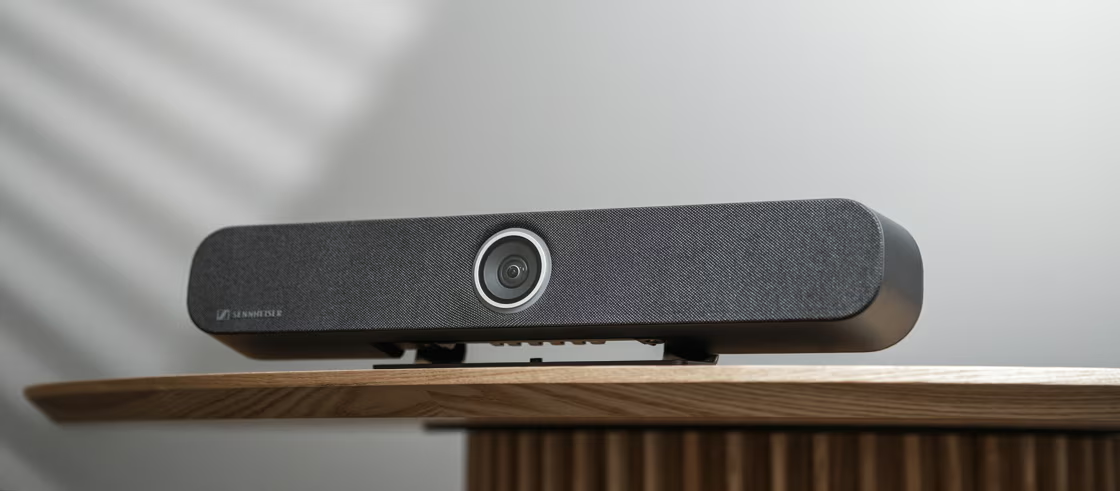
    Sennheiser is celebrating its 80th anniversary with a special year-end promotion on the TeamConnect Bar S, its compact all-in-one conferencing solution. Available until December 31, 2025, the TC Bar S is now priced at $699, down from $1,299, offering AV and IT professionals a powerful yet affordable way to upgrade their meeting and collaboration spaces.

    Designed for huddle rooms and small meeting areas, the TC Bar S combines crystal-clear audio, integrated video, and AI-driven features in a sleek, easy-to-deploy design. Sennheiser’s initiative aims to make premium communication technology more accessible while celebrating eight decades of audio innovation and excellence.

    In celebration of its 80th anniversary, Sennheiser is proud to announce a year-end promotion on the TeamConnect Bar S (TC Bar S), the smaller version of the company’s award-winning premium all-in-one conferencing solution. ​ From now through December 31, 2025, customers can purchase the TC Bar S at a special promotional price of $699, reduced from its original MSRP of $1,299. ​ Dealers will experience a proportional discount relative to their current pricing. The limited time promotion is for TC Bar S only and does not include the larger TC Bar version, TC Bar M, which will remain at its current price.

    This exclusive offer marks a rare opportunity for corporate and higher ed AV and IT professionals looking to enhance their organization’s unified communications setup at a discounted price. The TC Bar S combines high-quality audio, integrated video, and advanced AI features in a sleek, compact design ideal for huddle rooms and small meeting, learning and collaboration spaces.

    “Eighty years of innovation is a remarkable achievement, and we’re thrilled to celebrate it by making one of our most versatile conferencing solutions more accessible during these challenging economic times,” said Simon Holley, Vice President, Sales, Business Communication, Sennheiser. “We are committed to not only making learning and collaboration easier but making the purchasing of excellent audio and collaboration technology easier by meeting the customer at the right price point at the right time.”

    This new promotion will take the place of the TC Bar S’s inclusion in the rebate program currently available to U.S. customers. ​ The rebate program still covers U.S.-based purchases of a TC Bar M before November 1, 2025.

  • Google Meet Time Limit in 2026: How Long Free Meetings Actually Last

    Google Meet Time Limit in 2026: How Long Free Meetings Actually Last

    The Google Meet time limit depends on your account type, but for most users, the answer is simple. If you’re using a free Google account, meetings can last up to 60 minutes. Once that time is reached, the meeting ends automatically, and participants are removed. For paid Google Workspace users, meetings can run up to 24 hours, which effectively removes the limit for most real-world use.

    That’s the headline. The details depend on how you’re using the platform.

    Google Meet Time Limits by Plan

    Plan Time Limit Participants Key Notes
    Free (Google Account) 60 minutes Up to 100 Meeting ends automatically at 60 minutes
    Business Starter Up to 24 hours Up to 100 No practical time limit
    Business Standard / Plus Up to 24 hours 150–500 Includes recording
    Enterprise Up to 24 hours Up to 1,000 Advanced controls

    For most organizations, the time limit isn’t something you’ll ever hit. For free users, it’s a hard stop you need to plan around.

    What Happens When You Hit the Time Limit?

    Google Meet handles this in a very straightforward way.

    • You’ll receive a warning as the meeting approaches the limit
    • At the time limit, the meeting ends automatically
    • Everyone is removed and must rejoin a new session

    There’s no extension window or grace period. If your meeting runs long, it stops.

    Why Google Meet Has a Time Limit

    For free users, it’s part of Google’s broader model of offering basic access while reserving extended functionality for paid Workspace plans. It also helps manage platform load across a massive global user base.

    For businesses, the removal of that limit is part of what you’re paying for. Longer meetings, recordings, and larger participant counts are all tied to those plans.

    Does the Google Meet Free Time Limit Change?

    It has in the past, which is why this topic creates confusion. During the pandemic, Google temporarily extended meeting durations for free users. Since then, the platform has settled back into its current structure, with a 60-minute limit for free group meetings.

    That history is why you’ll still see conflicting answers depending on when an article was written.

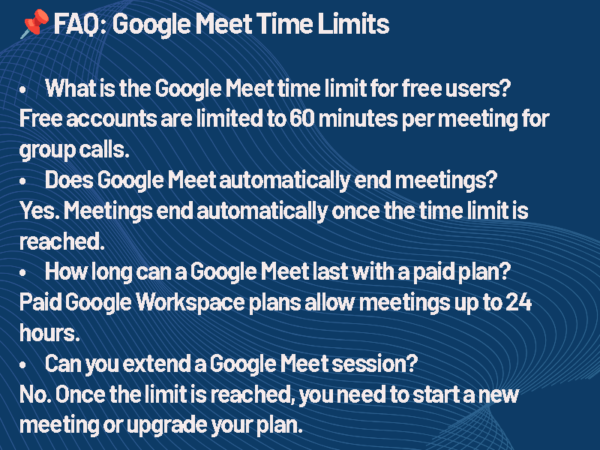
    Google Meet Time Limit FAQ
    Google Meet Time Limit FAQ

    How to Work Around the Google Meet Time Limit

    If you’re consistently running into the limit, there are only a few realistic options.

    • Upgrade to a Google Workspace plan to remove the restriction
    • Restart the meeting immediately after it ends
    • Structure meetings to stay within the 60-minute window

    None of these are complicated, but they do require planning if you’re relying on the free version.

    Extending Google Meet’s time limit is technically straightforward: upgrade to a Workspace plan and ensure all participants use organizational accounts. But the strategic implications go deeper. Paid tiers centralize management, improve compliance logging, and integrate with room scheduling and calendar systems, all of which reduce friction for AV support staff.

    Google Meet vs Other Platforms

    Time limits are one of the simplest differences between collaboration tools.

    Most platforms follow the same pattern:

    • Free versions include restrictions
    • Paid plans remove or extend those limits

    If your meetings regularly go beyond an hour, the limitation becomes less about the tool and more about choosing the right plan.

    The Limits of “Free”

    Google Meet’s free plan allows meetings up to 60 minutes for groups and 24 hours for one-on-one calls. Once the clock runs out, participants are automatically disconnected. That constraint might not matter for a quick stand-up or customer check-in, but it can disrupt longer strategy sessions or hybrid workshops.

    For organizations relying on Meet for daily collaboration, these limits quickly push them toward Google Workspace. The company’s paid business platform. Workspace tiers such as Business Starter, Business Standard, and Business Plus remove the 60-minute cap, allowing meetings to run up to 24 hours and adding management features that enterprise AV teams often depend on: attendance tracking, noise cancellation, and enhanced recording.

    Understanding the Google Meet Time Limit

    For AV/IT directors, the question isn’t just “which is cheapest?” but which fits our infrastructure best? Zoom Rooms and Teams Rooms have mature hardware certification programs, while Meet hardware has gained ground through partnerships with Logitech, Lenovo, and Poly. Each ecosystem dictates different hardware, codecs, and management tools making the UC license decision inseparable from the AV design process.

    The Google Meet time limit isn’t complicated, but it’s easy to overlook until it interrupts a meeting. If you’re using the free version, the 60-minute cap is something to actively plan around. If you’re running longer sessions regularly, upgrading removes that friction entirely.

  • Sennheiser TeamConnect Bar S Review

    Sennheiser TeamConnect Bar S Review

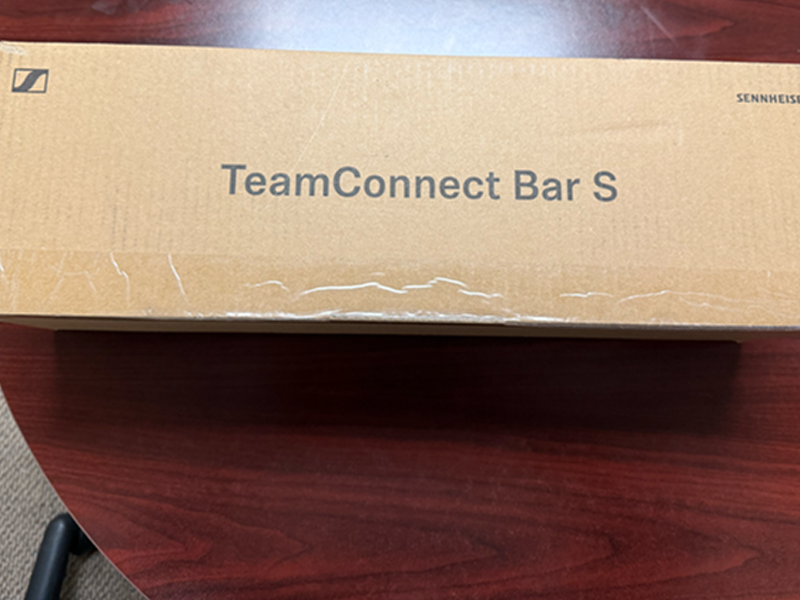
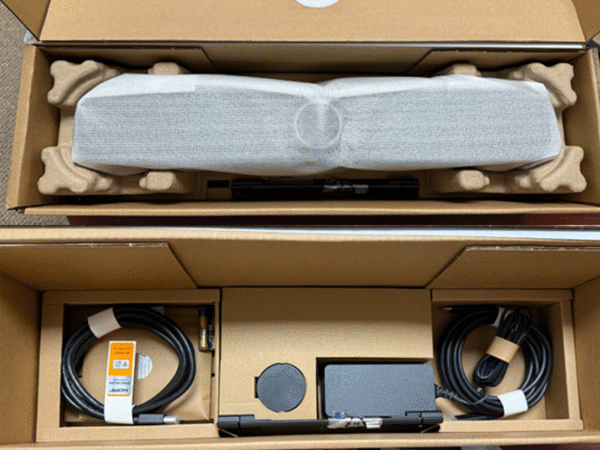
    When I first unpacked Sennheiser’s TeamConnect Bar S, I expected another compact soundbar aimed at small-to-medium rooms. What I found instead was a deceptively capable, enterprise-ready system that feels every bit like a Sennheiser product. It’s a clean design with exceptional audio and a focus on reliability over flash. The price is typically $1,299 MSRP. To celebrate their 80th anniversary, the company is making the TeamConnect Bar S only $699 MSRP until the end of 2025.

    Setup and Design

    Sennheiser TeamConnect Bar S inside box
    Sennheiser TeamConnect Bar S inside box

    Sennheiser’s engineers clearly thought about the IT teams who have to deploy these in bulk. Setup is refreshingly straightforward: a single power cable, USB-C, and an HDMI out if you’re tying it to a display. PoE + is supported, and the whole bar can be mounted above or below the display with standard brackets. It’s plug-and-play friendly but doesn’t skimp on enterprise control.

    The unit itself feels solid, a bit heavy, and well-built. It’s about as wide as a 55-inch display and has that understated Sennheiser industrial aesthetic: functional without trying to be a design statement.

    Audio Performance

    If you’ve spent any time with Sennheiser’s ceiling microphones, you know their pedigree in audio capture. That same DNA shows up here. The TeamConnect Bar S uses beamforming mics that automatically adjust pickup patterns, keeping voices clear while minimizing HVAC noise and room echo.

    On playback, the speakers are tuned for voice intelligibility first, not cinema-style bass. That’s a good thing in the UC world. Voices sound natural and consistent across Teams, Zoom, and Webex calls. Even in a 15-by-20-foot conference room, the Bar S held its own without distortion or drop-off.

    Camera and Video

    The integrated camera is a pleasant surprise. At 4K resolution with 120-degree field of view, it captures everyone at the table without fisheye distortion. Framing is fast and fairly intelligent. It doesn’t over-correct or whip from speaker to speaker like some competitors. In testing, the auto-framing logic felt natural, staying wide during group discussions and tightening only when a single participant took the floor.

    Control and Integration

    Sennheiser TeamConnect Bar S device
    Sennheiser TeamConnect Bar S device

    Sennheiser’s Control Cockpit platform gives IT admins a full dashboard view across multiple rooms: firmware updates, device status, and mic level adjustments, all from a browser interface. That level of visibility makes it easier to deploy hundreds of units without sending techs room-to-room. In today’s enterprise UC environments this is standard and expected. Sennheiser meets that expectation.

    The Bar S also supports third-party control systems via API, which means integration with Crestron, Extron, or Q-SYS is straightforward. For enterprises standardizing across multiple collaboration platforms, that flexibility is worth its weight in gold. Though I did not test this connection, it appears those that have did so with little issues.

    Everyday Use

    From a user standpoint, this is plug-in and go. Connect a laptop via USB-C and it’s recognized immediately. The experience is consistent, predictable, and quiet, exactly what you want in a meeting space. There’s no need for additional microphones or DSP; the Bar S was clearly tuned to be a complete package for small rooms.

    Sennheiser isn’t trying to win the low-cost BYOD market with this one. It’s aimed at organizations that value long-term reliability and centralized management. The TeamConnect Bar S makes the most sense in huddle spaces, small conference rooms, or hybrid setups where consistency and ease of deployment matter more than flashy features.

    Sennheiser TeamConnect Bar S Review

    The TeamConnect Bar S is a reminder that Sennheiser knows how to balance engineering precision with practical deployment. It’s not trying to reinvent the category. It’s just doing it better than most of the competitors in this space. For enterprises looking for a BYOD-friendly, IT-manageable conferencing solution, this one deserves serious consideration.

  • Microsoft 365 Local: Is the On-Prem Announcement Aimed at Quelling European Sovereignty Sentiments?

    Microsoft 365 Local: Is the On-Prem Announcement Aimed at Quelling European Sovereignty Sentiments?

    Microsoft has announced Microsoft 365 Local, an on-premises solution for its popular 365 suite, marking a shift from its typical cloud-based offerings. This new solution, powered by Azure Local, is designed to give European organizations more control over their data, addressing growing concerns about digital sovereignty and data privacy in the region. With options like Sovereign Private Cloud and National Partner Clouds, the service promises enhanced compliance and security for European customers, giving them the flexibility to choose their cloud environment while still benefiting from Microsoft’s powerful tools.

    This move comes in response to the increasing push for digital sovereignty in Europe, with countries like Germany and Denmark leading efforts to reduce reliance on American cloud services. As governments and enterprises make a shift towards open-source or homegrown alternatives, Microsoft’s new offering aims to retain its European customer base by addressing their concerns over data control and security. However, whether it will be enough to prevent further migration away from Microsoft remains to be seen.

    Microsoft has announced a new version of its 365 productivity suite, “Microsoft 365 Local.”

    But far from being an announcement about bringing new features, this announcement seems to go against the grain of the industry’s push toward the cloud by releasing an on-premises solution.

    “Today, we are taking the next step in strengthening our European digital commitments to empower our customers with greater choice, more control over their data privacy, and the most robust digital resilience we have ever offered,”Judson Althoff, Microsoft Executive Vice President and Chief Commercial Officer, said of the announcement.

    Its new Sovereign Private Cloud solution will run on Azure Local, a subset of the Microsoft cloud. Microsoft claim that, among other things, that Azure Local is an optimal environment in which to run applications that perform better on-premises due to requirements for low latency or security.

    However, rather than having the ability to give customers more control or performance, is this Microsoft trying to head off growing sentiments of European cloud sovereignty?

    Azure Local and Microsoft 365 Local’s Offering

    Microsoft 365, which includes services like Office 365, Microsoft Exchange Online, and SharePoint Online, is normally only available in Microsoft’s public cloud and runs on the company’s Azure infrastructure.

    Microsoft 365 Local and Azure Local work very much the same as that, but with the main difference being that it can be hosted in a Sovereign Public Cloud, Sovereign Private Cloud, and National Partner Clouds.

    “Building on our 42-year history as a company in Europe, we are expanding our efforts with Microsoft Sovereign Cloud,” Althoff said.

    “This offer spans both public cloud and private digital infrastructure, ensuring our customers can choose the right balance of control, compliance, and capability for their needs.”

    Microsoft’s new suite of Cloud offerings

    Sovereign Public Cloud

    • Data stays in Europe, under European law
    • Data Guardian: operations and access controlled by Europeans
    • Sovereign controls for policy enforcement
    • Applies to existing European cloud data center regions with no migration

    Sovereign Private Cloud

    • Azure Local + Microsoft 365 Local: integrated cloud and productivity
    • Hybrid or disconnected at your location
    • Validated architecture and partner ecosystem
    • Virtualization services

    National Partner Clouds

    • For government and critical infrastructure criteria
    • Government-approved local operator independent from Microsoft
    • Clouds in Germany (Delos Cloud) and France (Bleu) with local ownership and isolated infrastructure

    What this essentially means is that Microsoft will allow users to keep using its services and systems, but on a cloud of their choosing.

    This can be a dedicated Microsoft cloud operated across all European data center regions, a private cloud, or even an independent cloud provider that Microsoft has approved.

    In addition to this, new features like External Key Management for customer-controlled encryption that can be used for Azure on-premises, Regulated Environment Management for simplified configuration, and Data Guardian for European operations are designed to give employees greater confidence by ensuring that only Microsoft employees in the region can control access to its systems.

    The service, currently in preview, will be generally available in all European cloud regions later this year. National Partner Clouds will be offered in France and Germany via Bleu in France and with SAP subsidiary Delos Cloud in Germany.

    The Delos agreement will see the company operate a sovereign cloud for the German public sector that is designed to meet the German government’s Cloud Platform Requirements.

    Germany has some of Europe’s strictest cloud requirements and has long battled with Microsoft products over compliance. Recent moves in the country could signal that it is seeking to move away from the tech giant’s suite altogether.

    A Bid to Quell Growing European Sovereignty Sentiments?

    Just days before the Microsoft 365 Local and Azure Local announcements, government administrations in both Germany and Denmark announced they were moving away from the Microsoft suite in a bid to run their systems on open-source software.

    In less than three months, Schleswig-Holstein will stop using any of Microsoft’s programs at work, a move affecting 30,000 now, with another 30,000 due to follow suit.

    Speaking of the move, the state’s Digitalization Minister, Dirk Schroedter, said the turn to open-source software is designed to “take back control” over data storage and ensure “digital sovereignty.”

    “We’re done with Teams!”, Schroedter said.

    Equally, Denmark is making larger efforts to remove Microsoft’s suite at both the provincial and national levels.

    Minister of Digitalization Caroline Stage Olsen announced that the Danish government will start moving away from Microsoft Office to LibreOffice, with the country’s Minister of Emergency Situations, Torsten Schack Pedersen, telling companies to “create exit plans for the use of cloud services.”

    This coincided with the announcement that Denmark’s biggest municipalities — Copenhagen and Aarhus — are ending their use of Microsoft systems.

    These sentiments have been echoed by Dutch lawmakers, where members of its parliament passed eight motions urging the government to ditch US-made tech for homegrown alternatives. Equally,  technology companies and lobbyists are pressuring the European Commission to take action to reduce the region’s reliance on foreign-owned digital services and infrastructure.

    With such sentiment seemingly snowballing across Europe this year, the latest move by Microsoft may signal an effort to stem this anti-American cloud monopoly from gaining wider ground.

    Already, the new Microsoft 365 Local and Azure Local release was bundled in a press release titled “Announcing comprehensive sovereign solutions empowering European organizations,” so the company seems to be well aware of where the wind is blowing.

    Previously, Microsoft released an EU Data Boundary that aims to ensure European customers’ data doesn’t leave the bloc’s boundaries so that it didn’t get legislated out of the EU market following GDPR.

    Yet despite the company showing a willingness to make concessions, it has still fallen foul of EU laws.

    An EU probe into Microsoft Teams accused the software giant of abusing its market dominance by tying its video conferencing tool, Teams, to its widely used Office 365.

    Microsoft has since unbundled Teams from Office 365 in the EU, but critics said the changes were too narrow.

    Microsoft has since promised additional concessions, such as continuing the Teams and Office separation for seven years, in order to avoid a fine.

    Is Local Enough to Stop a Microsoft Migration?

    To some, Microsoft’s introduction of 365 Local may feel less like innovation and more like damage control.

    The company is clearly scrambling to address a problem that has been brewing and is likely exacerbated under current “America First” politics, which have erupted into European concerns about data sovereignty.

    Yet the real test won’t be whether Microsoft’s offering is enough to calm concerns, but whether European organizations buy into this hybrid compromise.

    For governments and enterprises that have already started their exodus from Microsoft’s ecosystem, 365 Local may be too little, too late.

    Yet it might be enough to quell the momentum behind open-source alternatives and offerings present from European cloud providers.

    However, the company’s willingness to further fragment its own cloud offering speaks to just how seriously it views the European sovereignty threat to its business model. With Europe being the world’s third-biggest cloud market and with much of it operating under similar regulations thanks to the EU, it is no wonder why.

    Whether Microsoft 365 Local succeeds in keeping European customers in the fold or merely delays an inevitable shift toward digital independence remains to be seen.

    But one thing is clear: the era of unquestioned American tech dominance in Europe is facing its most serious challenge yet.

  • Zoom vs. Zoom Workplace: What’s Actually Different (And Which One You Need)

    Zoom vs. Zoom Workplace: What’s Actually Different (And Which One You Need)

    Zoom has launched Zoom Workplace, an AI-powered all-in-one communication, collaboration, and productivity suite that replaces the previous Zoom One plan. Unlike the standard Zoom platform, which offers a variety of individual tools, Zoom Workplace integrates essential Zoom features such as Meetings, Chat, Phone, Whiteboard, and Calendar into one package, aiming to provide a unified platform for modern businesses. The inclusion of Zoom’s AI Companion sets Zoom Workplace apart, helping organizations streamline their operations and improve collaboration while minimizing costs and IT complexities.

    Zoom Workplace is designed to enhance hybrid work environments by providing a comprehensive toolkit to improve employee performance and engagement. With a range of features for meeting management, workspace reservation, and digital signage, it aims to address the evolving needs of businesses. Zoom believes the platform will be a game-changer for companies looking to consolidate their cloud tools into one efficient ecosystem.

    Zoom vs Zoom Workplace: Are they just the same thing?

    The simple answer is not exactly. Zoom is a collaboration, communication, and productivity software company that produces a range of tools for the modern workplace. Although it may be best known for its video conferencing software, Zoom has come a long way in recent years.

    Today, the company’s portfolio includes everything from contact center software to solutions for hosting virtual events, managing workspaces and meeting rooms, and more.

    Zoom Workplace is essentially the AI-powered toolkit offered by Zoom that combines various solutions (like Zoom Meetings and Chat) into one bundle. It’s an upgraded version of Zoom One, the all-in-one collaboration solution intended to compete with offerings like Microsoft Teams.

    Here’s everything you need to know about Zoom and Zoom Workplace.

    Zoom vs Zoom Workplace: What is Zoom?

    Zoom, previously known as Zoom Video Communications, is a communications technology company based in San Jose, California. As mentioned, the company initially rose to fame, offering users one of the most convenient and user-friendly video conferencing platforms.

    Since officially launching its first product in 2013, Zoom has committed to constantly innovating and expanding its portfolio, similar to competitors like Google and Microsoft. Not only does it regularly upgrade its collaboration and communication tools with new features and security capabilities, but Zoom has also expanded into new areas.

    Zoom Workplace is just one of the various solutions offered by Zoom. The company’s entire portfolio also includes technology for:

    • Sales Teams: The Zoom Revenue Accelerator system combines Zoom Phone and Zoom Meetings with conversational intelligence and step-by-step guidance for sellers.
    • Developers: Zoom’s Developer tools provide access to Video SDKs, APIs, and intelligent technologies developers can use to build their custom applications.
    • Marketing: For marketing teams, Zoom offers access to Zoom Events (for virtual and hybrid event management), Zoom Sessions, and Zoom Webinars.
    • Customer care: Zoom now has its collection of contact center solutions, workforce engagement tools, and virtual agent technologies for customer service.

    Notably, Zoom also has its own partner portal, as well as dedicated solutions for companies leveraging communication technologies for specific industries, like education and healthcare.

    Zoom vs Zoom Workplace: What is Zoom Workplace?

    Zoom Workplace is the all-in-one communication and collaboration toolkit offered by Zoom. It replaces the “Zoom One” plan previously provided by the company and offers many of the same capabilities, such as Zoom Chat, Phone, Whiteboard, and Meetings.

    Unlike Zoom One, however, Zoom Workplace is powered by the latest artificial intelligence technologies. It includes Zoom AI Companion, which is offered for free alongside all of the standard Zoom communication and productivity apps.

    This helps to differentiate Zoom Workplace from solutions like Microsoft Teams, which offer access to the Microsoft Copilot assistant for an extra monthly fee per user.

    According to the technology company, Zoom Workplace is intended to address modern businesses’ current collaboration, communication, and productivity needs. Many organizations are looking for opportunities to consolidate their cloud-based technologies into a single toolkit, minimizing costs, complexity, and IT tasks.

    Zoom believes that the Zoom Workplace will give companies the ultimate ecosystem for hybrid work, and they can adapt it according to their specific needs.

    What’s Included in Zoom Workplace?

    Zoom defines Zoom Workplace as an AI-powered collaboration and communication platform designed to boost employee performance and engagement and enhance operations.

    Notably, while Zoom Workplace includes all of the central communication, productivity, and space management solutions offered by Zoom (as well as some extras), it doesn’t include Zoom’s marketing, sales, or customer care tools. You’ll need to purchase those options separately, although they can be added to a Zoom Workplace plan.

    The Features:

    Zoom Workplace’s features include:

    • Zoom Meetings: Zoom’s AI-powered meeting service supports video and audio conferencing, screen sharing, virtual backgrounds, caption translations, and more.
    • Zoom Chat: The comprehensive chat tool for instant messaging, one-on-one and team conversations, file sharing, and shared spaces.
    • Zoom Phone: The cloud VoIP solution offered by Zoom offers a 99.999% uptime SLA, global phone coverage, enterprise-grade security, voicemail, and SMS.
    • Mail and Calendar: Zoom’s integrated tools for email communication and calendar management are available on desktop and mobile.
    • Scheduler: Zoom’s all-in-one scheduling app with bookable time slots, automated email and SMS reminders, and integrations to existing calendar apps.
    • Zoom Docs: The all-in-one AI-powered collaborative workspace, similar to Google Docs, where people can share knowledge asynchronously and in real-time.
    • Zoom Whiteboard: Zoom’s dedicated virtual whiteboard for creative work, brainstorming sessions, wireframing and more.
    • Zoom Clips: The short video messaging capability from Zoom, intended for sharing knowledge, onboarding new users, and collaboration.
    • Zoom Notes: Zoom’s collaborative note-taking application, which integrates with all of Zoom’s other productivity tools
    • App Marketplace: A full marketplace with hundreds of apps for workplace management, collaboration, marketing, communication, analytics, and more.
    • Zoom Rooms: The dedicated hybrid and in-person meeting management solution from Zoom, similar to Microsoft Teams Rooms.
    • Workspace Reservation: A workplace management application for desk and meeting room booking and management.
    • Digital signage: Integrated digital signage capabilities connected to Zoom’s workspace reservation and booking tools.
    • Visitor Management: A comprehensive ecosystem where businesses can assign guest accounts to visitors and track the movement of guests.
    • Workvivo: Zoom’s employee engagement solution, with activity feeds, livestreaming, social feeds, events, goals, shout-outs, and more.

    Zoom vs Zoom Workplace: What’s Not Included in Workplace?

    The exact functionality you’ll get from Zoom Workplace depends on your chosen pricing plan. Zoom offers a range of options, starting with a Basic free plan for beginners and premium options starting at $13.32 per user per month.

    Notably, while all of the features above are offered in some Workplace plans, users can also choose to access the free version of Zoom Workplace and certain features through “add-ons.” For instance, Zoom Scheduler and Zoom Whiteboard are available as add-ons to the free plan.

    There’s also a range of other add-ons to explore, such as:

    • Zoom Large Meetings: From $50 monthly for meeting capacities of up to 1,000 people.
    • Zoom Clips Plus: The advanced version of Zoom Clips for $6.99 monthly.
    • Cloud storage: Cloud-based storage for recordings and content from $10 per month.
    • Translated captions: Instantly AI-translated captions from $5 per month.
    • Audio conferencing: Options to dial into meetings with phone numbers from $100 per month.
    • Conference room scheduler: A comprehensive room scheduler enables standards-based SIP/H.323 video conferencing from $49 monthly.
    • Zoom Phone Power Pack: $25 monthly for enhanced queue analytics and insights.
    • Zoom Compliance Manager: Comprehensive compliance, archiving, legal hold, risk management, and data governance features. (Per-quote pricing).
    • Zoom Revenue Accelerator: Zoom’s conversation intelligence solution for sales teams. (Per-quote pricing).
    • Quality of service: Zoom QSS as a service. (Per-quote pricing).
    • Zoom Mesh: Tools for high-quality webinars and events regardless of bandwidth. (Per-quote pricing).
    • Customer Managed Key: Solutions for adding your own encryption keys to Zoom data.

    Other Zoom Capabilities Not Included with Workplace

    Alongside all of the add-ons that missing from specific Zoom Workplace plans as standard, you also won’t get access to Zoom Events, Webinars, and Sessions, Advanced Zoom Rooms capabilities, and Zoom’s contact center solutions.

    Additionally, while Zoom Phone is included in some Workplace plans, such as the Zoom Business Plus and Enterprise plans (priced individually according to your needs), it can also be purchased separately. This approach to pricing ensures users can build the ideal Zoom ecosystem for their needs without buying unnecessary features.

    Zoom vs Zoom Workplace: Are They the Same?

    The various product packages and services offered by different communication and collaboration companies can initially be challenging to understand. Zoom Workplace isn’t the same as “Zoom,” but it includes many of Zoom’s features and tools.

    In simple terms, Zoom offers a wide selection of collaboration, productivity, workplace management, marketing, and customer service tools. Zoom Workplace is just one package the company offers that combines a range of features into a single plan.

    FAQs

    Has Zoom Workplace Replaced Zoom?

    Technically no. Zoom Workplace is an all-in-one collaboration, productivity, and communication tool plan offered by Zoom. It replaces the Zoom One plan, previously provided by the company, and offers many similar features but doesn’t include all of Zoom’s capabilities.

    What Happened to the Zoom One Bundles?

    The Zoom One bundles have been replaced by Zoom Workplace packages. They include most of the same capabilities and additional innovations, specifically in the AI landscape. Customers on Zoom One packages were automatically updated to Zoom Workplace in 2024.

    Why Did Zoom Replace Zoom One?

    According to Zoom, the company has been innovating over the years, introducing a range of new capabilities for meetings and communications. The new Zoom Workplace offering better represents Zoom’s comprehensive toolkit and focuses on delivering AI-powered capabilities.

  • Boom Launches ARC: ‘Game-Changing’ Dual-Host Bridge For Video Conferencing

    Boom Launches ARC: ‘Game-Changing’ Dual-Host Bridge For Video Conferencing

    Boom Collaboration has introduced the ARC, a dual-host connectivity hub designed to revolutionize video conferencing. The ARC effortlessly combines in-room systems with BYOM (Bring Your Own Meeting) setups, allowing automatic host switching between personal and room-based devices. This smart bridge supports USB-C power delivery, HDMI, and flexible I/O ports, ensuring seamless connectivity with popular platforms like Zoom, Teams, and Google Meet.

    With the rise of hybrid work, the ARC offers businesses a flexible solution that doesn’t require sacrificing previous investments in room-based setups. It simplifies conferencing, minimizes maintenance, and delivers AI-powered features in a single device, providing a more intuitive and efficient experience for modern teams. The ARC is set to redefine how organizations approach hybrid meetings.

    Manufacturer Boom Collaboration has launched a dual host connectivity hub, set to revolutionise how video conferencing meetings are staged in the future.

    The Boom ARC smart bridge for intuitive host switching, is being hailed as the dawning of a new era, by joining in-room and Bring Your Own Meeting (BYOM) systems together for the first time, in a best of both worlds scenario.

    “The video conferencing world moves fast, and we know we have to move even faster to stay ahead,” says Co-Founder Fredrik Hörnkvist.

    Hybrid reality

    “Our focus has always been on creating solutions that simplify collaboration while delivering an exceptional experience, based on any device across any platform in any room. We believe the ARC is unique in the market – designed for the hybrid reality we all work in. It offers automatic switching between room-based and personal devices, while providing USB-C power delivery and versatile input/output options – including HDMI, for effortless flexibility. It’s set to become a new star for us.”

    He highlighted: “Since the pandemic a lot of organizations have learned that whether it was hybrid work or bringing everyone back into the office, whatever model they chose, many went all in on dedicated in-room solutions – Teams, Zoom or Google Meet etc. This was great and at the forefront of market developments at the time.

    “Now many larger organizations are realizing, after analyzing user behaviour, that employees overwhelmingly prefer the simplicity of a single-cable setup using their own device.

    “The ARC solves this dilemma in a magical way so they don’t have to sacrifice the investments already made but can have their cake and eat it by combining both options within the same ecosystem.”

    Texas-based Boom offers the complete array of conferencing solutions, from dedicated kits to videobars, multi-camera controllers, in-room systems and cutting edge connectivity.

    Fellow founder, Holli Hulett emphasized: “There’s already been so much interest and excitement. The ARC reflects our continuing mission to simplify conferencing and create intuitive tools for modern work.

    “Simplicity is our North Star guiding light – but what sets the ARC apart is how effortlessly it blends flexibility and platform-agnostic performance with a zero learning curve.”

    Key ARC Features:

    • Automatic host switching between in-room and BYOM setups
    • USB-C with power delivery
    • HDMI support and flexible I/O ports
    • Cross-platform compatibility (Zoom, Teams, Google Meet, etc)

    She concluded: “The ARC is a perfect addition and represents the next chapter following the launch of our ZYGO one-cable-connection hub last year. The ARC can be tailored to perform exactly how customers want. That could be Teams on one screen and Meet on another – any combination in any format is possible. It unites everything in a best of both worlds way.

    “In addition, the ARC ensures less maintenance and support for in-room systems whilst also delivering all the AI and smarter features that today’s latest end points deliver, from one intuitive piece of hardware. It’s our new box of tricks that turns traditional conferencing on its head!”