Category: Features

  • From Boardrooms to Branches: Why Standardizing AV Is Becoming a Strategic Priority for Financial Institutions

    From Boardrooms to Branches: Why Standardizing AV Is Becoming a Strategic Priority for Financial Institutions

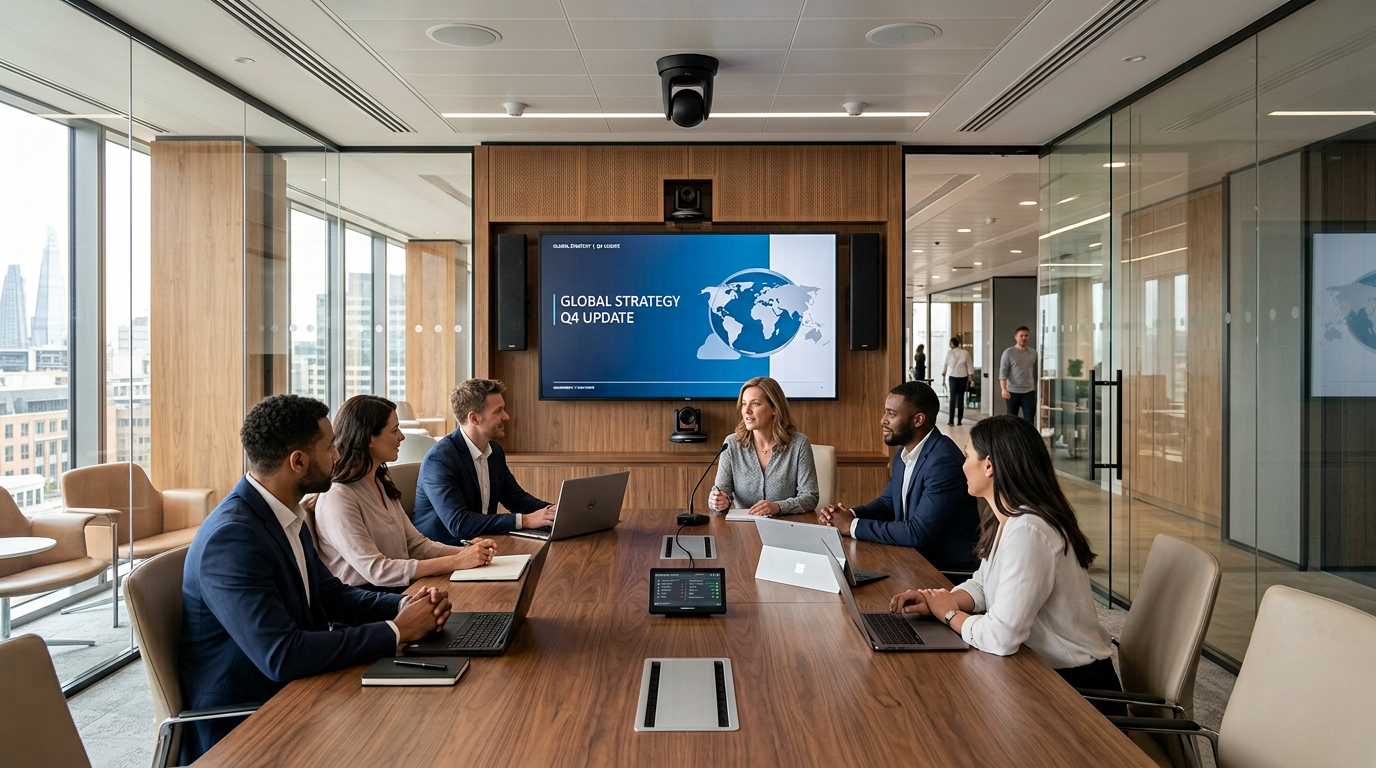
    An executive boardroom may offer seamless conferencing and intuitive controls, while a regional office or branch relies on a completely different setup. Employees face unfamiliar interfaces, and IT teams are left supporting multiple platforms.

    This fragmentation is rarely intentional. Years of expansions, renovations, mergers, and technology refreshes can create a patchwork of AV systems.

    As distributed work and digital customer interactions grow, that inconsistency becomes harder to manage. AV standardization is no longer just about better meeting rooms. It’s about creating a secure, manageable, and repeatable collaboration experience from the boardroom to the branch.

    How AV Fragmentation Happens

    Few financial institutions intentionally create inconsistent meeting environments. They inherit them over time.

    A regional office upgrades its conference rooms while headquarters adopts a different collaboration platform. A newly acquired bank brings its own AV standards. Branch renovations happen years apart, often with different vendors, budgets, or technology preferences.

    Each decision makes sense in isolation, but together they create an environment that’s difficult to manage.

    Employees moving between locations encounter different room interfaces and meeting workflows. IT teams support multiple hardware platforms, software versions, and management tools. Even routine troubleshooting becomes more complicated because every location operates differently.

    As organizations grow, so does the cost of that inconsistency.

    Standardization Is About Experience, Not Equipment

    One of the biggest misconceptions about AV standardization is that every room must contain identical technology.

    That’s rarely practical, and it misses the point.

    An executive boardroom has different requirements than a wealth management office or a branch consultation room. What should remain consistent is the experience.

    Employees should be able to walk into any meeting space and know exactly how to launch a meeting, share content, or adjust room controls. Behind the scenes, IT should manage collaboration technology through common platforms, standardized policies, and repeatable support processes.

    When the experience is consistent, employees spend less time figuring out the technology and more time focusing on the meeting itself.

    Every AV Endpoint Is Part of Your Security Strategy

    Today’s AV systems are no longer isolated pieces of hardware. Cameras, microphones, displays, control processors, and conferencing devices are all connected endpoints on the enterprise network.

    Without standardized deployments, managing those endpoints becomes increasingly difficult.

    Different branches may run different firmware versions. Authentication policies may vary between conferencing platforms. Some devices receive regular updates while others are overlooked simply because they aren’t part of a consistent management strategy.

    In highly regulated industries like financial services, that inconsistency introduces unnecessary operational risk.

    Standardized AV environments make it easier to manage firmware updates, maintain accurate device inventories, enforce security policies, and monitor system health across every location. Instead of treating each room as its own project, organizations can manage collaboration technology as a unified ecosystem.

    For IT leaders and compliance teams, consistency simplifies governance while strengthening overall security.

    Better Collaboration Leads to Better Customer Experiences

    Reliable collaboration technology doesn’t just improve internal meetings, it directly influences customer interactions.

    Mortgage consultations, investment reviews, commercial banking discussions, and virtual advisory appointments increasingly rely on video-enabled collaboration. Customers may never notice the quality of the camera or microphone, but they’ll certainly notice if the technology delays the conversation.

    Poor audio, unreliable video, or lengthy troubleshooting can interrupt important discussions and undermine confidence in the institution. Conversely, when technology works seamlessly, it fades into the background, allowing advisors and customers to focus on financial decisions instead of technical issues.

    Consistency behind the scenes creates professionalism where it matters most.

    Simplifying IT at Scale

    For organizations with dozens, or even hundreds, of locations, the operational benefits of AV standardization often outweigh the technology itself.

    Supporting a handful of standardized room types is far simpler than maintaining dozens of unique configurations. Common hardware profiles, centralized monitoring, and consistent support procedures reduce troubleshooting time while making software updates and device replacements far more predictable.

    Standardization also simplifies employee onboarding. Staff no longer need to learn different systems every time they visit another office, and IT teams spend less time providing room-specific training or documentation.

    Over time, these efficiencies translate into lower support costs, fewer service disruptions, and a better experience for everyone who depends on collaboration technology.

    Building a Standard That Can Grow

    Financial institutions are constantly evolving through new branches, office renovations, acquisitions, and workplace modernization initiatives. Without a defined AV strategy, every project starts with the same questions about hardware, platforms, room design, and support.

    Standardization changes that.

    Rather than designing each space from scratch, organizations can create repeatable room standards tailored to different environments. A boardroom won’t look like a branch consultation room, but both can deliver the same intuitive experience while following the same security, management, and support standards.

    A practical roadmap begins with assessing existing collaboration spaces, identifying common challenges, defining enterprise standards, and creating repeatable room templates. From there, IT teams can establish centralized management practices and regularly review standards as business needs evolve.

    The objective isn’t to eliminate flexibility. It’s to create a framework that allows organizations to grow without increasing complexity.

    Frequently Asked Questions

    1. What is AV standardization in financial services?

    AV standardization creates consistent meeting experiences, security policies, and management practices across offices and branches. The goal isn’t identical rooms, it’s technology that’s easy to use, support, and scale.

    1. Why should banks standardize their AV systems?

    Standardization improves meeting reliability, simplifies IT support, strengthens security, and delivers a consistent experience for employees and customers across every location.

    1. Does every meeting room need the same AV equipment?

    No. Different spaces have different needs. What’s important is a consistent user experience, standardized management, and common security practices, not identical hardware.

    1. How does AV standardization improve security?

    Standardized deployments make it easier to manage firmware updates, enforce security policies, monitor devices, and reduce risks associated with unmanaged AV endpoints.

    1. Where should organizations begin?

    Start with an assessment of existing meeting spaces, identify inconsistencies, and establish standards for collaboration platforms, device management, and room design before planning future upgrades.

    Consistency Is the Competitive Advantage

    Financial institutions earn trust through reliability, security, and operational excellence. Their collaboration technology should reflect those same values.

    Standardizing AV isn’t about installing the newest equipment in every room. It’s about ensuring every employee can collaborate confidently, every customer interaction feels professional, and every location operates within a consistent, secure framework.

    As hybrid work continues to reshape financial services, organizations have an opportunity to rethink how collaboration technology supports the business. Instead of approaching AV as a series of independent room upgrades, they can build an enterprise standard that reduces complexity, strengthens governance, and scales alongside future growth.

    Because the real value of AV isn’t measured by the sophistication of a single boardroom. It’s measured by how consistently it connects people, supports decisions, and delivers seamless experiences across every office, every branch, and every customer interaction.

  • “Lightweight” Doesn’t Mean Less

    “Lightweight” Doesn’t Mean Less

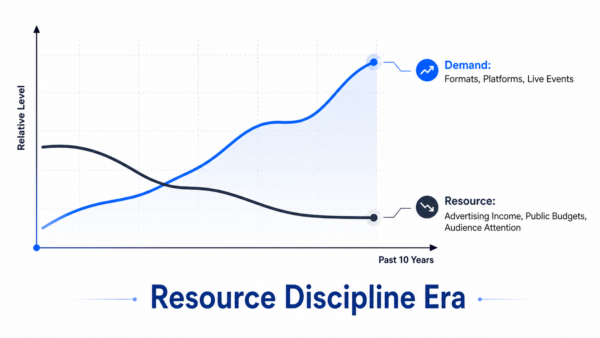
    For a decade, two curves in broadcast production have moved apart. Demand keeps climbing — more formats, platforms, and live events with shorter cycles. Resources run the other way — advertising shifts to streaming, budgets tighten, audience attention fragments. This is not cyclical but structural, which closes the old escape route of overbuilding for revenue that no longer comes. Broadcast is entering an era of resource discipline: every dollar of production capability must answer for its utilization. The industry assumes only two answers — spend more and stack equipment, or scale down to “good enough.” We believe that “lightweight” production claims the trade-off is false.

    What lightweight is not, and what it is

    Three misconceptions travel with the word “lightweight”. It does not mean smaller, cheaper gear; that is going down-market — you save on procurement and lose reliability and signal quality, which is weaker, not lighter. It does not mean cutting professional capability; fewer camera positions and rougher output walk away from the problem rather than solve it. And it does not mean going all-IP or all-cloud; pushing every signal onto ST 2110, or lifting the whole system into the cloud, only swaps cabling complexity for network engineering, and hardware maintenance for software plus bandwidth costs. The load on the operator does not lift, and sometimes it grows.

    So what is it? A system’s total complexity never disappears — it only moves. Lightweight production redistributes it: away from the venue, operator, and cabling; into the architecture, software, and network. Smaller equipment is a by-product, not the method. The real test is whether the operator’s complexity has fallen — fewer devices, simpler paths, faster response to change. Traditional infrastructure carries an original sin: built for peak, its capability locked into fixed rooms, paths, and single-purpose devices that mostly sit idle. Move complexity into the architecture and capability stops being a fixed asset and becomes a resource that can flow and recombine on demand. Those are the two faces of lightweight: lower complexity, the cause; and higher utilization, the measurable result.

    Three markets, one shift

    North America, Europe, and China sound different but are three faces of one change. North America talks REMI, remote production, and ST 2110 — decoupling operators, equipment, and venues over IP; strip the acronyms and it is resource fluidity. European public media talks about moving beyond linear workflows — one team and system serving many platforms at once, forcing complexity off people onto architecture. China named the shift and wrote it into policy: in April 2026 the National Radio and Television Administration issued its Technical Application Guide for Lightweight Production and Playout Systems (2026 Edition), setting the direction as lightweight, integrated, and intelligent — the goal is to not lower standards but more adaptable professional production through architectural change. It is the first time “lightweight” has crossed from vendor shorthand into an officially defined roadmap.

    A judgment some readers won’t like: hybrid is the destination, not the detour.

    The mainstream story treats hybrid IP as a temporary way station to all-IP, and SDI as technical debt. Our view is the opposite. First, SDI has not earned retirement on critical links: its determinism, zero configuration, and fault tolerance are still the cheapest reliability on those links — technology does not retire what is still the best solution. Second, the economics of full ST 2110 — PTP timing, non-blocking fabrics, dedicated network teams — never close for most mid-sized broadcasters and corporate users; a road only the top of the pyramid can walk is not the industry’s direction. Third, and most important, the question is wrong: the endgame is not one protocol winning but protocols ceasing to matter. Once an architecture layer treats SDI, NDI, SRT, and ST 2110 as interchangeable resources to route and reuse the question of, “which protocol” drops from strategy to engineering detail. The next competition is at the architecture layer, not the protocol layer — and whoever schedules a heterogeneous signal world as one ends the protocol war not by winning it, but by making it irrelevant.

    Three layers of getting there

    Signal layer — connect, don’t replace: bring existing SDI resources into the IP domain at minimal cost so they become schedulable objects, not scrap; the test is whether old operating habits survive. Function layer — modules, not more boxes: instead of a dedicated box per requirement — each with its own power, management, and signal path — functions like encoding, transcoding, NDI processing, multiview, and remote receiving become service cards combined on demand inside shared infrastructure, embodied by Kiloview’s RF02: up to 18 cards in a 2RU chassis, assembled around the workflow. Capability layer — software-defined, not hardware-bound: once a compute card lives in the same framework (such as our FXC-A8800 in the RF02), recording, monitoring, graphics, intercom, and future AI workloads no longer need their own hardware tier. Functions stop being equipment you buy and become software you deploy.

    One proof: Beijing Radio and Television (BRTV). Before its upgrade, Beijing Radio and Television ran 16 studios as SDI islands, sharing little, coordinated by hand. The upgrade kept the SDI foundation, integrated studios through a modular framework, pooled signals through centralized routing (Kiloview NDI CORE MAX), and brought field and OB feeds into one scheduling system via bonded encoders and IP converters. Three numbers followed. Studio utilization rose over 80% — fixed asset turned flowing resource. Operating and maintenance costs fell over 50% — complexity redistribution on the books. Bringing a field signal into production now takes minutes — recombination speed, once adding a signal is no longer a cabling job. After the upgrade: SDI still there, studios still there, and habits still there — running stably in hybrid. Hybrid is not an unfinished road; it is the destination.

    Light means wasting less. The gap between demand and resources will not close — which is why the yardstick is changing. Within five years, what marks a production system as advanced will not be which protocols it supports or how many signals it carries, but its utilization and its speed of recombination. Light has never meant owning less — it means wasting less: less idle capability, fewer stranded signals, fewer single-purpose devices, with less complexity on the operator. That is the path we have chosen: not betting on any protocol to win, but building the architecture layer that schedules every protocol and every existing resource as one. When the industry finally understands “lightweight,” it

    will not describe a smaller device — it will describe a way of producing that wastes less.

  • Microsoft’s MDEP Expansion Turns Displays Into IT Endpoints

    Microsoft’s MDEP Expansion Turns Displays Into IT Endpoints

    Microsoft’s booth partners had a simple pitch at InfoComm 2026. Avocor and IAdea showed how a digital signage display could behave like a managed IT endpoint. An IAdea OPS module turns an Avocor display into a managed device. IT can secure it the same way it secures a laptop. Dana Corey, senior vice president and global general manager at Avocor, called the module just the first step. “We need it to be thin, because we want to be thin,” Corey said, according to AV Magazine, describing where the hardware is headed next.

    That demo points to a bigger shift already underway. Microsoft’s Device Ecosystem Platform, or MDEP, started as an operating system for meeting room hardware. It is now expanding into digital signage, lobby displays, and eventually other IoT devices. For manufacturers and integrators, that means the line between an AV display and a managed IT device keeps getting thinner. Three guests joined a recent AVWeek round table to react to that shift.

    Listen to AVWeek 777 – Click Here

    From meeting rooms to lobby signage

    MDEP began as an answer to a specific problem. Enterprise IT wanted the same visibility into Teams Rooms hardware that it already had over laptops and phones. Microsoft built MDEP to deliver that, and manufacturers gradually adopted it across collaboration devices. The platform’s reach has since grown well beyond the meeting room. Microsoft and IAdea unveiled the first MDEP-based digital signage solution earlier this year. Additional display partners have joined since. The Avocor and IAdea demonstration at InfoComm extends that push into lobby signage, kiosks, and other always-on displays. Eventually, Microsoft expects the same security and management model to cover an even wider range of connected devices.

    MDEP is not the only way to solve this problem. Google’s Android already runs on a large share of enterprise displays. LG and Samsung both operate their own management platforms, too. What sets MDEP apart is its direct tie to Microsoft Intune. Many enterprise IT departments already run that identity infrastructure. For an IT department already standardized on Microsoft 365, that integration removes a step most competing platforms still require.

    AV and IT stop being separate worlds

    Kelly Teal sees MDEP as confirmation of a trend she has watched build for years. AV and IT stopped operating as separate worlds a while ago, she said. The more devices an organization deploys, the more its IT department wants them managed like every other endpoint.

    Teal is not convinced the operating system itself is the exciting part. The simplification it offers to IT teams is what matters most, in her view. If a department can manage displays with tools it already knows, that argument holds real weight for a decision-maker.

    Most customers care less about the platform running underneath a display and more about whether it works, Teal added. A display that turns on reliably and stays secure matters more to most buyers than what operating system powers it. Her open question is whether MDEP simplifies deployment or becomes one more platform everyone has to learn.

    Meeting the platform where IT already lives

    Cara Shannon described a similar calculation from the manufacturer’s side. Crestron sells devices built on MDEP alongside devices that are not, she said, and both categories matter to different customers.

    “The idea is to ensure that the teams deploying, managing and supporting spaces are able to do that easily, and with a platform that they’re used to and familiar with,” Shannon said.

    That framing puts the decision back on the customer’s existing IT environment rather than any single vendor’s roadmap. An organization already standardized on Microsoft tools gains an obvious advantage from MDEP support, in Shannon’s view. One that is not still benefits from having the option available.

    Who is really driving this decision

    Brock McGinnis was the most direct of the three guests about where the pressure for MDEP support actually originates. It is not coming from AV teams, he said.

    “We are not the dog that wags the tail,” McGinnis said. “IT is the dog that wags the tail.”

    Enterprise IT wants single-pane visibility into every networked device, McGinnis said. Manufacturers will keep adding MDEP support to stay relevant. He credited Microsoft with finding a path around Android’s licensing model that competitors have struggled to replicate. He was careful to separate that observation from an endorsement. Whether McGinnis proposes MDEP support to a client depends on that client’s own IT priorities, not on brand preference.

    Buying into a single vendor’s platform is rarely free, McGinnis added. Manufacturers now pay Microsoft for MDEP licensing, and that cost likely gets passed along the supply chain eventually. It is a familiar pattern in enterprise software. A platform reduces friction on one side of a deal while adding a new recurring cost on the other. Buyers should ask what MDEP licensing adds to the sticker price. That question matters as much as the feature list.

    Why this matters for the room

    None of the three guests dismissed MDEP outright. Each raised the same underlying question in a different way. Does this platform reduce the complexity IT teams already manage? Or does it just relocate that complexity under a new logo?

    The answer will depend on execution, not marketing copy. Manufacturers are already lining up behind MDEP. Avocor and IAdea join a growing list of hardware and software partners Microsoft has recruited this year. For IT and AV teams evaluating a purchase, the practical questions are the ones Teal raised. Does the display turn on every morning? Does it stay secure without extra effort? Does adopting MDEP actually reduce the number of tools a support team has to learn, or add one more?

    Those questions, more than any spec sheet, will decide MDEP’s fate. It will become standard infrastructure or just another platform competing for a support team’s attention.

  • Sony Takes Crystal LED Beyond the Showcase Installation

    Sony Takes Crystal LED Beyond the Showcase Installation

    Direct-view LED has steadily moved beyond command centers, broadcast studios, and high-end showcase installations. At InfoComm 2026, Sony made its next target clear: the everyday enterprise.

    Sony used the show to give its new Crystal LED S Series its first public showing, demonstrate its first all-in-one LED display, and present a virtual production setup designed specifically around the realities of corporate spaces. Taken together, the announcements point toward the same goal, making large-format LED easier for organizations to deploy without giving up the image characteristics Sony has built its Crystal LED line around.

    Bringing Crystal LED to more organizations

    The biggest shift comes with the Crystal LED S Series.

    Crystal LED S Series
    Crystal LED S Series

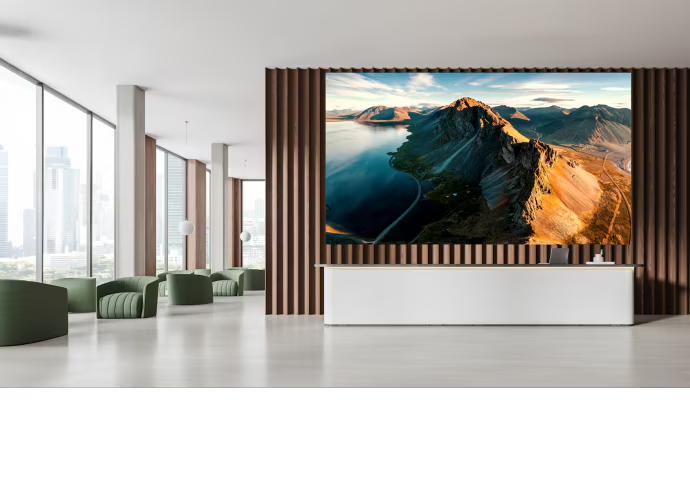
    Sony’s existing CH and BH Series sit toward the premium end of the company’s LED portfolio. The S Series takes a different approach, targeting organizations that want Crystal LED across more spaces but may not need, or have the budget for, the flagship models.

    Crystal LED BH and CH Series
    Crystal LED BH and CH Series

    “This is our enterprise solution for Crystal LED,” Jason Metcalfe of Sony said at InfoComm 2026. “We’re bringing that quality and that performance into a range that’s scalable across a whole institution, complex, whole organization.”

    That scalability is tied directly to cost. Metcalfe said the S Series represents roughly a 50 percent price reduction compared with Sony’s CH and BH Series. That potentially changes the conversation for enterprise buyers considering dvLED not simply for one statement installation, but across multiple spaces.

    The tradeoff is largely around performance requirements. Sony positions the CH Series for precise image control and higher brightness, while the S Series is designed around more typical enterprise environments. It offers 800-nit brightness along with an anti-reflective coating intended to help in spaces with significant ambient light, including corporate lobbies. Sony says the display still maintains strong contrast and black levels under those conditions.

    “We want to make CLED more achievable for a number of organizations,” Metcalfe said.

    Watch the full interview coverage.

    That’s an important distinction. For enterprise AV teams, dvLED adoption increasingly isn’t about whether the technology can produce an impressive image. The practical questions are whether the budget works, whether the display fits the environment, and whether deployment can be repeated across an organization.

    Sony takes an all-in-one approach

    Sony is also addressing another barrier to LED adoption: complexity.

    At InfoComm, the company showed its first all-in-one LED product, UNIFY. The 135-inch, 1.5mm-pixel-pitch display packages Sony’s image processing and engineering into a format intended to simplify installation and deployment.

    “We have an all-in-one product. It’s called UNIFY,” Metcalfe said. “It’s got our own engineering behind it, our image processing, but in a much easier-to-install, easier-to-apply package.”

    All-in-one LED displays address a different buying requirement than fully customized LED walls. Instead of approaching the display as a collection of cabinets, processing, mounting, and supporting components, organizations get a more packaged experience.

    That could make the format particularly relevant for meeting rooms, collaboration environments, executive spaces, and other applications where buyers want the scale of LED without treating every deployment as a highly customized project.

    Virtual production moves into the office

    Sony’s InfoComm story didn’t stop at displays.

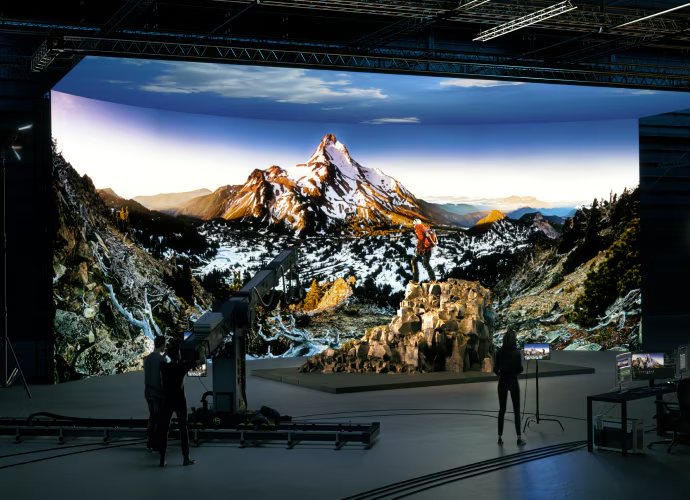
    The company also demonstrated a corporate virtual production environment developed with partners including Forte, Vu Studios, Original Syndicate, Megapixel, and Aputure Lighting. Rather than reproducing the scale of a Hollywood virtual production stage, the demonstration was designed around what a large enterprise could realistically accommodate.

    “This is built for 10-foot ceilings. It’s built for a space that would be in an office building. And it’s built for ease of operation,” Metcalfe said.

    That’s significant because corporate video production is becoming a more substantial part of enterprise AV. Organizations are producing executive communications, training, internal broadcasts, customer presentations, and livestreamed events at a pace that increasingly demands dedicated production infrastructure.

    Sony’s demonstration paired its Capri LED wall with an Alpha-series camera rather than the company’s higher-end VENICE 2 cinema platform. The idea is to show that virtual production doesn’t necessarily require an entirely separate tier of equipment or staffing.

    Crystal LED CAPRI
    Crystal LED CAPRI

    Metcalfe said the environment can be operated by one person or a small team, with lighting responding dynamically to content and access to a cloud content library.

    A broader enterprise play for dvLED

    Sony’s InfoComm 2026 display strategy reflects where dvLED appears to be heading next.

    Premium LED walls aren’t disappearing, and demanding applications will continue to justify flagship systems. But growth in corporate AV depends on making the technology practical in more ordinary spaces.

    The S Series tackles price and scalability. UNIFY tackles installation complexity. The corporate virtual production demonstration tackles accessibility at the workflow level.

    For enterprise AV and IT teams, that’s ultimately the more interesting development. The next phase of dvLED isn’t simply about building a bigger or brighter wall. It’s about making LED practical enough that organizations can start considering it as part of their broader AV standard rather than reserving it for the one room designed to impress everyone who walks through the door.

  • Good Enough Classroom AV: Why Higher Ed Can’t Escape It

    Good Enough Classroom AV: Why Higher Ed Can’t Escape It

    A professor once punched a hole through a classroom touch panel. He refused to wait 90 seconds for the projector to warm up. The integrator had to replace the entire $20,000 unit. AVNation founder Tim Albright shared the story on a recent episode of AVWeek. It captures a problem that has plagued higher education AV for decades. Technology that frustrates the person using it rarely survives contact with a classroom.

    Classrooms today demand more than a projector and a screen. That used to be the standard for good enough. Hybrid learning pushed the bar higher, an SCN piece reported, citing AVIXA and Logitech research. Multi-camera coverage and real audio reinforcement now count as baseline expectations, not extras. The research found something striking, too. One in three faculty members has considered leaving a school over bad classroom technology. So has one in four students. Institutions that treat AV as an afterthought risk losing the people the technology is meant to serve.

    Three guests joined a recent AVWeek round table to unpack one question. How does higher education move beyond good enough? Brock McGinnis of Nationwide AV, consultant Kelly Teal, and Cara Shannon of Crestron each brought a different vantage point. Together, their answers point to a shared conclusion. The fix is not more gear. It is a room that works the same way every time.

    Listen to AVWeek 777 – click here

    The bar keeps rising, but budgets do not

    Standardization matters as much as any single piece of gear, guests agreed. Support teams cannot scale without it. A touch panel that frustrates faculty defeats the purpose of the room. McGinnis does not expect higher education to escape the good enough mindset anytime soon.

    Budget pressure keeps pulling money away from AV upgrades, he said. Cybersecurity and physical security have absorbed dollars once earmarked for classroom technology. Tuition cannot climb indefinitely to cover the difference. As a result, the schools doing this well are not chasing broadcast-quality distance learning.

    “It doesn’t have to be great,” McGinnis said. “It just has to be clear and easy.”

    McGinnis ties reliability to standards, not brands. “This system shall do this,” he said. “Press a button, microphone goes on, laptop connects to the display or the projector, and everything else requires no adjustment.”

    That approach shifts responsibility onto the institution, not the integrator. McGinnis said the standard should describe performance, not a brand. Compatible gear across rooms lets support teams swap in a replacement fast when something breaks, he added. He also noted how much the landscape has changed. Educational institutions now carry far more in-house design expertise than they did 15 years ago, in his view. Integrators increasingly supply and service systems rather than design them from scratch.

    Good enough is a budget word, not a satisfaction score

    Kelly Teal, a consultant who advises higher education clients on AV investments, pushed back on the term itself. Good enough exists because budgets are tight, she said, not because users feel satisfied.

    “Nobody walks out of a meeting saying, man, that mediocre audio experience was fantastic,” Teal said. “They just tolerate it.”

    Teal measures success differently than a spec sheet does. The goal, she said, is a room nobody has to think about. Getting close to that goal starts well before installation, in her experience. Setting expectations with a client up front matters just as much as the design itself.

    “Moving beyond good enough isn’t always about buying the most expensive equipment,” Teal said. “It’s about designing a room where nobody has to think about the technology.”

    A five-minute struggle to share a screen counts as failure, in her view. So does audio that leaves remote participants straining to hear.

    “If someone has to spend five minutes figuring out how to share their screen, or remote participants can’t hear people in the room, the technology has already failed,” Teal said.

    Expectations shifted after COVID normalized hybrid meetings, Teal added. Remote workers no longer accept a diminished experience.

    “I think people expect remote participants to feel like they’re actually in the room,” she said. “Not like they’re listening through a drive-through speaker.”

    Manufacturers say the room comes before the box

    Cara Shannon of Crestron builds on Teal’s point from the manufacturer’s side. Every deployment should start with the room’s actual use case, she said, not with a product catalog.

    “The right solution is always going to start with understanding who’s in the room, who’s remote, how those people interact together, and what outcomes they’re trying to achieve,” Shannon said.

    A single camera might suit a lecture hall built for one-way delivery, she explained. A hybrid, interactive classroom instead needs technology that lets remote students see and join the conversation. The gap between those two scenarios is where good enough tends to break down, according to Shannon.

    “People don’t know what’s possible until they see it,” Shannon said. Manufacturers and integrators, in her view, need to show buyers the option, not just sell it to them. That means listening to how a room actually gets used before recommending anything.

    “What’s key is making sure the technology disappears,” she said. “And it becomes about your workflow and how you utilize the space.”

    Repeatable beats remarkable

    All three guests circled back to the same idea. Consistency matters more than spectacle in a classroom. A room that works the same way every time builds trust with faculty. Meanwhile, a room that requires a manual does not.

    For IT and AV teams building these systems, the takeaway is practical. A documented standard beats a wish list of features every time. Consistency also gives support staff a fighting chance when something breaks at 8 a.m. before a lecture.

    Higher education will likely never escape budget constraints. Still, the panel agreed on one point. A clear standard, applied consistently, gets a room closer to good than any single upgrade could.

    The research behind this conversation put a number on what happens otherwise. Faculty and students who fight with unreliable technology do not just complain. Some leave. That is a retention problem disguised as an AV problem. It belongs on the same budget spreadsheet as tuition and staffing.

    None of the three guests argued for bigger budgets as the fix. They argued for discipline instead. Pick a standard, document it, and hold every room to it. Skip the feature that only works in one building. The technology should disappear entirely. That, ultimately, is the standard worth building toward.

  • The Upgrade Trap: Buying New Gear Without Fixing Core Issues

    The Upgrade Trap: Buying New Gear Without Fixing Core Issues

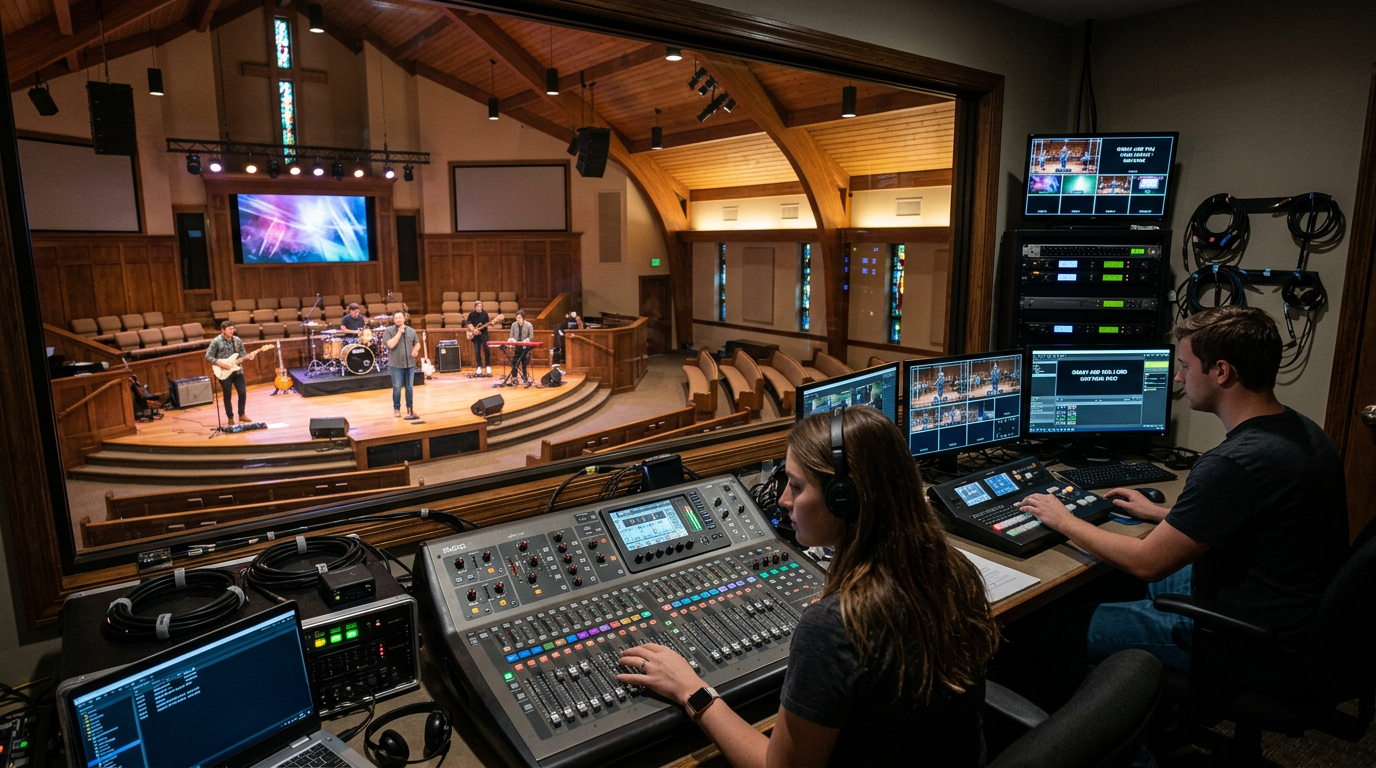
    Walk into almost any church after a major AV upgrade, and you’ll hear the same hopeful expectation.

    “The new console will fix our audio.”

    “The new cameras will make our livestream look professional.”

    “The LED wall will finally elevate the worship experience.”

    Sometimes those investments deliver. Just as often, a few weeks later, the same challenges return. Volunteers still struggle with the system, speech remains difficult to understand, livestream issues persist, and Sunday morning preparation feels just as stressful.

    The reality is simple: new equipment doesn’t automatically solve old problems.

    For many churches, the biggest improvements come not from buying more technology, but from understanding what’s limiting the system they already have.

    Technology Isn’t Always the Problem

    Churches are expected to deliver meaningful worship experiences, in person and online, while working within tight budgets. When something isn’t working, replacing equipment feels like the obvious solution.

    But many recurring AV issues have little to do with aging hardware.

    Poor room acoustics can undermine even the best loudspeakers. An improperly tuned system can create feedback and uneven coverage regardless of how new the console is. Network bottlenecks can affect livestream quality long before cameras or encoders become the problem.

    Technology can enhance a well-designed system, but it rarely compensates for unresolved design, infrastructure, or operational issues.

    Before approving the next equipment purchase, ask one simple question:

    Are we solving the actual problem, or just replacing the most visible part of it?

    More Gear Doesn’t Always Mean Better Results

    Today’s AV systems are more powerful, and more interconnected, than ever before.

    Every new DSP, encoder, control platform, or software application adds capability, but it also introduces another interface to learn, another integration point to manage, and another opportunity for something to go wrong.

    That complexity matters, especially in churches where volunteers operate production every week.

    When systems become harder to use, troubleshooting increases, training takes longer, and consistency suffers. Industry organizations such as AVIXA and NSCA have long emphasized lifecycle planning and interoperability because a system that’s easy to operate and maintain often delivers greater long-term value than one packed with features.

    The goal isn’t to own more technology.

    It’s to make ministry easier.

    Your Most Valuable AV Asset Isn’t the Equipment

    One of the biggest differences between houses of worship and many commercial environments is the people behind the controls.

    Most churches rely on volunteers with varying levels of technical experience. Some are seasoned operators. Others are serving for the first time.

    That’s why successful church technology isn’t defined by how advanced it is, it’s defined by how confidently people can use it.

    A well-designed system supports volunteers through intuitive controls, documented workflows, consistent operating procedures, and practical training. When technology reduces complexity instead of adding to it, teams spend less time troubleshooting and more time focusing on worship.

    The best system isn’t the one with the longest feature list. It’s the one volunteers can operate with confidence every Sunday.

    Five Questions to Ask Before You Upgrade

    Before committing part of the church budget to new equipment, step back and evaluate the bigger picture.

    1. What problem are we actually trying to solve?

    Identify the root cause before buying a solution. Poor audio, unreliable streaming, or inconsistent video quality may be symptoms, not the actual problem.

    1. Have we evaluated the current system?

    Assess room acoustics, signal flow, system tuning, networking, and infrastructure. Small improvements often deliver bigger results than major equipment purchases.

    1. Will this integrate with what we already have?

    Technology should fit into the existing ecosystem, not create isolated systems that become difficult to support or expand.

    1. Can our volunteer team operate it confidently?

    Advanced features mean little if volunteers struggle to use them. Ease of operation should matter as much as technical specifications.

    1. Will this still be the right investment five years from now?

    Prioritize scalable platforms and flexible system designs that can grow alongside the ministry instead of requiring another major upgrade in a few years.

    Optimize Before You Modernize

    Not every improvement requires new hardware.

    Retuning an audio system can dramatically improve speech intelligibility. Simplifying control interfaces can reduce volunteer training time. Improving network performance can stabilize video distribution. Preventive maintenance can restore performance that’s gradually declined over years of use.

    These upgrades rarely make headlines, but they often deliver the biggest return.

    A smarter technology strategy follows a simple sequence:

    • Assess the current system.
    • Identify operational bottlenecks.
    • Improve workflows and documentation.
    • Invest in volunteer training.
    • Address infrastructure limitations.
    • Upgrade equipment where measurable improvements are needed.

    This approach helps churches maximize both existing investments and future budgets.

    Better Worship Starts with Better Planning

    New technology has an important place in every ministry. But the most effective worship environments aren’t built by constantly replacing equipment. They’re built through thoughtful planning, reliable systems, and technology that serves both the ministry and the people using it.

    Before making the next purchase, take time to evaluate what’s really holding your system back. You may find the biggest opportunity isn’t replacing your technology, it’s optimizing what you already have.

    When churches assess before they invest, every dollar stretches further, volunteers gain confidence, and technology becomes what it was always meant to be: a tool that supports worship, not a distraction from it.

  • Are Amplifiers Dead? What PoE Ceiling Speakers Change

    Are Amplifiers Dead? What PoE Ceiling Speakers Change

    Audio-Technica added a Dante-enabled version to its ATSP-30 ceiling speaker line this month, according to InAVate. The new ATSP-30DP joins the existing ATSP-30LP model and targets small and midsize meeting rooms. Both models mount flush in the ceiling and ship in pairs, one active and one passive. Audio-Technica built the line around its ATDM SmartMixer platform. A pair of speakers can join a full networked audio system over standard Cat5e cable. Onboard DSP handles EQ, delay, and presets. Integrators can plan a room first with Audio-Technica’s Speaker Layout Tool or EASE modeling software.

    The announcement raised a bigger question on a recent episode of AVWeek. A ceiling speaker can now run over standard network cable and pull power from the same switch. Does a separate amplifier still earn its place in the rack? Host Patrick Norton put it directly.

    “Are amplifiers dead if we can run power over Ethernet speakers anywhere?” Norton asked.

    Listen to the full episode of AVWeek 778 – Click Here

    The case for going all-in on the network

    George Tucker, an event staging technical specialist at Corporate Audiovisual Services, said the answer depends entirely on the room. “It’s Dante controlled, so you have complete access to these units,” Tucker said. He pointed to the control that access gives an integrator over every speaker on the network. A networked speaker reports its own status, so a tech can catch a problem without walking the building.

    Tucker described the payoff in practical terms. A tech watching the system remotely can see that a speaker is offline. The dashboard can also show that someone flagged the volume as too loud. That kind of metadata turns a guessing game into a quick fix.

    Tucker said that visibility would have saved him time earlier in his career. He was working at Crestron and a couple of integration firms then. “It would make diagnosing a problem remotely so much easier,” he said. Norton added that the wiring gets simpler too, since fewer dedicated speaker runs need pulling through a ceiling.

    BC Hatchett, director of classroom technology at Vanderbilt University, agreed the appeal is real. “It goes back to what you’re going to use it for,” he said. In a hard-to-reach spot, a networked speaker can skip an expensive new cable run altogether. That works as long as the existing network already reaches that spot.

    Where amplifiers still win

    However, both panelists drew a hard line at scale. Tucker uses self-powered speakers for smaller events without hesitation. Large crowds change the math. Graduations and big ballrooms need an amplifier to drive a full speaker array across the room. Built-in power alone can’t cover that kind of distance or fill that much space with even coverage.

    Fidelity raises a second limit. Tucker said a standalone amplifier, paired with a separate EQ, gives a cleaner signal chain. It’s also more controllable than an all-in-one unit. Serious listeners notice the difference most. Tucker put his own loyalty on the line with a joke about it. “You’ll take my McIntosh from me with my cold, dead hands,” he said, referring to the well-known amplifier brand.

    Hatchett flagged a practical constraint too. Every network switch has a limited PoE power budget. That budget gets split across every connected device on the switch. A speaker that needs real output can outrun what the switch has left to give it. Cameras, access points, and other gear are often already drawing power too. Hatchett checks that math before every install, not after.

    Running a new low-voltage drop isn’t free either. Hatchett estimated the cost at $500 to $600 per drop, once his team brings in licensed installers. Weighed against that, a PoE speaker on existing cable can look far cheaper. That holds true right up until the switch runs out of power to give it.

    A tool, not a replacement

    Neither panelist called amplifiers obsolete. Hatchett summed up the panel’s consensus. “Are amplifiers dead? No,” he said. “But it is a cool screwdriver to keep in the toolbox.”

    That framing fits the ATSP-30DP itself. Audio-Technica built the speaker for small and midsize rooms, not stadiums or ballrooms. It solves a real installation headache in those spaces. It doesn’t pretend to replace what an amplifier does at scale.

    The broader shift toward networked audio, through Dante and similar protocols, has already reshaped plenty of wiring decisions. Choices that once lived on the truck now live on the switch. This speaker is one more data point in that trend, not a verdict against amplifiers.

    Buyers weighing PoE speakers against a traditional amp setup should start with the room, not the spec sheet. A huddle room and a graduation stage have almost nothing in common, and the right answer changes with each one.

  • The Shift From Managing Hardware to Managing Outcomes

    The Shift From Managing Hardware to Managing Outcomes

    Ask any AV manager how they found out about their last major outage, and you’ll get one of two answers. The first is a phone call: someone walked into a room, the display didn’t come up, and now the phone is ringing. The second is a notification that arrived before the room was ever occupied. The gap between those two answers says less about the equipment sitting in the rack and more about how the industry around it has changed.

    Hardware is still the foundation, and it always will be. Better displays, better amplification, better mounts, better cameras: that innovation matters, and it’s still what earns a manufacturer a seat at the table. What’s evolved is what happens after the sale. A well-built device used to be the finish line. Now it’s the starting point for an ongoing relationship: monitoring it, maintaining it, understanding how it’s performing, and stepping in before a problem becomes a call. The importance of the equipment hasn’t gotten smaller. The work around it has gotten bigger.

    Uptime Became Measurable, So It Became Expected

    Every organization running AV at scale has always cared about reliability. What changed is that reliability stopped being a feeling and became a number. A university can now tell you exactly how many classroom hours were lost to AV failures last semester. A retail chain can tell you how many storefronts had a signage outage during a promotional window. Once something is measurable, it becomes an expectation, and that expectation now extends to everyone in the chain, from manufacturers to integrators. Customers still want the right hardware for the job. Increasingly, they also want a partner who can tell them how that equipment is performing, and step in before it fails.

    Remote monitoring and management, RMM, is how the industry is answering that expectation. Live device health, predictive alerts, remote configuration, automated scheduling: none of it exists without strong hardware underneath it. What it adds is a layer of intelligence and support that turns a great product into an ongoing service. A rack full of well-built equipment that can also tell you when something needs attention is doing more for a customer than the same rack ever could on its own.

    Interoperability Is the Real Test

    Here’s where it gets harder than a product conversation. Almost no real AV environment is homogeneous. A corporate campus is running a decade of equipment from a half

    dozen manufacturers. A university is standardizing on new infrastructure in some buildings while managing legacy rooms that won’t be touched for years. Supporting that reality well means building management tools that work across a mixed environment, not just the piece of hardware you sold.

    That’s why the more interesting conversation in our industry right now is about open APIs, cloud-to-cloud integrations, and whether systems are willing to talk to hardware they didn’t manufacture. The industry initiatives pushing toward shared standards for device management exist because customers want both things at once: the right hardware for every application, and a single place to see and support all of it. Manufacturers who can deliver strong products and plug into that broader picture are the ones building real, lasting trust with their customers.

    A Deeper Way of Supporting the Customer Relationship

    The part of this shift that gets talked about least is what it does to the relationship between a manufacturer or integrator and the customer. Design, sell, and install used to be the entire engagement. The equipment shipped, the crew left, and the next conversation happened when something broke. RMM extends that relationship into the space in between. Being able to see the health of every system in the field, catch a failing component before it fails, and back that up with a real uptime commitment is a way of supporting a customer that goes well beyond the sale.

    For manufacturers and integrators, that’s an expansion of what we offer, not a replacement for what we’ve always done. It’s still our job to build and deliver great hardware. Increasingly, it’s also our job to stand behind it once it’s in the field, in a way customers can see and measure.

    What This Changes

    The organizations getting the most value out of AV right now aren’t choosing between good hardware and good support. They’re getting both from the same partner, and they’re starting to expect it as standard, not as an upgrade. For the professor who needs the projector to work without a backup plan, or the executive walking into a boardroom five minutes before a client call, reliability was never really about the device on the wall. It’s about everyone behind that device doing their part to keep it running, and increasingly, being able to prove it.

    That’s the shift worth paying attention to. Hardware got the industry here. How we support it is what carries us forward.

  • Commercial vs. Consumer AV Displays: When Cheap Costs More

    Commercial vs. Consumer AV Displays: When Cheap Costs More

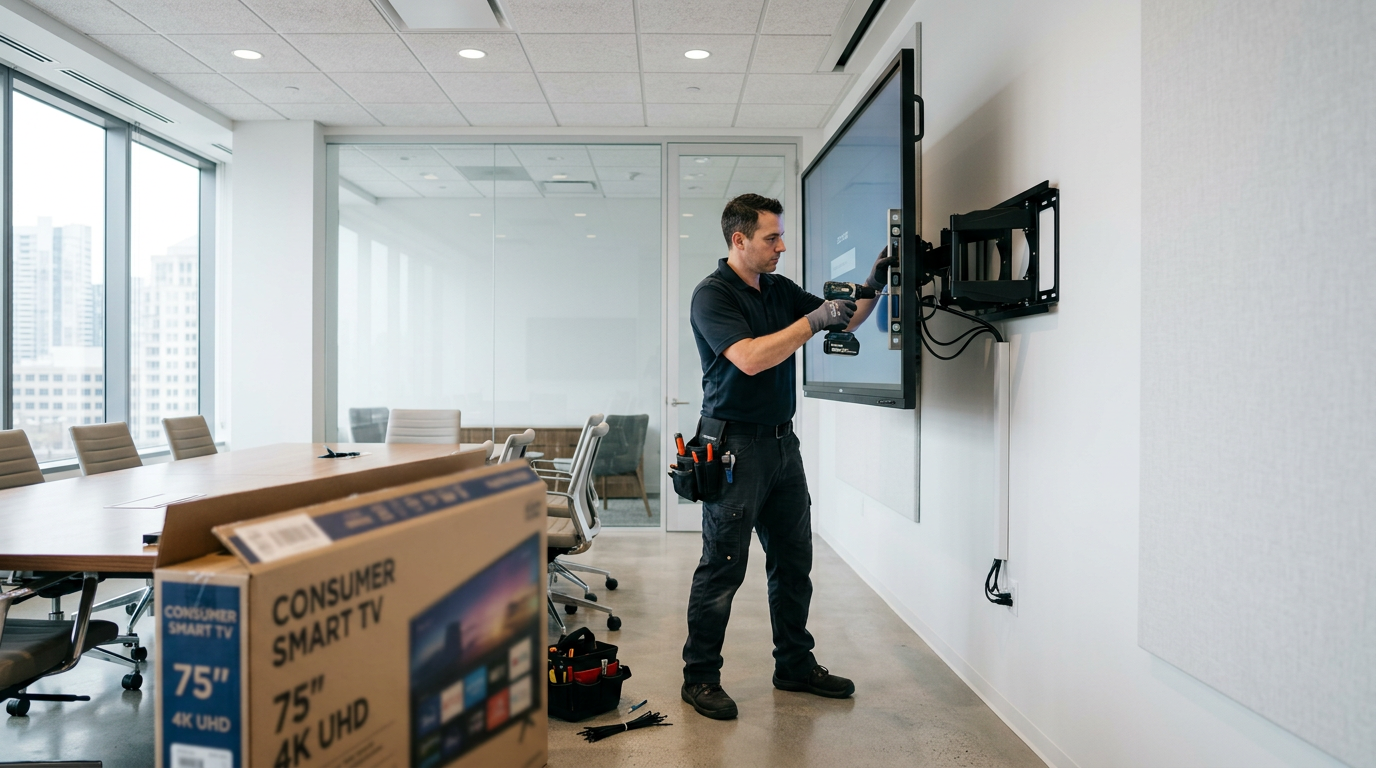
    A $600 flat panel goes dark eighteen months after installation. The warranty covers parts, but not the loaner unit. The manufacturer discontinued the replacement model two product cycles ago. The room sits unusable for eleven days. That scenario opened a recent piece by Tim Albright on AVNation.tv. It sparked a debate on a recent episode of AVWeek.

    The question is simple. Should AV teams buy commercial-grade displays, or does cheaper consumer gear get the job done? Host Patrick Norton put that question to panelists BC Hatchett and George Tucker.

    “Have either of you ever had to justify buying commercial gear in place of consumer gear?” Norton asked.

    Listen to the full episode of AVWeek 778 – Click Here

    The fiscal year-end problem

    BC Hatchett is director of classroom technology at Vanderbilt University. He faces this problem every year, especially near the end of the fiscal year. Departments rush to spend leftover funds before they expire. Some buy a budget flat panel from a big-box store and ask his team to mount it. Hatchett has to explain that the panel is not commercial-rated and cannot go up.

    The pushback often centers on price. A department might balk at an $800 commercial panel when a similar-looking model costs $250 at retail. “There’s a reason you can get it for $250,” Hatchett said.

    Vanderbilt’s AV team has built a reputation for pushing back, and most project managers now expect the answer. Even so, the request comes up constantly.

    When consumer gear actually wins

    However, George Tucker takes a different view. He is an event staging technical specialist at Corporate Audiovisual Services. His company runs commercial-grade projectors and audio gear at every show. Large-format displays are the exception.

    For screens in the 86-inch and 96-inch range, Tucker often buys retail models instead. Repairability drives the decision. Retail panels use parts that Tucker can source and swap himself, sometimes from a laptop-style screen kit. Commercial units resist wear, but they’re harder to fix and harder to move.

    “My need isn’t that it fits some ISO standard,” Tucker said. “It needs to be bright, clean, and easy to replace.”

    His team also buys duplicate units up front. He can’t always match spare parts once a model changes. For screens that only face overflow rooms or green rooms, the tradeoff makes sense. “I buy a lot of my TVs from retail outlets, and they last a good long time,” Tucker said.

    The lifecycle math

    Scale changes the math again. Vanderbilt will have about 550 classrooms once this summer’s projects finish. As a result, Hatchett’s team tries to cycle spare stock every three or four years so nothing goes to waste. Still, some rooms run equipment for seven years before an upgrade.

    By the time the team reaches the last classroom, the earliest installs are already aging out. “You’re building a wall, and by the time you finish, the beginning has started to crumble,” Hatchett said.

    What buyers should take away

    Albright’s original point still holds. A cheap panel can become expensive once it fails at the wrong time. Hatchett and Tucker’s answers show the flip side. Context decides the right purchase, not a blanket rule.

    A classroom running eight hours a day for years needs different gear. A screen in a green room used twice a month does not. In the end, buyers who model total cost, not just sticker price, make the better call.

  • AV Rigging Safety: What a Stage Collapse Teaches Installers

    AV Rigging Safety: What a Stage Collapse Teaches Installers

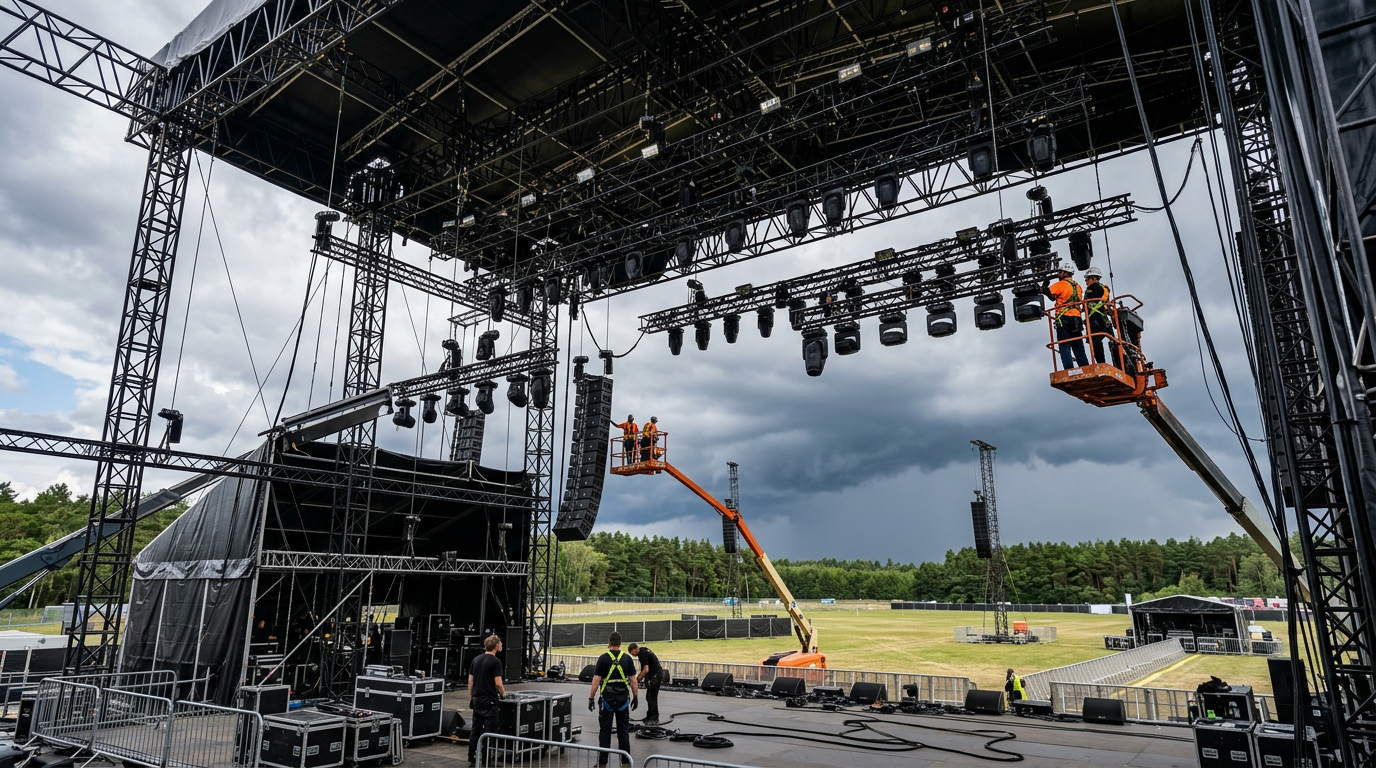
    The main stage at Italy’s Alien Sound Festival came down two days before the show. High winds hit the former NATO base in Bagnoli, near Naples. The gusts knocked over the main structure and several lighting towers. Nobody was on site, so nobody got hurt. Local authorities revoked the event’s permit anyway, and organizers pushed the festival back to July 23.

    The footage circulated widely, and it landed on a recent episode of AVWeek. Host Patrick Norton opened with the obvious question. Was this bad luck, or was it a warning sign the industry should heed? Norton asked George Tucker and BC Hatchett for their reactions. Tucker is an event staging technical specialist at Corporate Audiovisual Services. Hatchett is director of classroom technology at Vanderbilt University.

    Listen to the full episode of AVWeek 778 – Click Here

    Weather is the wildcard

    “It’s your worst fear that people get hurt, equipment gets hurt, and the event doesn’t go on,” Tucker said. He builds temporary structures for a living, and he said crews follow every rule the permits require. Straight-line winds and sudden high-velocity gusts are different. No one can engineer around every version of that.

    Tucker noted the show hadn’t started yet in Naples. Crews were likely still finishing rigging when the wind hit. That timing may explain why crews hadn’t finished tying down some fabric panels, Tucker said. It didn’t change how fast the wind took the stage down.

    Tethering isn’t optional

    Norton described riding out a minor earthquake inside a San Francisco TV studio. Three overhead lights swung loose from their angled mounts. Their safety tethers held. “There’s a reason they put safety tethers on everything,” Norton said.

    Tucker described a similar close call from earlier in his career, at a convention center he declined to name. He looked up and saw large speakers hanging by their safety cables alone, with the mounting hardware already failed. He flagged it to venue staff, who said they’d get a lift up the next day. State troopers eventually got involved before crews fixed it.

    Tucker said crews sometimes rush rigging when time is short. That’s when accidents happen. “Safety first, or someone will get hurt,” Tucker said.

    Fixed installs carry the same risk

    Hatchett doesn’t rig temporary stages, but he sees the same risk in Vanderbilt’s classrooms. Ceiling-mounted speakers and projectors sit above dozens of students every day. “That’s a big spread of folks something could fall on,” Hatchett said.

    Norton shared a story of his own. He once helped strip AV gear out of a room nobody on his team had built. A crew member pulled a speaker cable and discovered it ran to a subwoofer hidden above the ceiling tiles. Nobody got hurt when it fell. Norton said he now knows exactly what a 45-pound subwoofer sounds like after a 15-foot drop.

    Hatchett’s team had a closer call of their own. A campus department installed a classroom projector without looping in Hatchett’s group first. Two months later, someone reported a flickering image and asked for a look. Installers had set the projector and its mount into the ceiling grid instead of anchoring it to the deck. The mount weighed about 45 pounds, and the grid was already starting to give way.

    Hatchett’s team pulled the projector down immediately and brought in a contractor to fix the mount properly. The contractor arrived within 30 minutes and rehung it with aircraft cable. “The last thing I want is a call saying a projector fell on a kid’s head,” Hatchett said.

    What safety first actually means

    The Naples collapse and the near misses Tucker and Hatchett described sit in different categories. Nobody could have stopped that wind. However, both panelists agreed a loose speaker or an unanchored projector is a different kind of failure. Those come from skipped steps, not weather.

    The fix isn’t complicated. Tether everything overhead. Inspect old installs on a schedule, not just when something looks wrong. Treat a flickering image or a shaking fixture as a warning, not a nuisance.

    “Safety first, or someone will get hurt,” Tucker said.