Category: UC

  • Video Conference Security Compromised: German Call Released

    Video Conference Security Compromised: German Call Released

    Russian spies are believed to have intercepted a conference call between four senior members of Germany’s air force discussing the war in Ukraine. The call, which took place on Webex, has raised concerns about the security of the platform and the German military’s communication practices.

    Leaked audio recording

    On March 1, Margarita Simonyan, head of Russian state broadcaster RT, published what she claimed was an audio recording of a 38-minute meeting between German officers, including the chief of the air force, Lieutenant General Ingo Gerhartz. Germany’s Ministry of Defence MAD intelligence unit is currently investigating how Russia intercepted the conversation.

    Sensitive topics discussed

    The intercepted conversation included claims that British troops were already ‘on the ground’ in Ukraine, as well as discussions about the effectiveness of Taurus cruise missiles in destroying bridges and ways in which German officers could supply Ukrainians with targeting information without appearing to be directly involved in the conflict with Russia.

    Webex Video Conference security features

    German government communications using Webex are normally protected through end-to-end encryption from secure endpoints. However, this form of encryption must be switched on separately and does not work if participants dial in by telephone. Webex also offers audio watermarking, which encodes each participant with a unique inaudible identifier to trace leaked recordings back to the source.

    Calls for improved security measures

    German MP and deputy head of the parliamentary control committee, Roderich Kiesewetter, questioned why such a sensitive topic was discussed on Webex and called for the Federal Office for Information Security to provide appropriate protected information and video conferencing systems.

    A spokeswoman for Germany’s Ministry of Defence told German broadcaster DW: “According to our assessment, a conversation in the air force division was intercepted. We are currently unable to say for certain whether changes were made to the recorded or transcribed version that is circulating on social media.”

    The incident has highlighted the importance of secure communication channels for military and government officials, particularly when discussing sensitive topics related to ongoing conflicts.

    Safeguarding Video Conference Security

    This incident highlights the need for IT and UC managers to insist on video conference security. Demanding integrators and dealers provide end-to-end encryption is a must. You also should make sure the security is easy to turn on, if it’s not “always on.” This can be as simple as a huge red SECURE button or other obvious controls. As the clients, you have the last word on how simple, secure, and effective your UC, video conferencing and AV systems are.

  • AVM Transforms Mott MacDonald Hybrid Work Spaces with Avocor L Series

    AVM Transforms Mott MacDonald Hybrid Work Spaces with Avocor L Series

    Mott MacDonald is a global engineering, management, and development consultancy with over 18,000 employees in more than 150 countries. Its consultancy and engineering practice is one of the largest in the world. The company works on a wide range of projects, from new buildings and infrastructure to the refurbishment and restoration of existing structures. Its portfolio includes a variety of award-winning projects from across the globe.

    In 2022, Mott MacDonald embarked on a major refurbishment of its flagship office in London. As part of this project, the company sought to upgrade its meeting spaces to support flexible, hybrid work for clients and employees. The goal was to create a meeting room experience that would be equally well-suited for in-person and remote participants, while also empowering teams to collaborate effectively regardless of their location.

    Following a comprehensive office workspace consultation in partnership with Microsoft, Mott MacDonald appointed AVM, a British audio-visual (AV) integration company, to design and implement a solution that met its specific needs. AVM carefully considered several key elements during the design process, including room layout, certified Microsoft Teams Rooms technology, BYOD functionality, network bandwidth and latency, and security from unauthorized access.

    To address the client’s requirement for a future-proof solution, AVM selected Avocor L Series displays as the core component of the new meeting rooms, one of which is a dedicated Microsoft Teams Room. The L Series’ ultra-wide aspect ratio and high resolution provide an immersive meeting experience for all participants, both in-person and remote. Additionally, the L Series’ large screen size and wide viewing angles make it easy for everyone in the rooms to see and interact with the content on display.

    To further enhance the meeting room experience, AVM also integrated Logitech videoconferencing solutions, Airtame screen and data sharing capabilities, and a range of other Microsoft Teams Room certified peripherals and cabling. Additionally, AVM provided comprehensive training to Mott MacDonald users on how to get the most out of the new meeting rooms, ensuring a smooth transition and optimal utilization of the technology.

    The implementation of Avocor L Series Displays and the wider audio-visual solution designed by AVM has resulted in a number of tangible benefits for Mott MacDonald:

    • The immersive experience created by the displays has led to increased engagement and collaboration among meeting participants, both in-person and remote.
    • The large screen size and wide viewing angles make it easier for everyone in the room to see and interact with content, boosting productivity and efficiency.
    • The displays help to reduce the costs associated with Microsoft Teams Rooms by eliminating the need for multiple displays.
    • The displays maximize daylight which has contributed to an improved work environment and enhanced well-being for staff.
    • The L Series displays have played a pivotal role in transforming Mott MacDonald’s meeting spaces into hubs for flexible, hybrid work. The solution has not only met the company’s specific needs but has also exceeded expectations, delivering a range of tangible benefits that have positively impacted employee engagement, productivity, cost savings, and well-being.
    • “The Avocor L Series Displays have been a game-changer for our meeting rooms, providing an immersive and productive experience for all participants, both in-person and remote, commented Davina Sandberg, Project Manager, Mott MacDonald. “We are confident that these displays will continue to support our hybrid work strategy and enhance collaboration across our teams.”


  • Barco to optimize the end user experience and provide ease of management for IT managers through integration with Microsoft

    Barco to optimize the end user experience and provide ease of management for IT managers through integration with Microsoft

    Barco, headquartered in Kortrijk, Belgium, is a company with over 3,300 visioneers, leveraging visualization and collaboration technology across healthcare, enterprise, and entertainment sectors.

    Barco has partnered with Microsoft to empower ClickShare devices to contribute data to Microsoft’s Teams Rooms Pro Management portal, delivering crucial insights into room and device usage for IT managers.

    The collaboration between Barco and Microsoft aims to integrate ClickShare devices with Teams, streamlining meeting room management. This partnership addresses the growing demand for meeting analytics tools, supports the Bring Your Own Meeting (BYOM) concept, and enhances the user experience, all while aligning with evolving workforce needs.

    Barco, a global leader in meeting room technology, announces it has formally entered into an agreement with Microsoft around Teams devices. As a first outcome of the agreement, Barco will enable ClickShare devices to provide data that will be available through Microsoft’s Teams Rooms Pro Management portal, and through tPro Portal to offer IT managers rich insights into room and device utilization.

    Research by Frost & Sullivan1 reports there is greater adoption of meeting insights and analytics tools to gain a better understanding of space utilization, performance, and engagement, with 76% of the decision-makers indicating this is a key capability. Companies are looking into implementing emerging technologies that provide insights on the workspace and meeting room utilization.

    Today’s workforce has become accustomed to the Bring Your Own Meeting (BYOM) or Bring your own Device (BYOD) concept in meeting rooms. The Barco ClickShare solution enables users to host calls from their own laptop with their preferred video conferencing platform, using the audio and video equipment in the meeting room. ClickShare has been leading the market with its wireless BYOM approach, as market research company Futuresource Consulting has previously estimated that ClickShare’s portfolio makes up over 50% of the global wireless conferencing market.

    With more than 240,000 ClickShare Conference devices in the field, ClickShare will be a significant data source for Microsoft Teams Rooms management capabilities and will feed into future initiatives. This first step provides valuable insights for IT decision makers without changing the user experience. When initiating a Teams call, the user’s Teams desktop client identifies the connected microphone, speaker, and camera via the ClickShare Base Unit and Button, passing the data into the Teams Pro Portal. Once multiple users have connected to the same ClickShare Base Unit, the information is populated for IT managers as a potential shared space within the Pro Management portal, enabling registration and management of the meeting space.

    “ClickShare has always put the user at the heart of the experience, while guaranteeing IT managers have the necessary insights to equip meeting rooms in the most optimal way,” said Jan van Houtte, Head of Product at Barco. “Through this integration, Microsoft and Barco will work together to build easy management systems at scale for their customers. The joint forces in the Shared Spaces initiative are a first yet crucial step to explore market opportunities and establish a future portfolio.”

    “Barco shares a clear focus with Microsoft on creating the best meeting experience. This focus drives our decision making, strategy, and partnerships, which has led us to take this step,” said Dan Root, Head of Global Strategic Alliances at Barco. “We are very pleased to be a part of the Microsoft Teams Devices ecosystem, and to bring Microsoft into our partnership program. Through this collaboration we will work together to build industry-leading solutions that take collaboration to the next level.”


  • AVer VB350 Receives Microsoft Teams Certification

    AVer VB350 Receives Microsoft Teams Certification

    AVer, founded in 2008, is a provider of education technology and video collaboration camera solutions. Their products include AI-enabled auto-tracking cameras, enterprise-grade USB cameras, document cameras, and mobile device charging solutions. AVer is committed to community and environmental sustainability.

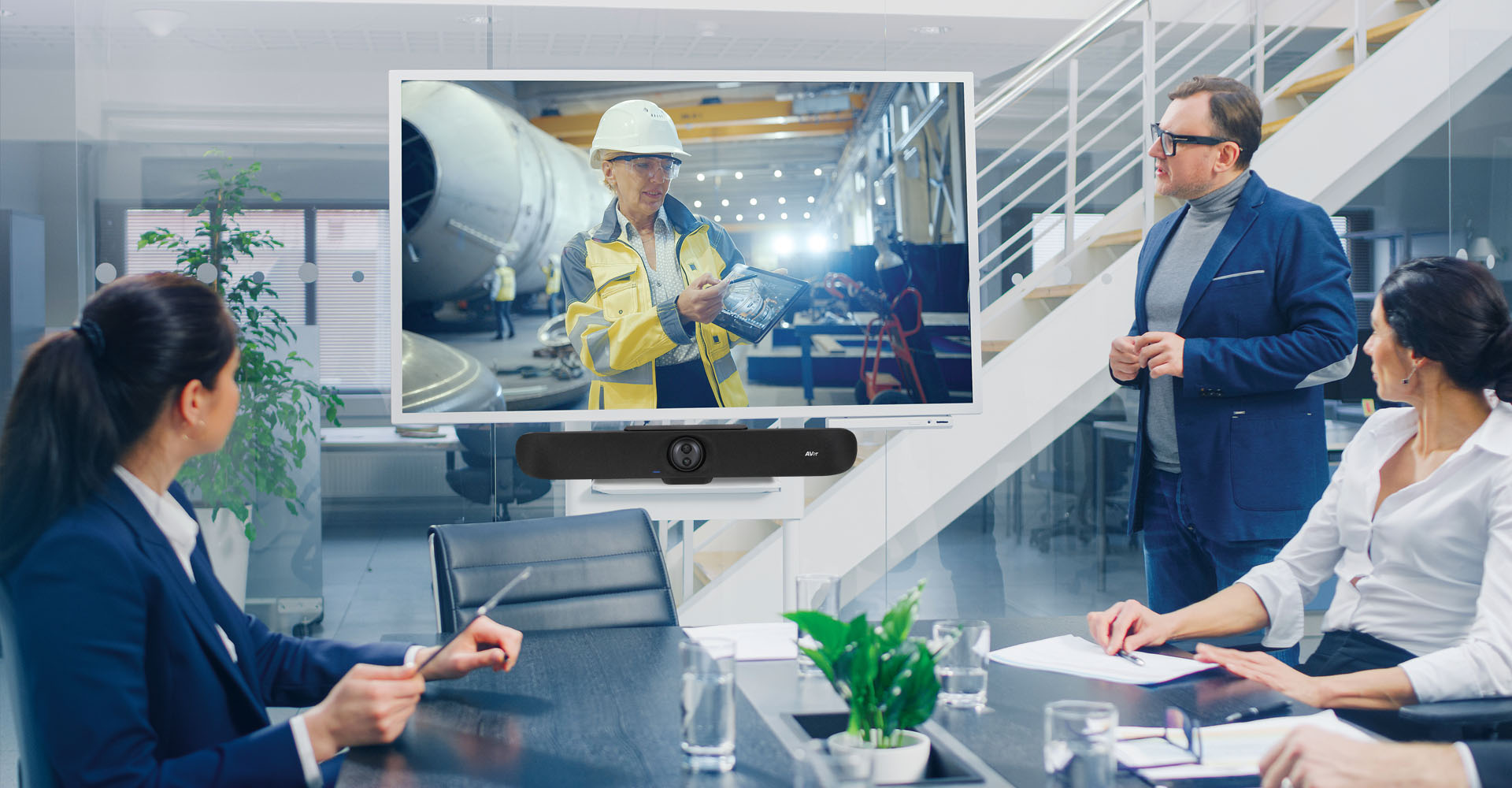
    AVer Information Inc. USA has certified the VB350, a dual-lens enterprise-grade video bar, for Microsoft Teams, providing users with enhanced, simplified experiences and high-quality performance.

    This certification ensures users enjoy enhanced, streamlined experiences and superior performance. The VB350, tailored for Microsoft Teams, simplifies video conferencing with its dual 4K lenses, AI-driven features such as SmartFrame and Presentation Tracking, and Audio Fencing technology. Its adaptable connectivity options make it an excellent choice for medium to large conference environments, elevating collaboration and productivity.

    AVer Information Inc. USA, the award-winning provider of education technology and video collaboration solutions, announces the VB350, a dual-lens enterprise-grade video bar, has been Certified for Microsoft Teams. As a result, users can expect an enhanced, simplified experience with high-quality performance when pairing the VB350 with Microsoft Teams Rooms.

    AVer’s VB350 integrates dual 4K lenses, delivering an expansive 113-degree field of view and versatile 18X optical zoom capability to capture vivid, detailed images across wide and deep perspectives. With its cutting-edge lens-shifting technology, the VB350 aptly captures all meeting attendees, ensuring smooth and seamless conversations. Equipped with AVer’s SmartFrame technology, the VB350 automatically centers meeting participants from up to 22 feet. The camera boasts Presentation Tracking to effortlessly track and zoom the designated speaker to maintain a high-quality image beyond the preset location. Furthermore, the VB350 introduces Conversation View, a real-time tracking feature that follows the speaker dynamically. As additional participants join the meeting, the camera seamlessly transitions to auto frame, capturing the entire group’s dynamics.

    “AVer is committed to expanding our range of devices that are Certified for Microsoft Teams, reaffirming our ongoing dedication to cultivating and fortifying our alliance with Microsoft,” Carl Harvell, Director of Product/ODM+SIU for AVer USA. “The VB350 combines impressive enterprise-grade features and AI-functionality to provide a versatile and easy-to-use hybrid meeting experience solution for medium to large conference environments. Now, users can anticipate an enhanced experience with an additional layer of features that seamlessly supports and simplifies interactions with Microsoft services.”

    “A key element for optimizing collaboration in meeting rooms is a high-performance video conference camera that is smart and knows where to look,” said Albert Kooiman, Senior Director, Microsoft Teams Partner Engineering and Certification at Microsoft. “The AI and enhanced PTZ tracking technologies of the Aver VB350, now Certified for Microsoft Teams, enrich the dynamics of meetings for the meeting participants.”

    The VB350 includes AVer’s Audio Fencing technology to ensure outstanding sound for medium to large-sized meeting rooms. Audio Fencing is designed to turn any space into an uninterrupted meeting zone by silencing any distraction outside the viewing angle. With a 14-beamforming microphone array pickup, the VB350 accurately captures resonant sound from distances of up to 32-feet away. Ideal for Bring Your Own Device (BYOD) environments, the VB350 includes an HDMI port for TV connectivity that allows meeting participants to connect their device to a larger display utilizing a standard USB cable. With support for RS232 and Visca over IP, users gain exceptional control over the VB350, enabling them to seamlessly interact with other devices and systems within their conference room.


  • Logitech First to Transition Video Collaboration Portfolio to Recycled Plastic and Next Life Materials

    Logitech First to Transition Video Collaboration Portfolio to Recycled Plastic and Next Life Materials

    Logitech, a Swiss company founded in 1981, designs hardware and software solutions for businesses and individuals to pursue their passions in a sustainable manner. The company’s brands include Logitech, Logitech G, Streamlabs, and Ultimate Ears. Logitech is listed on the SIX Swiss Exchange and Nasdaq Global Select Market.

    Logitech has announced that all video collaboration devices on the CollabOS operating system will be made from next-life plastics, aiming to support sustainability objectives. The refresh of existing products, including Rally Bar, Rally Bar Mini, Tap IP, Tap Scheduler, and Scribe, will help organizations manage their carbon footprint.

    The move aligns with Logitech’s Design for Sustainability (DfS) principles, which aim to reduce carbon footprints and promote circular materials like post-consumer recycled plastics. The initiative aims to help enterprise customers manage their carbon footprint while maintaining product quality and performance, addressing environmental impact and meeting sustainability goals.

    Today, Logitech (SIX: LOGN) (NASDAQ: LOGI) announced that all video collaboration devices that run on the CollabOS operating system will now be manufactured with next-life plastics, helping enterprise customers support their sustainability objectives. Existing products– Rally Bar, Rally Bar Mini, Tap IP, Tap Scheduler, and Scribe– are being refreshed with materials that lower the carbon impact of each product. This provides organizations with a partner that in turn helps position them to better manage their carbon footprint.

    “By transitioning our portfolio of conference room devices to a lower product carbon footprint, we are helping other companies navigate their sustainability challenges,” said Prakash runkundrum, Chief Operating Officer at Logitech. “We’re not only designing and manufacturing new products with recycled plastic and other lower carbon materials, but refreshing existing products to provide IT leaders with a new way to evaluate their workplace technology investment in conference room systems – one that includes people and planet. We do this without increasing prices or compromising the highest quality and performance companies expect from Logitech.”

    Efforts to reduce negative environmental impact have rapidly become a business imperative. In a recent survey of IT professionals by analyst firm Frost & Sullivan, 65% say that becoming a leader in environmental, social, governance and sustainability practices is a critical or very important business objective in the coming year.

    Applying Design for Sustainability (DfS) principles to Logitech’s video collaboration portfolio means that Logitech customers can outfit entire conference rooms– including Microsoft Teams Rooms and Zoom Rooms–with technology designed with sustainability in mind. This development expands on the progress already achieved with personal workstation peripherals such webcams, headsets, mice, and keyboards.

    Design for Sustainability (DfS)

    A key tenet of DfS is the use of circular materials that can be recovered from the waste stream and given a second life, including post-consumer recycled plastics (PCR) that Logitech calls “next life plastics.”

    Newer conference room products like Logitech Sight use:

    • Minimum of 50% certified recycled plastic21% reduction in carbon footprint***
    • 1,400tCO2e avoided carbon per 100,000 units (enough to drive around the Earth

    approximately 131 times†)

     Additionally, Logitech video conferencing products have:

    • Low carbon aluminum made with renewable energy rather than fossil fuels
    • Packaging from FSC®-certified forests and other controlled sources
    • 100% recycled fabrics in the Rally Bar family
    • Option to collect and recycle old video conferencing equipment via Logitech Select
    • Power saving modes that can potentially reduce Rally Bar and Rally Bar Mini’s carbon

    impact by 1.65 tons of carbon dioxide equivalent**

    Opening Access for Greater Impact

    Logitech has decreased its Scope 3 emissions by 21% in 2022 with the goal of removing more carbon than it creates by 2030.

    To drive carbon reduction at an even bigger scale and stimulate industry-wide progress, Logitech is offering to openly share its DfS principles, tools and its knowledge of how to incorporate more sustainable materials in the manufacturing process with any organizations in the consumer technology industry interested in increasing their sustainability efforts. For a consultation on how to incorporate more sustainable materials into your manufacturing process, contact sustainability@logitech.com.

    Transparency and Accountability

    As more companies hold themselves accountable for measurably reducing their carbon impact, they increasingly seek out technology vendors who provide transparency via key performance indicators, reporting, and third party certifications. Logitech is on track to achieve its 2025 target of having a product carbon footprint for every product in its portfolio, making it easier for company technology buyers to make informed decisions about–and report on– the scope of their impact when outfitting their global workforces for meeting rooms, personal workstations, and flex desking. Logitech annually reports on its progress toward its Climate Action goals in the 2023 Impact Report.

    Availability

    Availability timing varies depending on supply of existing products in each geography. Logitech business products made with Next Life Plastic, and their availability, can be found here. For more information on the Logitech Select collect-and-recycle program, contact
    collect-recycle@logitech.com.

  • Kramer’s Expanded Series 3: A New Era of Unified AV Distribution and Connectivity

    Kramer’s Expanded Series 3: A New Era of Unified AV Distribution and Connectivity

    Kramer, based in Tel Aviv, Israel, offers innovative audio-visual solutions for communication, collaboration, and control, aiming to create engaging, inclusive, and connected experiences in the increasingly hybrid world.

    Kramer expands its innovative Series 3 product line, offering interoperable, connected, and simplified AV signal management solutions, setting a new standard in AV integration.

    Kramer introduces its Series 3 product line, aiming to revolutionize AV signal management with high-performance experiences, uncompressed 4K60 4:4:4 video, zero latency, and advanced connectivity features. The series focuses on simplicity, flexibility, and scalability, offering interoperable, secure solutions for complete AV solutions.

    Kramer the leading audio-visual experiences company is proud to announce the expansion of its innovative Series 3 product line, setting a new standard in the AV signal management domain. Series 3 shows Kramer’s commitment to providing end-to-end solutions that are fully interoperable and connected, offering unprecedented simplicity, flexibility, and scalability in AV integration.

    High-Performance AV, Unified Distribution, and Comprehensive Connectivity with Series 3

    Kramer’s Series 3 represents the essence of high-performance audio-visual experiences, offering premium quality with uncompressed 4K60 4:4:4 video, zero latency, and advanced connectivity features like fast switching, single-cable extension, and USB-C interfaces. Designed to support the most advanced collaboration devices and demanding use cases, Series 3 ensures top-notch AV signal processing in any setting.

    This innovation extends beyond individual products to include a comprehensive approach to AV distribution. Our series-based strategy simplifies the design, configuration, and secure management of complete AV solutions. Series 3 integrates multiple product lines, forming a unified foundation for any deployment scenario, ensuring a singular, seamless user experience.

    Furthermore, Series 3 provides full coverage of all AV connectivity protocols, offering compatibility with a wide range of signal management products. This extensive support spans from legacy to advanced protocols, facilitating effortless integration with any preferred collaboration devices. With Series 3, Kramer not only sets a new standard in AV signal management but also ensures solutions that are adaptable and future-ready, meeting the evolving needs of technology and users.

    “With Series 3, we are not just launching a product line, but we are redefining the AV signal management approach. This series is a testament to Kramer’s commitment to continual innovation. As we look ahead, we are excited to keep expanding our offerings, adding more products and solutions to this domain. Our goal is to empower our customers with simplicity, flexibility, and efficiency, ensuring they stay ahead in a rapidly evolving digital world.” says Yishai Mescheloff, VP AVSM and Connect .

     Product Highlights:

    Matrices: Modular, Fixed, and All-in-One Matrices form the core of modern AV systems, offering versatility in professional AV installations. They address all aspects of high-performance signal distribution, switching, processing, including scaling, audio mixing, and integrated control interfaces for remote management.

    Switchers: Our multi-format Series 3 Switchers optimize connectivity for presentations, live events, or home entertainment, providing versatile switching between different sources for a top-tier user experience.

    Extenders: Series 3 Extenders take audio, visual, and control signals further while preserving their full quality and strength, ensuring flawless signal delivery across diverse environments.

    Distribution Amplifiers: These high-performance amplifiers ensure that audio and video content reach every screen, speaker, and device in your network with high precision and clarity.

    Video Processors: Streamline the deployment of multi-view displays and videowalls with cost-effective Series 3 Video Processors, reducing the need for multiple units and complex network infrastructures.


  • Unleash the Potential of Virtual Collaboration with RTI’s Meeting Ecosystem

    Unleash the Potential of Virtual Collaboration with RTI’s Meeting Ecosystem

    Day 1 at ISE 2024 and we chat with AV industry presenters and exhibitors. Tim Albright of AVNation explores the future of meetings with Bill Hensley from RTI at ISE 2024! Unveiling the “Intelligent Meetings” ecosystem, RTI revolutionizes conferencing and collaboration. From AI cameras for auto-tracking to smart microphones and easy connectivity, RTI’s solution transforms every meeting into an in-person experience.

    Whether in huddle spaces or large conference rooms, RTI’s system integrates seamlessly with the RTI control system or can be used standalone. The user-friendly interface, privacy features, and flexible controls make “Intelligent Meetings” an advanced.

    Bill Hensley also highlights RTI’s new touch panels, remotes, and versatile audio products showcased at ISE. For a deeper dive into RTI’s innovations, visit rticontrol.com. Don’t miss exclusive ISE 2024 coverage on aviation.tv.

  • Jabra Launches Jabra+ for Admins, a Cloud-Based Platform for Easy, Secure Video Device Management

    Jabra Launches Jabra+ for Admins, a Cloud-Based Platform for Easy, Secure Video Device Management

    Jabra, part of GN Group, offers audio, video, and collaboration solutions, empowering consumers and businesses with integrated tools and wireless headphones for productivity and enjoyment.

    Jabra introduced Jabra+ for Admins, a cloud-based software platform for remote monitoring and device management, at ISE 2024.

    This platform aims to enhance device management accessibility, optimize in-room experiences, and reduce IT tickets. It integrates with IT help desk systems and third-party tools, leveraging Microsoft Azure security and Single Sign-On for improved user authentication.

    Jabra, a global leader in true wireless sound and hybrid work solutions, has announced Jabra+ for Admins, a cloud-based API-first software platform for remote monitoring and management of meeting rooms and devices, at ISE 2024.

    Jabra+ for Admins offers a seamless experience from start to finish, allowing users to manage their communication devices with ease, saving time on administration and troubleshooting. IT administrators will have visibility and control over settings, firmware and insights from one unified software platform and can check in for real-time status updates from anywhere.

    Jabra+ for Admins will pave the way for future experiences for IT administrators, end users, and partners – starting with meeting room and video device management that customers can sign up for now via an Early Adopter Program, with wider availability this summer.

    Next Generation Meeting Room and Video Device Management
    With Jabra+ for Admins, users can effortlessly monitor and manage all Jabra meeting room solutions with a clear visual overview of rooms, locations, and devices. The modern user-interface (UI), new design, and enhanced intuitiveness make device management more accessible, offering a comprehensive solution for IT administrators.

    The platform also allows users to manage all devices in a room collectively, optimizing the in-room experience by remotely configuring devices and updating firmware. The real-time

    online/offline status tracking of rooms and devices helps to identify immediate issues, reducing IT tickets and ensuring a seamless meeting experience.

    A Unified and Secure Cloud Platform
    As a unified software platform, Jabra+ for Admins can integrate with IT help desk systems and third-party tools to create an ecosystem for device management. Whether updating devices, customizing headsets, or integrating with Jabra devices, users engage with a single system.

    Jabra+ for Admins also leverages the security and scalability of Microsoft Azure, providing a future-proof platform with Single Sign-On (SSO) for easy access. SSO enhances security by reducing attack surfaces and streamlining user authentication, resulting in a better user experience and alleviating IT burdens associated with password recovery.

    Holger Reisinger, SVP Enterprise Solutions at Jabra said, “In the hybrid workplace where managing meeting rooms and multiple devices is increasingly complex, we understand the importance of simplicity and efficiency. This is why we created Jabra+ for Admins; a streamlined, secure platform that is easy to use. Users can now be more productive and spend more time on what makes their business thrive.”

    Experience the Future of Intelligent Meetings with Jabra PanaCast at ISE
    Jabra will also showcase its latest video collaboration solutions, the Jabra PanaCast 50 and Jabra PanaCast 50 Video Bar System, at ISE 2024. These cutting-edge solutions feature innovative AI-powered experiences, including the new Intelligent Meeting Space feature.

    Now available, this feature empowers users to personalize and set virtual meeting space boundaries, ensuring only relevant participants within this defined area are included, while excluding bystanders and passersby.

    Availability and pricing
    Jabra+ for Admins for meeting rooms and video devices is currently available via an Early Adopter Program, with wider availability this summer. Personal device management is planned later this year. For more information, visit Jabra+ for Admins or contact your local Jabra sales representative. Jabra+ for Admins is free of charge.


  • Now Shipping – Powerful 4K Collaboration and Presentation Switcher with USB-C

    Now Shipping – Powerful 4K Collaboration and Presentation Switcher with USB-C

    Extron’s AV solutions enhance the experiences with advanced technologies, improved images, sound quality, and reliable systems, while offering asset management tools for efficient management of large AV systems.

    Extron has officially commenced shipping the UCS 303, a robust collaboration and presentation switcher meticulously crafted to cater to the distinctive requirements of Unified Communications (UC) meeting spaces.

    UCS 303 is a robust collaboration switcher for UC meeting spaces, featuring three inputs supporting USB, HDMI, and DisplayPort sources, along with five USB device ports. The switcher streamlines integration of AV sources and USB cameras into Teams or Zoom meetings, prioritizing user experience with auto-switching and intuitive controls.

    Extron is pleased to announce that the UCS 303, a powerful collaboration and presentation switcher designed to meet the unique needs of UC meeting spaces, is now shipping. The UCS 303 includes three inputs to support connection of USB, HDMI, and DisplayPort sources, as well as five USB device ports that connect to peripherals such as USB cameras and microphones. The USB-C input provides video/audio, USB data, and 60W of power to charge a user’s laptop computer. With the UCS 303, meeting spaces can integrate a room’s USB cameras and microphones with users’ portable laptops into Teams or Zoom meetings.

    “With the ever-increasing need for on-the-go collaborative spaces that help people meet, share information, and connect, we are always looking for innovative ways to help our customers streamline the installation and maintenance of UC meeting rooms,” says Casey Hall, Chief Marketing Officer for Extron. “The UCS 303 4K Collaboration and Presentation Switcher makes it easy to integrate AV sources and USB cameras into UC Teams and Zoom meetings, while providing features that offer greater flexibility, convenience, and a more intuitive user experience.”

    The UCS 303 offers intuitive collaboration with auto switching, which can prioritize inputs, providing natural switching and minimal user interaction with AV hardware. Small huddle spaces will benefit from UCS 303 support of TeamWork Show Me cables and retractors, which places control at users’ fingertips. The UCS 303 makes it easy to integrate AV sources and USB cameras for Teams and Zoom meetings, into huddle, meeting, and collaboration spaces.


  • How High to Mount a TV for Home, Office

    How High to Mount a TV for Home, Office

    Reader’s Question: How High to Mount a TV

    How high to mount a TV
    How high to mount a TV

    When it comes to mounting a flat-screen TV on your wall, one of the first questions that comes up is how high to mount a TV. This is important whether you’re talking about your home, office, or home office. Getting this right is key for an optimal viewing experience.

    The general guideline is that the center of the TV should be at eye level when seated. There are a number of factors to consider – room layout, audience position, TV size, and mount type can all impact ideal placement. AVIXA (the AV association) has developed a guideline for size and viewing distance.

    – A 43-inch TV should be 56 inches from the floor to the center

    – A 55-inch TV should be 61 inches high

    – A 65-inch TV, 65 inches high

    – A 70-inch TV, 67 inches high

    Proper seating distance is also important. A good rule of thumb is to divide the TV screen size by 0.55 to get the ideal viewing distance in inches.

    Angling the TV is another consideration – no more than 15 degrees vertical tilt and 40 degrees horizontal to avoid neck strain.

    Special Cases

    AVNation TV mount
    AVNation TV mount

    Special mounting situations like over a fireplace mantel or in a corner come with their own placement challenges as well. Mantel mounts that drop down can help in some cases.

    Cabinet height, sunlight glare, and outlet placement are other variables installers need to assess when determining TV placement. Getting it right leads to an immersive, theater-like experience in the home. But the wrong height or angle can mean eye and neck strain for viewers. When you are spending hours staring at the screen watching sports or spreadsheets, this can be a huge deal,