Category: Article

  • The Security Risks in Modern Court AV Systems

    The Security Risks in Modern Court AV Systems

    Courtrooms Have Become Connected Technology Ecosystems

    Modern courtrooms no longer operate as standalone AV environments. Digital evidence presentation, remote testimony, video conferencing, recording systems, and AV-over-IP infrastructure have transformed judicial spaces into highly connected technology ecosystems. While these tools improve accessibility and efficiency, they also introduce security concerns that extend beyond traditional AV performance.

    For facilities directors, security managers, and IT teams, the question is no longer whether courtroom technology should be connected. The challenge is ensuring that connectivity does not create vulnerabilities that compromise proceedings, evidence, or public trust.

    Every Connected AV Device Expands the Attack Surface

    Many courtroom AV systems now share network infrastructure with broader IT environments. Cameras, DSPs, control processors, wireless presentation systems, and collaboration platforms all communicate across IP networks, creating additional points of entry for bad actors.

    The risk is often not the technology itself but how it is deployed and maintained. Default credentials, delayed firmware updates, unsecured remote access, and poor network segmentation can turn routine AV devices into security liabilities.

    As AV and IT continue to converge, courtroom technology can no longer be evaluated solely on reliability and user experience. Security must be part of the design conversation from day one.

    Protecting Digital Evidence Is More Critical Than Ever

    Few environments place a higher value on information integrity than a courtroom. Digital evidence now includes surveillance footage, body camera recordings, documents, photographs, social media content, and recorded testimony.

    A security lapse does not need to involve a sophisticated cyberattack to create problems. An improperly configured presentation system, accidental screen share, or unauthorized access to evidence files can raise questions about chain of custody and evidentiary integrity.

    For courts, protecting evidence means securing the entire workflow, from storage and access controls to the technology used for presentation inside the courtroom.

    Hybrid Proceedings Introduce New Security Challenges

    Remote hearings and virtual testimony are now permanent parts of many judicial environments. While these tools improve accessibility and reduce logistical barriers, they also create new security concerns.

    Identity verification, unauthorized recording, data privacy, and secure communications all become critical factors when participants join proceedings remotely. As AI-generated content and deepfake technology continue to advance, courts may face additional challenges in verifying the authenticity of digital communications and evidence.

    The technologies designed to improve access to justice must also preserve confidence in the judicial process.

    Physical Security Still Matters

    Cybersecurity often dominates discussions around courtroom technology, but physical access remains an important consideration. Equipment racks, network infrastructure, recording systems, and control interfaces all require protection within high-security environments.

    A secure network means little if unauthorized individuals can access critical technology systems directly. The most effective courtroom security strategies address both digital and physical vulnerabilities as part of a unified approach.

    Security Is Becoming a Procurement Requirement

    Security has become a major factor in courtroom technology purchasing decisions. Buyers increasingly evaluate encryption capabilities, access controls, software update policies, audit logging, and vendor cybersecurity practices alongside traditional AV requirements.

    This shift reflects a broader industry reality. Courtroom technology is no longer judged solely on functionality. It is increasingly measured by its ability to support compliance, protect sensitive information, and reduce operational risk.

    Building a Security-First Court AV Strategy

    The most successful justice technology deployments treat security as a foundational requirement rather than an afterthought. That means bringing AV, IT, facilities, and security stakeholders together early in the planning process.

    Network segmentation, strong authentication, regular updates, user training, and ongoing vendor support all play a role in reducing risk. More importantly, they help ensure that courtroom technology supports its primary mission: enabling fair, secure, and reliable judicial proceedings.

    Trust Remains the Most Important Technology Metric

    The future of courtroom technology will include more cloud services, AI-powered tools, advanced collaboration platforms, and digital workflows. These innovations promise significant operational benefits, but they also raise the stakes for security.

    In the end, courtroom AV systems are not simply about communication or collaboration. They are part of the infrastructure that supports justice itself. Reliability matters. User experience matters. But trust remains the metric that matters most.

    FAQs

    What are the biggest security risks in courtroom AV systems?
    Unsecured network-connected devices, weak authentication, outdated firmware, and improper access controls are among the most common concerns.

    Why is digital evidence security important?
    Any compromise of evidence integrity can affect legal proceedings, chain-of-custody requirements, and public confidence in the judicial system.

    How do hybrid court proceedings impact security?
    Remote participation introduces challenges around identity verification, secure communications, privacy, and unauthorized recording.

    What should courts look for in AV vendors?
    Strong cybersecurity practices, regular updates, secure remote management, audit logging, and long-term support capabilities.

  • InfoComm 2026 Recap: Where the Pro AV Industry Is Heading

    InfoComm 2026 Recap: Where the Pro AV Industry Is Heading

    InfoComm 2026 is in the books. The show drew 28,132 verified attendees and 807 exhibitors, according to AVIXA. That is slightly below 2025’s more than 31,000 attendees. However, a broader look at the past five years tells a clearer story: InfoComm has settled into life as a roughly 30,000-attendee show.

    One number stands out. AVIXA reported that 37% of this year’s verified attendees were end users. That figure is up from 2025. For a show that started as a trade channel event, that shift matters.

    The technology on the floor reflected where the industry is heading. Specifically, it pointed toward simpler control, maturing display markets, and the move to software-first. Here is what caught our attention.

    E Ink Goes Big

    E Ink made its InfoComm debut this year, and the booth was worth the stop. The company showed multiple color ePaper platforms, including E Ink Marquee, Spectra 6, Kaleido 3, and Prism 3. A 75-inch tiled Spectra 6 display was a centerpiece of the exhibit.

    ePaper is not a new technology. But large-format, full-color ePaper for professional signage is still relatively early. The value proposition is simple: the display consumes power only when the content changes. For lobbies, wayfinding, and corporate communications, that is a meaningful operational advantage. The Kaleido 3 platform supports faster refresh rates and partial updates, which opens up more dynamic use cases without abandoning the low-power architecture.

    For facilities and IT managers thinking about digital signage, E Ink is worth watching. It will not replace every LED wall. However, it offers a genuinely different option for environments where always-on brightness is not required.

    https://www.instagram.com/reel/DZxeruSFPNg/?utm_source=ig_web_copy_link&igsh=MzRlODBiNWFlZA==

    Control Gets More Interesting

    Two companies on the floor signaled the same shift: the AV control market is moving away from proprietary ecosystems.

    Biamp introduced Workplace Control, a new control platform that brings together intelligent controllers, touch interfaces, and room management into a unified system. The platform targets enterprise-scale deployments and integrates with Biamp’s existing Tesira and Parlé product families. It represents Biamp’s clearest statement yet that control is now a core part of its business, not an add-on.

    Meanwhile, Visionary Solutions took a different angle. The company introduced We-Cosystem, built on the open-source Node-RED platform. The pitch is interoperability: instead of locking customers into a vendor-controlled framework, We-Cosystem lets users tap into existing code and integrate across a wider range of technologies. For IT managers who have spent years untangling proprietary system dependencies, that argument lands.

    Both approaches solve the same underlying problem. Managing AV systems at enterprise scale requires control infrastructure that works the way IT infrastructure works: visible, manageable, and not held hostage to a single vendor.

    Wireless Dante Arrives

    Aurora Multimedia announced a new architecture that brings Dante and AES67 audio networking over Wi-Fi. According to Aurora, no company has previously achieved this with a full microphone and speaker system. The RXT-4DW SmartSpeak earned a Best of Show nomination at this year’s show.

    Dante, developed by Audinate, has become the standard for professional networked audio over wired Ethernet. Extending that capability to enterprise Wi-Fi infrastructure is a significant step. It opens possibilities for flexible deployments that wired-only architectures simply cannot support. Think conference spaces that need audio distribution without cable runs, or temporary event setups that need to connect to an existing Dante network.

    The important caveat is that Wi-Fi audio introduces latency and reliability variables that wired Ethernet does not. Aurora plans to demonstrate the technology in real conditions, and the industry will be watching closely. Nevertheless, the announcement changes the conversation about what a Dante network can look like.

    dvLED Grows Up

    The direct-view LED display market, known in the industry as dvLED, reached a clear milestone at InfoComm 2026. It is no longer a specialty product. It is a mainstream category, and established display brands want in.

    Epson made the most visible statement. The projector company introduced its first dvLED line, the LE-C1 Series, at InfoComm. The lineup uses chip-on-board (COB) technology and comes in 135-inch and 162-inch Full HD models, plus a 135-inch 4K model. According to Epson, the LE-C1 is operating system-free, which reduces maintenance and security vulnerabilities. U.S. availability is planned for summer 2026.

    Sony pushed further into the category with the Crystal LED UNIFY, a 135-inch all-in-one dvLED display aimed at corporate boardrooms and higher education. The UNIFY ships as five pre-assembled panels and a control unit. Two people can complete installation in approximately one hour, with no electrical work required. Sony expects to price the UNIFY at $55,000, well below comparable modular configurations. Availability is planned for early 2027.

    Planar introduced the Cobra Series, powered by two proprietary technologies: EverPixel and TruMicro. EverPixel incorporates pixel-level redundancy directly into the display, meaning the panel can maintain image quality even if individual pixels fail. TruMicro uses LEDs as small as 20 micrometers to approach true MicroLED performance. The Cobra Series is available in 0.6, 0.7, 0.9, and 1.2 mm pixel pitches, targeting premium indoor applications. Planar CEO Sidney Rittenberg described the Cobra Series as the industry’s first ultra-fine pitch LED platform with pixel-level redundancy.

    Taken together, these announcements tell a clear story. The dvLED market has matured to the point where a projector company, a consumer electronics giant, and a display specialist are each making their own bet on the category. Competition is increasing, prices are dropping, and all-in-one options are replacing the complex modular configurations that required a specialist to install and calibrate.

    What It Means for You

    InfoComm 2026 was not a single-theme show. However, a consistent direction ran through the technology on the floor: the industry is removing friction.

    Wireless Dante removes the cable. All-in-one dvLED removes the specialized installer. Open control platforms remove the proprietary lock-in. E Ink removes the power draw. Biamp Workplace removes the reactive support model and replaces it with proactive management.

    For IT and facilities managers, these developments mean that AV is getting closer to the way the rest of enterprise technology works. Systems are becoming more manageable, more visible, and less dependent on specialized knowledge to operate. That is a meaningful shift, and InfoComm 2026 made it clear that the industry intends to keep moving in that direction.

    We have video from the show floor covering many of these products and conversations. Check AVNation.tv for the full coverage.

  • Modern Work at Crestron Masters 2026

    Modern Work at Crestron Masters 2026

    For the first time stateside, Crestron’s Modern Work event is a hands-on product training program, not a conference. Here’s what IT and AV managers will actually learn in San Antonio.

    I was in Madrid last May when Modern Work at Crestron Masters ran alongside the main Crestron Masters event in the training format it’s now bringing to the U.S. What struck me wasn’t just the curriculum. It was the range of people who had made the trip. I spoke with a technology director from Mastercard in New York. I talked to two professionals from U.S.-based higher education institutions who had flown to Spain specifically for this event. The fact that end users were making that trip to attend a Crestron training program said something about what the event had become and what it offers to the people who manage and operate these environments rather than build them.

    In November 2026, that same format comes to the United States for the first time. Modern Work at Crestron Masters runs November 10 and 11 at the JW Marriott San Antonio Hill Country in Texas, with an optional third day on November 12. Registration is open now, with early bird pricing available through June 30.

    What changed

    The distinction between this event and what Crestron ran in the U.S. in 2024 is worth spelling out. The earlier American version was adjacent to Crestron Masters. More of a thought leadership event, in the words of Chris Sgroe, who heads the Crestron training program. What’s coming to San Antonio is training in the direct sense: structured sessions built around specific new products, with instruction designed for the full range of people who design, deploy, and manage these systems.

    Sgroe describes the approach as role-based. The curriculum covers enough product depth for designers who need to spec the newest technology into upcoming projects, for technical staff who need to understand how new products fit alongside what’s already installed, and for IT and AV managers who need to understand what they’re going to find in the boardroom and how to support it.

    That breadth matters. Manufacturer training events tend to skew toward integrators and certified programmers. The main Crestron Masters program is built exactly for that audience. Modern Work is specifically designed for the people in roles who don’t live in the Crestron platform every day but are accountable for the rooms that run on it. That’s a different value proposition, and the curriculum reflects it.

    The curriculum

    The two-day core program covers Crestron’s current workplace technology portfolio through six structured sessions.

    Day one opens with a keynote framing the direction of smarter spaces, then moves directly into product content. A session on network infrastructure and deployments covers how NETGEAR AV networking and Crestron’s XiO Cloud operations management platform work together. A pairing that reflects where enterprise AV management has moved. Centralized device management, remote provisioning, and ongoing monitoring are now baseline expectations in most enterprise environments, and the session treats them as such rather than as advanced topics. The day closes with a session on DM NVX distribution and routing essentials, covering the fundamentals of AV-over-IP (AVoIP) with Crestron’s DM NVX technology and the latest updates to the platform’s capabilities and flexibility.

    Day two covers four sessions. The morning opens with DM NAX intelligent audio and Sennheiser integration. Just how network-based, Power over Ethernet (PoE)-powered audio solutions operate within a Crestron environment and scale alongside video and collaboration systems. The pairing of DM NAX and Sennheiser shows up often enough in enterprise deployments that dedicating a full session to how they work together is a practical call. From there, the program moves to AirMedia: Crestron’s wireless presentation technology, covering bring-your-own-device (BYOD) content sharing and how AirMedia fits within broader AVoIP and unified communications setups.

    AI Video

    The afternoon addresses intelligent video. Specifically Crestron 1 Beyond cameras and automated switching, covering how those solutions scale from small huddle rooms to larger meeting spaces while delivering consistent, platform-compatible video performance. The day closes with a session on Collab Compute and how AV, video, audio, and control connect with leading UC platforms across different room types.

    Collab Compute is worth singling out. It’s Crestron’s compute platform for running collaboration software inside Crestron-controlled environments. One of the more direct answers the company has offered to the question that comes up in nearly every enterprise AV conversation: how do AV control and UC platforms actually coexist in the same room, and who owns the support relationship when something goes wrong? The Masters session treats Collab Compute as the integration layer it’s positioned to be, rather than as a standalone product announcement.

    The optional third day on November 12 is a technical showcase featuring Crestron’s technology partners. It functions as a working demonstration of the integrations covered in the first two days and includes the Crestron Masters closing ceremony.

    The certification

    Completing the two-day core program earns the Crestron Modern Workplace Certification 2026. For those who attended last year in Madrid and earned the 2025 version, the 2026 credential is the update. Staying current on a platform that has changed meaningfully in twelve months. For first-time attendees, it’s the entry point to Crestron’s broader certification path: completing Modern Work certification opens access to the Certified Technical Architect (CTA) courses through the Crestron Technical Institute learning portal, which is the prerequisite for attending the main Crestron Masters program.

    The event also carries 6.0 AVIXA RUs applicable to CTS, CTS-D, and ANP certifications. For anyone managing renewal, two days in San Antonio covers meaningful ground toward that requirement.

    Who should go

    The clearest case for attendance is someone responsible for Crestron-based environments. Spaces like conference rooms, collaboration spaces, campus-wide deployments. As well as those whose day-to-day work doesn’t involve deep time in the platform. The sessions are structured to give that person an accurate picture of what the current product generation looks like, how the pieces connect, and what questions to bring back to their integrator or internal technical team.

    There’s also a strong case for designers and consultants who are specifying Crestron products for the first time, or who are returning to the platform after a product generation or two. The curriculum is built around current products, not retrospective capability reviews, and hands-on training on DM NVX, DM NAX, AirMedia, and 1 Beyond in a structured environment is worth considerably more than a manufacturer demo at a trade show.

    For IT and AV managers specifically, the network infrastructure session and the collaboration integrations session are the most directly useful. The XiO Cloud content addresses day-to-day operational management. The work that happens well after installation. The Collab Compute session addresses the integration question that surfaces in nearly every enterprise environment where AV control and UC platforms share the same room.

    Logistics

    Modern Work at Crestron Masters runs November 10 and 11, 2026, at the JW Marriott San Antonio Hill Country, 23808 Resort Pkwy, San Antonio, TX 78261. Both days run 9 a.m. to 7:30 p.m. CT and include breakfast, lunch, breaks, and dinner. The optional Day 3 runs 9 a.m. to 5 p.m. CT.

    Registration is $499 for the two-day core program. The Day 3 add-on is an additional $150. Hotel accommodations are not included; Crestron has a preferred rate at the JW Marriott available through the event’s booking link on the registration page. Early bird pricing runs through June 30. Registration is currently seeing some of the highest volume Crestron has recorded for this event. AVNation readers have access to a 50 percent discount on registration. Use code MW50-TA at checkout.

    Register and view the full schedule at Crestron’s Modern Work at Crestron Masters page.

  • AI-Enabled Conference Rooms: What Almo Pro AV’s Sales Data Tells

    AI-Enabled Conference Rooms: What Almo Pro AV’s Sales Data Tells

    Dan Smith has spent a lot of time in meeting rooms lately. Not his own. But everyone else’s. The Executive Vice President at Almo Pro AV traveled to New York City recently for six back-to-back company meetings. In five of those six stops, the meeting room technology was outdated. The sixth impressed him. That gap, Smith says, tells you everything about where the industry stands right now.

    Almo Pro AV distributes professional AV equipment across the United States. Smith sees buying patterns across thousands of end users. I sat down with him ahead of InfoComm 2026 to talk about what those patterns are telling us. The takeaways are worth your time if you manage conference rooms, classrooms, or any shared technology space.

    Audio-only is gone. Video first is the new normal.

    Smith opened with a point that sounds simple but carries real weight. “I can’t recall being on an audio-only conference call for maybe two years,” he told me. That is not a hybrid-workforce story. It is a behavior-change story, and he thinks the distinction matters enormously.

    Hybrid work gets all the press. However, Smith argues the real driver is simpler: people stopped calling and started meeting on video. Everything on his calendar from internal reviews, vendor calls, customer meetings runs on video if it is not in person. Consequently, the rooms that used to support audio-only calls now need to support video. Many of them still do not.

    That shift is changing how procurement decisions get made. Smith laid out a useful framework. Refresh projects, remodels, and new builds each have different dynamics. In a refresh, organizations often replicate what they have because consistency across networked rooms matters more than perfection in any single one. New builds are different. There, buyers want video and they want it AI-enabled from day one.

    Two megatrends are driving conference room investment.

    Smith named two forces shaping the market right now. First, organizations are moving from audio-only to video collaboration. Second, they are moving from standard video to AI-enabled video conferencing. He sees both playing out simultaneously, which makes this moment unusually active for AV procurement.

    On the AI side, Smith pointed to a Microsoft statistic he cites often. According to Microsoft, fewer than 10 percent of meeting rooms are AI-enabled today. That number gives you a sense of the runway. Smith says Almo Pro AV’s own internal culture shifted noticeably in the past year. His team now uses AI-generated transcripts and action-item summaries as a standard part of every meeting. A year ago, they rarely used the feature at all.

    The platform pull here is Microsoft Teams Rooms (MTR). Smith says MTR has emerged as the dominant force in enterprise video collaboration. The reason is straightforward: Microsoft bundled Teams with its Office suite, and most enterprise organizations already pay for the Office suite. Zoom had an early lead during COVID because it was free and easy. However, Smith sees MTR winning the enterprise over time through integration and licensing.

    For IT and AV managers, this has a direct implication. When Smith’s team looks at new room builds, buyers increasingly require two things from every component: MTR certification and AI enablement. Cameras, microphones, and control systems that lack either of those qualifications are harder to specify. The standard is moving.

    Cameras are the hardware story right now.

    Smith said something I found revealing: Almo Pro AV’s camera sales are outpacing its growth in video overall. That means cameras are pulling ahead of the broader category. The reason is AI at the edge. That’s the intelligence built directly into the camera hardware rather than handled by the room controller or the cloud.

    Specifically, buyers want cameras that can isolate and track individual speakers automatically, support multiple camera inputs in a single room, and integrate AI-driven framing without requiring manual pan-tilt-zoom (PTZ) control. Those capabilities used to live in expensive, custom-integrated systems. Now they ship in off-the-shelf PTZ cameras at accessible price points.

    Smith’s framing is useful here. The software platform handles transcription, summaries, and meeting intelligence. The hardware at the edge handles the in-room experience: who is visible, how they sound, and whether remote participants can follow the conversation. Both layers need to work well. Neither covers for the other.

    Display sizing: the 115-inch moment.

    The flat panel versus projector debate has a new variable. Smith shared a data point that surprised even him: 110- and 115-inch LCD displays are selling at five times the rate Almo Pro AV expected. They anticipated modest demand. Instead, those sizes are moving fast.

    The reason is straightforward when you think about it. The installed base of projection screens skews heavily toward 120-inch diagonal. A 115-inch flat panel comes close enough to that footprint. Moreover, it delivers better brightness, better image definition, and no lamp maintenance. For rooms already wired for projection, the total cost of switching to a 115-inch display is increasingly competitive.

    Smith said Almo is buying up 115-inch panels from every manufacturer it can find. “We’re at hundreds a month right now,” he told me. That is a meaningful volume signal from a major distributor.

    K-12 and higher ed: different problems, different answers.

    The education market splits cleanly in Smith’s analysis. K-12 schools are still buying laser-based projectors at surprisingly high volume. The infrastructure math is simple. Many K-12 classrooms already have a ceiling mount, power, signal cable, and a wall screen. Replacing an aging projector with a newer laser unit requires none of that infrastructure to change. Compare that to a flat panel retrofit: new power runs, new cable, a wall mount, and often a display too small to fill the room adequately. The projector wins.

    Higher ed behaves differently. Budgets are larger. Classrooms are larger. Smith sees more LED and high-lumen projection in auditoriums, and more large-format LCD displays in standard classrooms. He also sees multi-display configurations gaining ground. Two or three screens per room rather than one.

    On LED specifically, the all-in-one market is performing better than Smith expected. Almo Pro AV tracks all-in-one and custom LED installs as separate revenue categories. Smith expected custom modular LED to scale faster. Instead, the all-in-ones are selling at extraordinary rates. He said the revenue split runs roughly 50/50, sometimes 60/40 in favor of all-in-ones. LED revenue has roughly doubled year over year.

    The market is running ahead of expectations.

    I asked Smith for his outlook on the second half of 2026. He was honest about the uncertainty. Issues like tariffs, geopolitical instability, month-to-month unpredictability. However, he offered a concrete data point to anchor the optimism. Almo Pro AV’s business is running 12 percent above internal projections for the year. That is not a small margin.

    Furthermore, the refresh opportunity is real. Smith’s New York City week illustrated it starkly. Five of six companies he visited had outdated room technology. They all knew it. They all said they needed to upgrade. The demand is there. The question is timing and budget authorization, not whether the need exists.

    His advice to IT and AV managers: start with one fully AI-enabled room. Not the whole portfolio. One room. Use it long enough to understand what AI-enabled conferencing actually does for your team. Then bring your leadership or your end users in and show them. Smith’s argument is that the value becomes obvious once you experience it. The productivity gains from AI-generated transcripts and action items are concrete and immediate.

    The bottom line

    Smith’s view of the market is grounded in distribution data, not aspiration. The conference room is changing faster now than at any point in the past 18 months, he says. The two requirements driving new builds are not going away. Those are MTR certification and AI enablement. Display sizing is shifting toward the 115-inch sweet spot. Camera intelligence is moving to the edge. And the refresh pipeline is deep.

    If your rooms are still running audio-only infrastructure you are already behind where your peers are heading. The good news is that the technology to catch up is available, the pricing is accessible, and the business case is straightforward. Start with one room. The rest tends to follow.

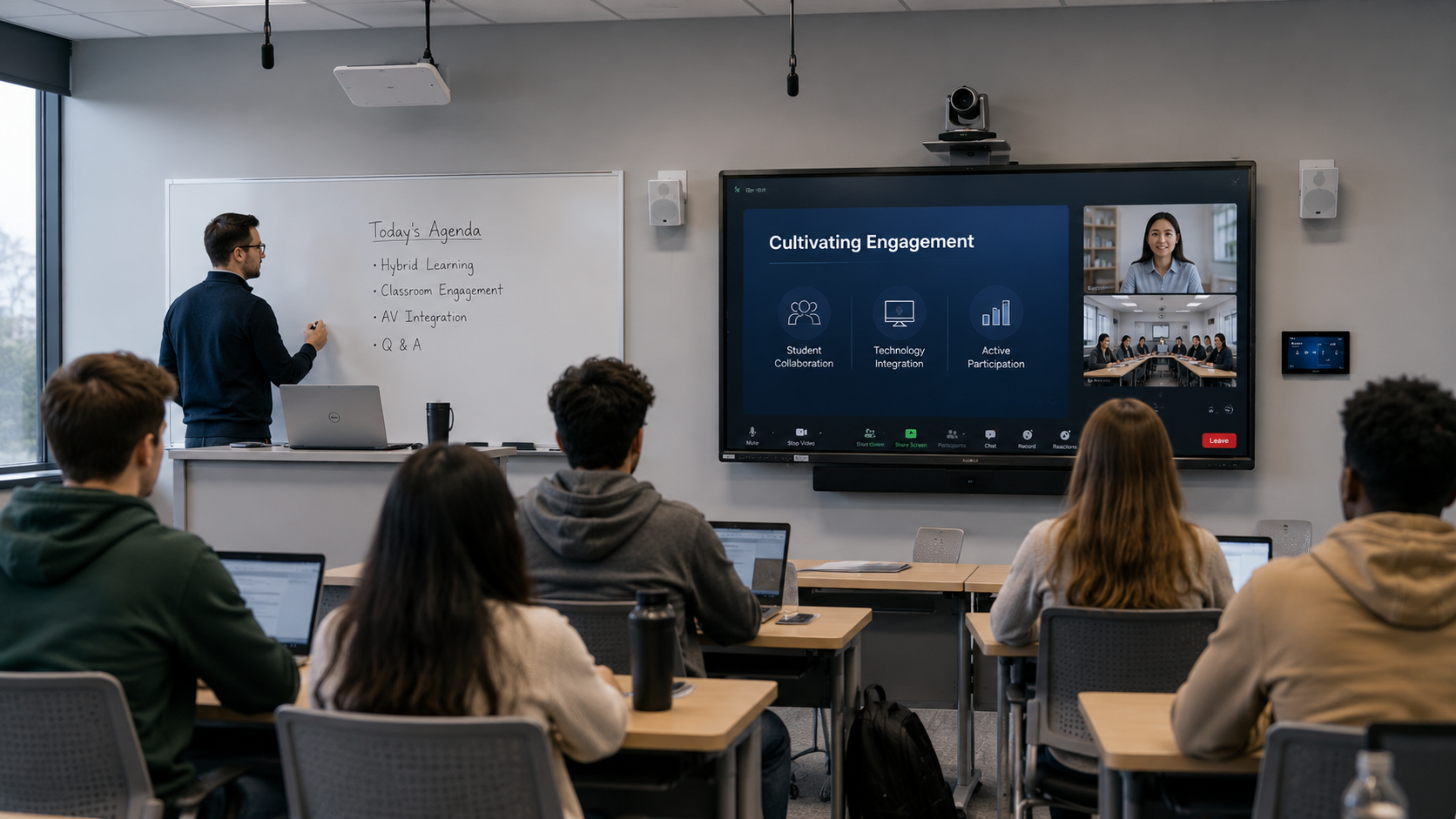
  • Are Your Classrooms Built for Engagement or Just Delivery?

    Are Your Classrooms Built for Engagement or Just Delivery?

    Classrooms have always been designed around a simple objective: helping students learn. However, the way students learn has changed dramatically over the last decade. Information is no longer confined to textbooks, lectures, or even the classroom itself. Students can access educational content anytime, anywhere, and on virtually any device. As a result, the role of the physical classroom is evolving from a place where information is delivered to a space where ideas are explored, discussed, and applied.

    For educational institutions, this shift creates both opportunities and challenges. School administrators, IT directors, and facilities teams are under increasing pressure to create learning environments that support collaboration, hybrid participation, accessibility, and long-term technology strategies. Yet many classrooms still operate on a model built primarily around content delivery. The question is no longer whether classrooms should include technology. The real question is whether those spaces are designed to create engagement.

    The Technology Conversation Is Really an Engagement Conversation

    Educational technology discussions often focus on products, platforms, and infrastructure. Schools evaluate displays, cameras, collaboration systems, and learning management platforms in an effort to modernize the learning experience. While these investments are important, they can sometimes distract from a larger objective: improving student engagement.

    Research has consistently shown that active participation plays a critical role in learning outcomes. Students retain more information when they collaborate with peers, engage in discussions, and contribute to classroom activities. Yet many learning spaces continue to support a one-way flow of information from instructor to student.

    The most effective AV strategies address this challenge directly. Technology should not simply help educators present content more efficiently. It should help students interact with that content more effectively. Whether through collaborative displays, interactive learning tools, or room designs that encourage participation, engagement has become the metric that matters most.

    What Hybrid Learning Revealed About Classroom Design

    The rapid adoption of remote and hybrid learning forced educational institutions to rethink how learning takes place. Schools quickly deployed conferencing platforms, cameras, microphones, and collaboration tools to maintain instructional continuity. While those technologies solved immediate challenges, they also exposed limitations in traditional classroom design.

    Many classrooms were built around the assumption that every student would be physically present. As a result, remote learners often found themselves watching the classroom rather than participating in it. Being able to see and hear a lesson did not always translate into meaningful engagement.

    Participation Matters More Than Presence

    The most successful hybrid learning environments focus on participation rather than location. Students attending remotely should have the same opportunities to ask questions, contribute ideas, and collaborate with classmates as those sitting in the room.

    This shift is influencing how educational institutions think about AV technology. Cameras, microphones, and displays are no longer viewed as standalone tools. Instead, they are becoming part of a larger ecosystem designed to ensure every participant can engage equally in the learning experience. As hybrid and flexible learning models continue to evolve, classrooms that prioritize participation will be better positioned to support future educational needs.

    Simplicity Matters More Than Features

    One of the biggest barriers to successful classroom technology adoption is complexity. Teachers are expected to manage curriculum requirements, student engagement, assessments, and classroom operations. Adding complicated technology workflows often creates friction rather than value.

    When systems require extensive training or frequent troubleshooting, adoption rates suffer. Even powerful technologies can remain underutilized if educators find them difficult to use. The most successful classroom solutions often share a common characteristic: they simplify the teaching experience rather than complicate it.

    Why IT Teams Are Driving Classroom Decisions

    At the same time, educational IT departments face increasing pressure to support more technology with limited resources. A single district or university may be responsible for managing hundreds of classrooms, multiple campuses, network infrastructure, cybersecurity requirements, and user support requests.

    Because of this reality, IT leaders are placing greater emphasis on manageability, scalability, and reliability. Technology decisions are no longer driven solely by classroom functionality. They are increasingly influenced by how easily systems can be deployed, monitored, maintained, and supported over time. Solutions that reduce complexity for both educators and IT teams often deliver the greatest long-term value.

    Building for the Future Without Predicting It

    Educational institutions face a difficult challenge when planning technology investments. Budgets are limited, expectations continue to rise, and the pace of technological change shows no signs of slowing. The learning environments being designed today will need to support students and educators for years to come.

    Rather than attempting to predict every future trend, many institutions are focusing on flexibility. They are looking for solutions that can adapt to changing teaching methods, support emerging technologies, and integrate with existing infrastructure.

    Interoperability Is No Longer Optional

    Few schools have the luxury of building technology environments from scratch. New classroom solutions must work alongside existing collaboration platforms, learning management systems, networks, and AV infrastructure.

    Interoperability has become one of the most important factors in classroom design because disconnected technologies create additional support burdens and reduce the overall user experience. As classrooms become more technology dependent, the ability to integrate systems seamlessly will play a significant role in determining long-term success.

    Engagement Is the New Measure of Success

    For years, classroom technology decisions were often evaluated through technical specifications and budget considerations. Today, educational leaders are taking a broader view. They are asking whether technology improves participation, supports accessibility, simplifies instruction, and creates better learning experiences for students.

    This represents a significant shift in how educational technology is measured. Success is no longer defined solely by what technology can do. It is increasingly defined by the outcomes it helps achieve.

    The institutions that will thrive in the coming years are those that recognize the classroom’s evolving role. In a world where information is available almost anywhere, the physical learning environment must offer something more valuable than content delivery alone. It must create opportunities for interaction, collaboration, and meaningful engagement. The classrooms that succeed will not necessarily be the ones with the most technology. They will be the ones that use technology to bring students, educators, and ideas together in more effective ways.

    FAQ:

    How can AV technology improve classroom engagement?

    AV technology supports engagement by enabling collaboration, interaction, and participation rather than simply delivering content. Tools such as interactive displays, intelligent audio, and collaboration platforms help create more active learning experiences.

    Why is interoperability important in education technology?

    Interoperability ensures new classroom solutions work with existing learning platforms, networks, and AV systems, reducing complexity for both educators and IT teams.

    What makes a classroom future-ready?

    A future-ready classroom is flexible, easy to use, and adaptable to changing teaching methods, learning models, and technology requirements.

    Why are IT teams increasingly involved in classroom design?

    As technology becomes central to learning, IT teams play a critical role in ensuring classroom solutions are secure, scalable, manageable, and reliable over the long term.

  • Shure’s IntelliMix Bar Pro Targets IT’s Hybrid Collaboration Headache

    Shure’s IntelliMix Bar Pro Targets IT’s Hybrid Collaboration Headache

    Hybrid collaboration is no longer a pandemic workaround. It is a permanent feature of enterprise meeting culture. And as conference rooms hit their natural refresh cycle, the buying conversation is shifting. Audio quality and platform manageability now lead the discussion, often ahead of camera specs.

    That shift is the bet behind Shure’s IntelliMix Bar Pro. The product is the company’s first all-in-one collaboration bar certified for medium and large Microsoft Teams Rooms. Shure announced it in February.

    The new hybrid reality

    Return-to-office policies vary widely across the enterprise. Some companies have pulled everyone back five days a week. Others remain fully remote. Most have settled somewhere in between. Yet regardless of office policy, hybrid collaboration persists. Clients dial in. Vendors join remotely. Co-workers in other offices need to participate.

    Tyler Troutman, senior manager of collaboration ecosystem and engagement at Shure, framed it bluntly. “You need hybrid collaboration just to work with customers,” he said. Troutman himself works remotely from California for a company headquartered in the Chicago area.

    The result is a new buying pattern. After the scramble of 2020 and 2021 to get rooms online quickly, the second wave is different. Enterprises are refreshing those spaces with more intention. Two questions dominate that refresh, according to Troutman. How does the room sound? And how does the IT team manage it after install?

    Security gets the first conversation

    For the IT manager evaluating an AV device, network security comes before features. Troutman acknowledged the shift directly. AV teams used to deploy devices on isolated networks. Today those same devices typically share infrastructure with email, file servers, and core business systems. The threat model changed accordingly.

    The IntelliMix Bar Pro runs on the Microsoft Device Ecosystem Platform, or MDEP. MDEP is a secure Android-based foundation that Microsoft maintains for Teams Rooms hardware and similar collaboration devices. Microsoft handles operating system updates and security patches. Shure handles the audio and video stack on top.

    That division of labor matters more than it sounds. Firmware updates have long been a friction point in AV deployments. Customers tend to schedule those firmware visits around convenience rather than threat timelines. With MDEP, OS-level patching moves to Microsoft’s regular update cadence. IT teams already trust that pipeline because they use it elsewhere.

    The management story extends past the OS. Shure exposes the device through ShureCloud, the company’s monitoring platform. From there, alerts can flow into existing IT systems. Troutman pointed to ServiceNow as the most common integration partner. Specific conditions can trigger tickets automatically through a cloud-to-cloud connection. Examples include a low microphone battery, an offline device, or an unplugged network cable.

    That changes the support posture from reactive to proactive. AV teams know about problems before users report them.

    What’s in the bar

    Beneath the IT story, the IntelliMix Bar Pro is a sizable hardware bet. The device combines several components in a single front-of-room form factor. Those include an integrated camera array, microphone array, onboard compute, speakers, and a PoE+ switch. Microsoft Teams Rooms is the supported platform at launch. There is no Zoom version.

    The camera system is where Shure made one of its more distinctive choices. Most all-in-one bars cluster their cameras in the center of the device. Shure took a different approach. The IntelliMix Bar Pro carries four 4K cameras across the bar. Two sit in the center and two sit at the outer edges, tilted inward.

    The result is a combined 135-degree field of view. The IntelliMix View framing system uses those angles to better capture people at the far ends of long conference tables. That addresses a common complaint with center-clustered bars. People on the sides often look pinched or distant.

    Framing Up

    Three framing modes launch with the product. Group framing tracks everyone in the room and adjusts as participants come and go. Active speaker mode gives each talker an individual on-screen frame, up to four at once. Participant mode locks in dedicated frames for up to four people in the room. If a fifth person walks in, the system rolls back to group framing.

    Audio remains the foundation. The bar uses Shure’s Microflex Advance array technology, refined over a decade of ceiling-array deployments. Onboard IntelliMix processing handles noise reduction and voice isolation. According to Shure, that processing also feeds cleaner transcripts to AI tools like Microsoft Copilot.

    Troutman framed the AI quality argument in plain terms. “Bad input equals bad output,” he said. Poor audio creates poor transcripts. Poor transcripts feed weaker meeting summaries and worse downstream decisions. The audio in a small huddle room matters as much as the audio in a C-level boardroom.

    A crowded market

    The all-in-one bar category is no longer the white space it was three years ago. Logitech, Poly, Yealink, Crestron, and Neat all sell well-regarded competitors. Shure arrives late to a market where most enterprise teams have already deployed something.

    Troutman rested Shure’s answer on a single argument. Survey after survey, he said, names poor audio as the top conference room pain point. Audio is also where Shure has built its reputation. Shure’s pitch to IT and AV teams centers on audio quality. That variable, the company argues, most differentiates one bar from another.

    Bad audio doesn’t just frustrate participants. It also degrades the AI features companies are spending money to deploy. Transcripts, summaries, translations, and action items all depend on clean input.

    The timing of the refresh cycle helps the argument. Companies hastily equipped many rooms during 2020 and 2021. Those rooms are due for replacement now. Teams that bought on speed the first time around have time on the second.

    What to watch

    A few open questions remain. Shure has not disclosed pricing. The product is Teams Rooms only at launch. That closes the door for enterprises standardized on Zoom for the moment. Shure has also indicated that more announcements are coming.

    For now, the IntelliMix Bar Pro is available through Shure dealers. Shure offers remote demos and try-before-you-buy options to qualified enterprise customers. The Shure booth at InfoComm 2026 will run live demonstrations.

    For IT and AV teams planning a 2026 refresh, the IntelliMix Bar Pro is worth a look on two fronts. The MDEP and ShureCloud combination tries to make AV hardware feel like the rest of the IT estate. And the audio engineering, if it lives up to Shure’s reputation, addresses an old pain point. Surveys keep flagging it year after year.

  • SDDP on LG TV: What It Is and When to Turn It On | AVNation

    SDDP on LG TV: What It Is and When to Turn It On | AVNation

    If you found an SDDP setting on an LG TV, you probably landed in a network or IP control menu and wondered whether something important was turned on by mistake.

    The short answer: SDDP is a discovery feature used by Control4 and some control-system environments to find and identify devices on a network. If your LG TV is part of a Control4 system or a professionally managed AV installation, SDDP may need to be on. If the TV is just being used as a normal display and no control system needs to discover it, SDDP can usually stay off.

    That is the simple version. The more useful answer depends on what the TV is connected to, who manages the display, and whether the TV is part of a larger room-control system.

    What does SDDP mean?

    SDDP stands for Simple Device Discovery Protocol.

    It is a network discovery protocol associated with Control4. Its job is not to improve picture quality, speed up streaming apps, or change how the TV works for a normal viewer. Its job is to help a control system discover the TV on the network and identify what it is.

    In practical terms, SDDP helps a control system say, “There is an LG TV on this network. Here is the model information. Here is the device I need to control.”

    That matters in homes, offices, classrooms, conference rooms, and other spaces where displays are not operated only with the handheld remote. In those environments, a touchpanel, automation controller, control processor, or room system may need to turn the TV on, change inputs, adjust volume, or coordinate the display with other room devices.

    SDDP makes that setup easier.

    What SDDP does on an LG TV

    On an LG TV, SDDP is tied to network-based discovery and IP control.

    When enabled, the TV can advertise itself to compatible control systems on the same network. That allows the control system or installer software to discover the TV, identify it, and associate it with the correct driver or control profile.

    For an installer, that can save time. Instead of manually entering IP addresses, searching for model numbers, or guessing which display is in which room, the control system can discover the device more directly.

    For the end user, SDDP is usually invisible. You are not going to see a better image, faster Wi-Fi, or new apps because SDDP is on. It is a behind-the-scenes setup and control feature.

    Is SDDP the same as IP control?

    Not exactly.

    SDDP helps a system discover and identify the TV. IP control is what allows another system to control the TV over the network.

    Think of it this way:

    SDDP helps the control system find the TV.

    IP control lets the control system talk to the TV.

    Those two features often live near each other in installer or network settings because they are related. But they are not the same job.

    A TV can be discoverable without being fully configured for control. A control system may still need IP control enabled, authentication configured, a password generated, Wake-on-LAN settings adjusted, or a proper driver installed before everything works correctly.

    That is why this setting can be confusing. SDDP sounds like it should control something. Most of the time, it is really about discovery.

    Should SDDP be on or off?

    For most people, the answer is simple.

    Leave SDDP off if the LG TV is being used as a normal TV or display and is not connected to a Control4 system or managed AV control environment.

    Turn SDDP on if the LG TV is part of a Control4 system or if an AV installer, IT team, or control-system programmer specifically needs the TV to be discoverable on the network.

    That is the practical dividing line.

    If this is a living room TV, a small office display, a break room TV, or a classroom display that is only controlled by the remote, SDDP probably does not need to be enabled.

    If this is a conference room display tied into a touchpanel, scheduling system, room-control processor, or automation platform, SDDP may be useful.

    The setting itself is not inherently bad. It is just unnecessary unless something else in the environment needs it.

    When SDDP should be on

    SDDP should usually be enabled when the LG TV is part of a professionally installed control system.

    Common examples include:

    A Control4 smart home installation where the LG TV needs to be controlled from the Control4 app, remote, touchscreen, or automation scene.

    A conference room where the display needs to be discovered and controlled by a room-control system.

    A boardroom, classroom, or training space where the display is part of a larger AV setup that includes cameras, microphones, speakers, switching, and control.

    A managed AV environment where IT or AV support teams need reliable network discovery during setup or service.

    In those cases, SDDP is not about the person watching the screen. It is about the people responsible for making the system work.

    When SDDP should be off

    SDDP can usually stay off when there is no control system that needs it.

    That includes most standalone TVs and displays. If the TV is only being used with the LG remote, a streaming box, a game console, a cable box, or a standard HDMI input, SDDP is not doing much for the user.

    It may also be better to leave SDDP off in managed networks where unused discovery services are discouraged. IT teams often prefer to turn off features that advertise devices on the network unless there is a clear operational reason for them.

    That does not mean SDDP is dangerous by default. It means that in a managed environment, unnecessary network services should be treated the same way as unnecessary apps, open ports, or unmanaged devices. If you do not need it, do not enable it.

    Does SDDP affect picture quality or performance?

    No. SDDP does not affect picture quality.

    It does not change brightness, color, motion handling, resolution, refresh rate, high dynamic range performance, app speed, or HDMI behavior.

    If you are troubleshooting a picture problem, SDDP is almost certainly not the cause.

    If you are troubleshooting room control, device discovery, or whether a Control4 system can find an LG TV, then SDDP may matter.

    Does SDDP let someone control my TV?

    Not by itself.

    SDDP is primarily a discovery feature. It helps compatible systems find and identify the TV. Actual control usually depends on IP control settings, drivers, authentication, network access, and the control system itself.

    That said, discovery is still part of the control chain. If a device is advertising itself on the network, it is more visible to systems on that network. In a properly designed home or commercial AV system, that is intentional. In an unmanaged network, it may be unnecessary.

    This is why network design matters.

    For a home, that may mean keeping smart home devices on a trusted home network. For a business, school, or house of worship, it may mean placing AV devices on a dedicated VLAN or managed network segment so only approved systems can communicate with them.

    The TV setting is only one piece of the larger security picture.

    Why LG TVs have SDDP

    LG added Control4 SDDP support to some TV lines to make them easier to integrate into automation systems.

    That made sense for premium displays that might be used in homes with Control4 systems or commercial environments where installers need reliable control. In those spaces, displays are not just screens. They are part of a larger technology environment.

    For AV installers, discovery features reduce setup time. If you’re aend users, they can make the finished system feel more consistent because the TV responds properly from the control interface instead of relying only on a handheld remote.

    For everyone else, the setting may simply look mysterious.

    SDDP vs. SSDP: do not mix them up

    This part is confusing because the acronyms look almost identical.

    SDDP stands for Simple Device Discovery Protocol and is associated with Control4 device discovery.

    SSDP stands for Simple Service Discovery Protocol and is part of Universal Plug and Play discovery. It is used more broadly by many networked devices and services.

    On an LG TV, you may run into both ideas when dealing with network discovery, smart-home integrations, or media casting. They are related in the general sense that both involve device discovery, but they are not the same protocol.

    If you are troubleshooting a Control4 integration, you are probably dealing with SDDP.

    If you are troubleshooting general device discovery, casting, or UPnP-related behavior, you may be dealing with SSDP.

    For most end users, the important point is this: do not assume every discovery setting does the same thing just because the letters look similar.

    What IT and AV teams should check

    For IT and AV teams managing LG TVs in conference rooms, classrooms, lobbies, or shared spaces, the question is not simply whether SDDP exists. The question is whether it belongs in your standard configuration.

    Start with the control requirement. If the display must be controlled by Control4 or another compatible control system, SDDP may be part of the setup process. If the display does not need network control, leave it disabled.

    Check the network. Control systems and displays usually need to be on the right network segment to discover each other. If the TV is on one VLAN and the controller is on another, discovery may not work unless the network is designed to allow it.

    Check IP control separately. Enabling SDDP does not necessarily mean the TV is ready for full IP control. The TV may also require IP control to be enabled, a passcode or pairing step, or Wake-on-LAN configuration for power control.

    Document the setting. If SDDP is enabled in a room, note why it is enabled, which system uses it, and who owns support. That prevents the next person from turning it off during troubleshooting because it looked unfamiliar.

    The best configuration is not the one with the most features turned on. It is the one where every enabled feature has a reason.

    What you should do

    If you are an end user and found SDDP on your LG TV, here is the safest path:

    Part of a Control4 system, smart-home system, conference room, classroom, or managed AV setup, do not change the setting without checking with the installer, IT team, or AV support contact.

    If the TV is not part of any automation or control system, SDDP probably does not need to be on.

    If something stopped working after the setting changed, turn it back to the previous state and document what happened. In a managed environment, small network settings can have larger effects than expected.

    Frequently asked questions about SDDP on LG TVs

    What is SDDP on an LG TV?

    SDDP stands for Simple Device Discovery Protocol. On an LG TV, it helps compatible control systems discover and identify the TV on the network.

    Should SDDP be on or off?

    If your LG TV is part of a Control4 or managed AV control system, SDDP may need to be on. If the TV is standalone and no control system needs to discover it, SDDP can usually stay off.

    Is SDDP only for Control4?

    SDDP is associated with Control4 device discovery. It is most commonly relevant when a Control4 system or compatible control environment needs to discover and add the TV.

    Does SDDP improve TV performance?

    No. SDDP does not improve picture quality, app performance, streaming speed, or HDMI performance. It is a network discovery feature.

    Is SDDP a security risk?

    SDDP is not automatically dangerous, but it does make the TV more discoverable on the local network. In managed environments, unused discovery features should usually stay off unless they are needed.

    Is SDDP the same as SSDP?

    No. SDDP and SSDP are different discovery protocols. SDDP is associated with Control4 device discovery. SSDP is used by Universal Plug and Play discovery and appears in many networked-device environments.

    The bottom line

    SDDP on an LG TV is not a picture setting. It is not a streaming setting. A setting most viewers need to touch.

    It is a network discovery feature used in Control4 and some managed control-system environments. If your LG TV is part of a smart-home or professional AV system, SDDP can help the system find and identify the display. If the TV is standalone, SDDP probably does not need to be enabled.

    For end users, the rule is simple: if someone manages the room or control system, ask before changing it.

    For IT and AV teams, the rule is just as simple: enable SDDP only when it supports the control design, document why it is on, and keep unnecessary discovery features off.


  • Is Zoom Workplace the Same as Zoom? | AVNation

    Is Zoom Workplace the Same as Zoom? | AVNation

    Yes and no.

    Zoom Meetings still exists. The meeting links still work. Users can still click a Zoom link, join a call, turn on the camera, share a screen, and get through a meeting the way they have for years.

    What changed is the container around that experience.

    Zoom Workplace is Zoom’s broader collaboration app and platform. It includes Zoom Meetings, but it is not limited to meetings. It brings meetings, Team Chat, Zoom Phone, Whiteboard, Mail, Calendar, Scheduler, Zoom Canvas or docs features, and Zoom AI Companion into one work environment.

    That distinction matters because most users are not asking a branding question. They are asking an operational one.

    Do I need to download something new?
    Will my Zoom meetings still work?
    Does this change my conference rooms?
    Do users need training?
    Does IT need to change settings, deployment packages, or support documentation?

    That is where Zoom Workplace matters.

    What Zoom Workplace includes

    The simplest way to understand Zoom Workplace is this: Zoom is no longer only trying to be the app people open when they have a video meeting. Zoom Workplace is meant to be the app people keep open during the workday.

    Depending on the license and configuration, Zoom Workplace can include:

    • Zoom Meetings
    • Zoom Team Chat
    • Zoom Phone
    • Zoom Whiteboard
    • Zoom Mail and Calendar
    • Zoom Scheduler
    • Zoom Canvas, Docs, Notes, or related productivity tools
    • Zoom Clips
    • Zoom AI Companion
    • Workspace and room-related tools connected to Zoom Rooms

    Not every organization will use all of those pieces. Some will still treat Zoom as a meeting platform. Others will use it more like a collaboration workspace that competes with Microsoft Teams and Google Workspace.

    That is the real Zoom vs Zoom Workplace difference. Zoom Meetings is the familiar video-meeting service. Zoom Workplace is the larger app and platform that surrounds it.

    What changed for everyday users

    For most users, the first change is cosmetic. The app may now say Zoom Workplace instead of simply Zoom or Zoom Meetings. The icon and interface may look different. The tabs and side panels may expose more tools than users remember seeing before.

    That does not mean the old Zoom meeting experience disappeared.

    A user who only needs to join a meeting can still do that. A meeting invite still contains a join link. The user can still open that link in the Zoom Workplace app or, when allowed by the host, join from a browser. The meeting behavior is familiar enough that most users will not need formal retraining just to attend a call.

    Where users may need help is in the new tools around the meeting.

    Zoom Workplace pushes more collaboration into the same app. A user may see chat threads, calendar views, AI Companion prompts, docs, whiteboards, phone features, or post-meeting summaries in places they did not expect. That is useful if the organization is standardizing on Zoom Workplace as a collaboration platform. It is confusing if the organization only told users, “We use Zoom for meetings.”

    The user-training issue is not how to click Join. It is explaining what the app now contains and which tools the organization actually wants people to use.

    What did not change

    The most important thing that did not change is the basic role of Zoom Meetings.

    Zoom Workplace did not turn every Zoom link into something new. It did not require users to abandon video meetings. Did not make Zoom Rooms irrelevant. Does not mean that a conference room suddenly works differently because the desktop app has a broader name.

    In practical terms, these things remain familiar:

    • Zoom meeting links still send people to Zoom meetings.
    • Users can still join from a meeting invite.
    • The Zoom Workplace desktop and mobile app still handles meeting participation.
    • Browser joining remains an option when enabled.
    • Zoom Rooms still function as the dedicated room-system layer.
    • SIP/H.323 interoperability and room-connector workflows remain separate room and infrastructure considerations.

    That last point is important for IT and AV teams.

    A rebranded or expanded desktop app does not remove the need to manage meeting-room hardware. The user’s laptop experience and the conference-room experience are connected, but they are not the same thing.

    Zoom Workplace app vs Zoom Meetings

    The Zoom Workplace app is now the main user-facing app for desktop and mobile. For many users, this is the app they download when they install Zoom.

    Zoom Meetings is still the meeting experience inside that app.

    Think of it this way. Microsoft Teams is both an app and a meeting experience. Google Workspace is a broader work platform that includes Google Meet. Zoom Workplace now moves Zoom closer to that model.

    That can be a good thing for organizations that want fewer separate apps. It can also create confusion for organizations that already have Microsoft 365, Google Workspace, Slack, or another collaboration platform in place.

    If the company already uses Microsoft Teams for chat and Zoom for meetings, does IT want users adopting Zoom Team Chat too? Where employees already use Outlook and Exchange, should Zoom Mail and Calendar be enabled? If meeting summaries are available through Zoom AI Companion, who owns the policy for when those summaries can be generated and shared?

    Those are not branding questions. Those are governance questions.

    What IT teams should check

    For IT teams, the shift to Zoom Workplace is less about panic and more about housekeeping.

    Start with app versions. Make sure your managed devices are running supported versions of the Zoom Workplace desktop and mobile app. If you use software deployment tools, confirm that the package name, installer behavior, and update process still match your internal documentation.

    Then review user training. Users do not need a 90-minute class on Zoom Workplace. They need a clear answer to what changed, what did not, and which features your organization supports.

    The next area is AI Companion. This is where IT, legal, compliance, and business leadership need to be aligned. AI-generated meeting summaries, in-meeting questions, chat summaries, and document assistance can be useful. They can also raise questions about retention, sharing, external participants, regulated data, and user consent.

    At minimum, IT should review:

    • Which AI Companion features are enabled
    • Whether meeting summaries start automatically or manually
    • Who can receive or share AI-generated summaries
    • Whether summaries can be shared outside the organization
    • How AI Companion settings differ by group, role, or account
    • What users are told when AI features are active
    • Whether the organization’s legal, privacy, and compliance teams have reviewed the policy

    Admins should also check the broader app experience. If Zoom Workplace exposes Mail, Calendar, Phone, Team Chat, Whiteboard, Canvas, or other tools, decide whether those features are part of the official workflow or just available because the app includes them.

    The worst version of this rollout is not technical failure. It is silent feature creep. Users start using tools IT did not document, compliance did not review, and support teams were not trained to troubleshoot.

    What this means for Zoom Rooms

    This is where the AV side matters.

    Zoom Workplace affects the user and app layer. Zoom Rooms still live in the room layer.

    A Zoom Room is not just “Zoom on a screen.” It is a managed meeting-room system. A room may include a dedicated Zoom Rooms appliance or computer, a controller, a scheduling display, cameras, microphones, speakers, displays, touchscreens, network connections, and device-management settings.

    That room has to work before the meeting starts. It has to launch reliably. Has to route audio correctly. It has to show the right camera. Has to handle screen sharing. It has to stay updated. Has to remain supportable when something breaks five minutes before an executive meeting.

    Zoom Workplace does not eliminate any of that.

    In fact, the broader Zoom Workplace strategy may make the room experience more important. If users are doing more inside Zoom before and after the meeting, they will expect the physical room to feel like part of the same workflow. They will expect calendar joins, whiteboard access, AI features, room booking, content sharing, and hybrid participation to behave consistently.

    That requires coordination between IT, AV, facilities, and workplace teams.

    A Zoom Room still needs:

    • Certified or compatible room hardware
    • Properly configured cameras and microphones
    • Displays sized for the room
    • A controller users understand
    • Calendar integration
    • Network reliability
    • Audio processing that matches the room
    • Firmware and app update management
    • Remote monitoring
    • A support process for failed joins, audio problems, and device issues

    This is why Zoom Workplace should not be treated as a simple app rename in enterprise environments. The app may be the most visible change, but the room system is where user confidence is won or lost.

    For organizations evaluating broader platform changes, this connects directly to conference-room migration planning. AVNation has covered that larger question in how to switch conference rooms from Zoom or Teams to Visio, where the real issue is not the meeting service alone. It is what happens to the room when the collaboration platform changes.

    The real risk is unclear ownership

    Zoom Workplace sits at the intersection of several teams.

    IT owns identity, deployment, security, and admin policy.
    AV owns the room experience, cameras, microphones, displays, and support standards.
    Facilities may own room scheduling, space planning, and workplace experience.
    Legal and compliance may own retention, AI policy, and external sharing rules.
    Users just want the meeting to work.

    That split is where confusion happens.

    If Zoom Workplace is “just Zoom,” no one reviews the new pieces carefully. If Zoom Workplace is treated as an entirely new platform, teams may overcomplicate what is still a familiar meeting experience for most users.

    The right answer is in the middle. Treat Zoom Workplace as the expanded Zoom app and collaboration platform. Do not treat it as a replacement for Zoom Meetings. Do not treat it as irrelevant to room support.

    It is a user-experience change, an IT-management change, and a workplace-technology change.

    What users should know

    For everyday users, the message should be simple.

    Zoom Workplace is still where Zoom meetings happen. The app may include more tools than before, including chat, phone, calendar, whiteboard, docs, and AI Companion features. Your organization may not use every tool inside the app. Follow internal guidance on which features are approved.

    Users should also understand that AI Companion is not just another button. If meeting summaries, in-meeting questions, or AI-generated notes are enabled, those features may create records of meeting content. Users should know when AI features are active and how summaries are shared.

    This is similar to the confusion around presence in Microsoft Teams. A small interface change can carry more meaning than users expect. In Teams, the green status dot often gets misread as a productivity signal. AVNation covered that issue in how long Microsoft Teams stays green. Zoom Workplace creates a different version of the same problem: the app shows more information and more options, but users need context to understand what those signals and tools actually mean.

    The same applies to free and paid meeting tools. As AVNation explained in [what you actually get with free Google Meet](ADD INTERNAL LINK), the practical question is rarely whether a product technically works. The better question is whether it gives the organization enough control, reliability, and support for the meetings that matter.

    What IT and AV teams should do next

    The best next step is not a large migration project. It is a short readiness review.

    Confirm what version of the Zoom Workplace app is deployed. Review which Zoom Workplace features are enabled. Check AI Companion settings. Update help desk language so users know the app name changed. Confirm whether Zoom Team Chat, Mail, Calendar, Phone, Whiteboard, and Canvas or docs tools are approved for use.

    Then look at Zoom Rooms separately.

    Room systems should be checked for supported software versions, device compatibility, controller behavior, firmware status, audio and camera defaults, and monitoring. If users are being encouraged to use new meeting features, make sure the room experience supports the same expectations.

    The question is not whether Zoom Workplace is the same as Zoom. The question is whether your organization understands which layer it is talking about.

    For users, Zoom Workplace is the app where Zoom meetings happen.
    lass=”yoast-text-mark” />>When it comes to IT, it is a broader managed collaboration platform.
    >If you’re in an AV team, it is one more reason the conference room cannot be treated as an afterthought.

    The bottom line

    Zoom Workplace is not a separate replacement for Zoom Meetings. It is Zoom’s broader collaboration app and platform, with Meetings inside it.

    The core meeting experience remains familiar. For IT teams, the app now carries more policy, training, AI, and deployment considerations. In AV teams, Zoom Rooms still require managed hardware, software, support, and room-design discipline.

    So, is Zoom Workplace the same as Zoom?

    Yes, in the sense that it is still the Zoom app most users will use to join meetings.

    No, in the sense that Zoom Workplace is now much more than a meeting button.

    Is Zoom Workforce the same as Zoom FAQ

    Is Zoom Workplace the same as Zoom?

    Yes and no. Zoom Meetings still exists, but Zoom Workplace is the broader app and collaboration platform that includes Meetings along with chat, phone, whiteboard, calendar, docs or Canvas features, and AI Companion.

    Do I need Zoom Workplace to join a Zoom meeting?

    Not always. The Zoom Workplace app is the main desktop and mobile app for joining Zoom meetings, and it usually provides the best experience. Depending on the meeting settings, users may also be able to join from a browser or by phone. Some users can join a Zoom meeting without a Zoom account.

    Is Zoom Meetings going away?

    Zoom Meetings is still part of Zoom Workplace. The branding around the app has expanded, but the core meeting experience remains central to Zoom’s platform.

    What is included in Zoom Workplace?

    Zoom Workplace can include Zoom Meetings, Team Chat, Zoom Phone, Whiteboard, Mail, Calendar, Scheduler, Zoom Canvas or docs features, Clips, Zoom Rooms integrations, and Zoom AI Companion. Exact availability depends on the organization’s license, settings, and rollout.

    Does Zoom Workplace affect Zoom Rooms?

    Yes, but indirectly. Zoom Workplace affects the user and app layer. Zoom Rooms remain the dedicated room-system layer, with hardware, controllers, cameras, microphones, speakers, displays, calendar integration, and admin support. IT and AV teams should manage those layers together, but not confuse them.

    Is Zoom Workplace free?

    The Zoom app can be downloaded and used with free Zoom accounts for basic meeting use. Paid Zoom Workplace plans add more business features, management controls, and access to AI Companion features depending on the plan. Organizations should match the license to the level of control and support they need.


  • The Complexity Behind Hybrid Court Proceedings

    The Complexity Behind Hybrid Court Proceedings

    The courtroom has quietly become one of the most complex AV environments around.

    Remote testimony. Virtual arraignments. Attorneys joining from different locations. Defendants appearing from correctional facilities. Public access extending beyond the courthouse walls. Hybrid proceedings are no longer temporary workarounds. In many jurisdictions, they are becoming part of how justice operates.

    For the AV industry, that creates a unique challenge.

    Because a courtroom is not simply another meeting space with better microphones and a conferencing platform. The technical expectations are different, the security requirements are higher, and the consequences of failure reach far beyond an awkward video call.

    Hybrid justice demands AV systems built for operational reality.

    Courtrooms Aren’t Conference Rooms

    The AV industry has spent years perfecting hybrid collaboration technology. But justice environments follow a different playbook.

    Different Users, Different Stakes

    Corporate meeting rooms are designed for productivity and collaboration. Courtrooms are designed for legal process, procedural accuracy, and public accountability.

    A failed executive meeting may waste time. A failed courtroom hearing can delay proceedings, disrupt legal workflows, or create challenges for accessibility and documentation.

    That changes how Facilities Directors, Security Managers, and IT teams evaluate technology.

    The question is not simply whether a platform supports hybrid meetings. It is whether the system can reliably support legal proceedings under real-world courtroom conditions.

    Hybrid Workflows Meet Judicial Reality

    Modern courtrooms often support judges, attorneys, witnesses, court reporters, clerks, jurors, and remote participants all within the same environment.

    Some users need open access. Others require restricted communication. Some interactions must be recorded. Others must remain secure.

    Balancing those demands turns hybrid courtroom technology into far more than a standard AV deployment.

    Security Is Not Optional

    Security is not an added feature in justice environments. It is foundational.

    Protecting Proceedings in High-Security Environments

    Hybrid proceedings introduce new layers of risk. Remote testimony, digital evidence, and connections to correctional facilities all create operational and cybersecurity considerations.

    Key questions quickly emerge:

    • How are remote participants authenticated?
    • How is sensitive testimony protected?
    • Who controls access to proceedings?
    • How are recordings stored and secured?

    Every networked device, control system, collaboration platform, and AV endpoint becomes part of a larger security conversation.

    When AV and IT Governance Collide

    Justice AV projects increasingly sit at the intersection of AV, IT, cybersecurity, and compliance.

    That means integrators and technology teams are no longer discussing hardware alone. They are helping organizations manage operational risk, governance policies, and long-term security requirements.

    In high-security environments, technology decisions cannot happen in silos.

    Audio Still Makes or Breaks the Experience

    The AV industry loves talking about cameras, AI tracking, and video innovation. Courtrooms offer a reminder that audio still carries enormous weight.

    Why Intelligibility Matters in Legal Settings

    Every participant depends on clear communication.

    Judges need to hear testimony accurately. Attorneys need clear dialogue. Court reporters rely on intelligible speech. Remote participants need balanced, reliable audio.

    Hybrid environments make those requirements harder to manage.

    Room acoustics, microphone placement, DSP tuning, echo cancellation, and signal routing all become critical parts of the user experience.

    Bad audio in a meeting room is frustrating. Bad audio in a courtroom can affect comprehension, documentation, and procedural accuracy.

    In justice environments, audio quality is not a nice-to-have. It is operational infrastructure.

    Digital Evidence Gets More Complicated in Hybrid Spaces

    The shift to hybrid proceedings changes more than communication. It changes how information is presented and controlled.

    Visibility, Control, and Chain of Trust

    Evidence workflows increasingly involve digital documents, surveillance footage, recorded interviews, and multi-source media content.

    Now add remote participants to the equation.

    Can everyone see the evidence clearly? Can access remain controlled? Can the record accurately reflect what was presented?

    These questions create significant AV implications.

    Display systems need flexibility and clarity. Content sharing must remain secure. Routing workflows need to support multiple users without creating visibility or security gaps.

    What feels routine in enterprise collaboration becomes considerably more complex inside a courtroom.

    Ease of Use Matters More Than Feature Lists

    Sophisticated systems still need to work for the people running the room.

    Technology Court Staff Can Actually Operate

    Courtrooms move on schedules. Hearings begin on time. Staff responsibilities extend well beyond managing AV systems.

    Judges, clerks, and courtroom personnel should not need advanced technical training to start proceedings or troubleshoot workflows.

    That is why usability remains a major buying driver for justice organizations.

    Facilities and IT leaders often prioritize:

    • Simplified room controls
    • Fast startup workflows
    • Minimal training requirements
    • Centralized monitoring and support
    • Reliable long-term service models

    The technology can be incredibly powerful behind the scenes. But if users avoid it or struggle to operate it, the system is not delivering value.

    Building Courtrooms for the Long Haul

    Justice environments rarely operate on short technology cycles.

    Infrastructure decisions often need to remain viable for years, sometimes decades.

    Designing for Compliance, Flexibility, and Change

    Hybrid courtroom systems must support current operational needs while preparing for future shifts in technology, accessibility standards, and security expectations.

    That means asking important questions early:

    Can the infrastructure scale?
    Can platforms adapt to evolving workflows?
    Can facilities modernize without rebuilding entire systems?

    These conversations are becoming increasingly important as hybrid justice continues to evolve.

    For AV professionals, designing courtroom technology is not simply about solving today’s challenges. It is about building systems prepared for tomorrow’s operational demands.

    The Future of Hybrid Justice Requires Purpose-Built AV

    Hybrid court proceedings are reshaping expectations around how justice is delivered.

    But successful courtroom technology requires more than cameras, displays, and collaboration software. It requires secure system design, reliable audio, intuitive operation, and infrastructure built for long-term change.

    For the AV industry, the justice market presents a growing opportunity, but also a demanding one.

    Success comes from recognizing that courtrooms are not corporate meeting spaces with stricter rules. They are specialized environments with unique operational realities.

    And in hybrid justice, AV is doing more than enabling communication.

    It is helping support the integrity of the judicial process itself.

  • Why Classroom Technology Still Goes Unused

    Why Classroom Technology Still Goes Unused

    Schools across the country have spent the last several years investing heavily in classroom technology. From interactive displays and lecture capture systems to hybrid learning platforms and collaboration tools, education institutions have embraced digital transformation faster than ever before.

    But there’s one problem the education AV industry still struggles to address: much of that technology goes underused.

    In classrooms filled with advanced AV systems, teachers often fall back on basic tools they already trust. Features designed to improve collaboration and engagement remain untouched. Expensive equipment becomes little more than digital furniture mounted on the wall.

    The issue is not that schools lack technology. The real challenge is making that technology usable, accessible, and practical in everyday learning environments.

    For IT directors, facilities managers, and school administrators, understanding why classroom technology still goes unused is becoming just as important as deciding what to buy next.

    Schools Bought the Technology Faster Than They Could Adapt to It

    The push toward hybrid and remote learning accelerated classroom AV adoption at an unprecedented pace. Schools had to move quickly. Video conferencing systems, wireless presentation tools, digital whiteboards, and classroom cameras became immediate priorities almost overnight.

    Funding opportunities also played a major role. Federal and state education funding helped districts modernize classrooms at scale. In many cases, schools upgraded dozens or even hundreds of spaces in a short period of time.

    But deployment speed created a different challenge.

    Technology installations often moved faster than teacher training, workflow planning, and long-term support strategies. Many educators returned to classrooms filled with unfamiliar systems and limited guidance on how those tools fit naturally into their teaching styles.

    As a result, schools successfully installed technology without fully integrating it into the learning experience.

    That gap between installation and adoption continues to shape how classroom AV is used today.

    Complexity Remains the Biggest Barrier to Adoption

    In education environments, simplicity matters more than feature depth.

    Teachers already manage packed lesson plans, classroom behavior, student engagement, grading responsibilities, and administrative requirements. The last thing they want is to troubleshoot a complicated AV system five minutes before class begins.

    Unfortunately, many classroom technology systems still introduce friction instead of removing it.

    A teacher walks into one room and the display interface works one way. In another classroom, the controls are completely different. Audio settings vary. Device connections change. Some rooms require multiple logins or additional adapters before a lesson can even start.

    It only takes a few frustrating experiences before educators stop relying on the technology altogether.

    This is why ease of use has become one of the most important decision drivers in education AV purchasing. Schools are increasingly prioritizing solutions that are intuitive, consistent, and easy to learn.

    The most successful classroom technologies are often the ones teachers barely have to think about.

    Limited IT Resources Are Stretching School Support Teams Thin

    Technology expectations in education continue to grow, but IT staffing levels often do not.

    K-12 districts and higher education institutions are being asked to support expanding ecosystems that include classroom AV, cybersecurity infrastructure, student devices, learning management systems, remote learning tools, and network management simultaneously.

    For many schools, especially smaller districts, support teams are operating with limited personnel and constrained budgets.

    That creates a serious adoption challenge.

    When teachers encounter technology issues and support is not immediately available, confidence drops quickly. Educators naturally return to familiar methods that feel reliable and low risk.

    From an operational perspective, classroom technology adoption is directly tied to support accessibility.

    If teachers believe using a system could disrupt instruction or waste valuable class time, they are less likely to use advanced AV features consistently.

    This is one reason standardized classroom designs have become increasingly popular in education environments. Consistency reduces troubleshooting complexity for both educators and IT teams.

    Training Often Stops After Installation

    One of the most common mistakes schools make is treating training as a single event instead of an ongoing process.

    Many AV deployments include installation support and initial onboarding sessions, but long-term user enablement frequently gets overlooked.

    The reality is that teachers adopt technology at different speeds. Some educators immediately embrace new tools, while others need time, repetition, and real-world examples before they feel comfortable integrating technology into daily instruction.

    Without continued support, even well-designed systems can become underutilized.

    Schools seeing stronger classroom technology adoption typically approach training differently. Instead of relying solely on large vendor-led sessions, they create continuous learning opportunities through:

    • Peer-to-peer mentoring
    • Short refresher workshops
    • Classroom-specific training scenarios
    • On-demand tutorials
    • Standardized user experiences across rooms

    The goal is not simply teaching educators how technology works. The goal is helping them understand how technology improves teaching outcomes without adding complexity.

    That distinction matters.

    Compatibility Still Drives Education AV Decisions

    Most schools are not building classrooms from scratch.

    Education institutions already operate complex ecosystems involving conferencing platforms, learning management systems, authentication protocols, network policies, and existing hardware investments.

    New classroom technology must fit within those environments seamlessly.

    If teachers need extra adapters, multiple applications, or complicated setup steps just to share content, adoption immediately suffers.

    This is why interoperability has become such a major purchasing factor for IT directors and administrators.

    Schools increasingly look for AV solutions that integrate naturally with platforms educators already use every day, including systems like Google Classroom, Microsoft Teams, and Zoom.

    Technology that works within existing workflows reduces resistance and improves long-term usage rates.

    In many ways, the future of classroom AV is less about adding more tools and more about making systems work together more effectively.

    Budget Pressure Is Changing How Schools Measure Value

    Education funding always comes with accountability.

    School administrators and facilities managers are under increasing pressure to justify technology investments and demonstrate measurable value from classroom upgrades.

    When expensive AV systems go unused, it becomes more than a technology issue. It becomes a budgeting concern.

    Unused systems can impact future purchasing decisions, delay modernization projects, and reduce confidence in larger digital transformation initiatives.

    As a result, schools are shifting how they evaluate classroom technology.

    Instead of focusing exclusively on advanced capabilities, decision-makers are asking different questions:

    • Is the technology easy for teachers to use?
    • Can our IT team support it efficiently?
    • Will this system work with our existing infrastructure?
    • Does the vendor provide strong warranties and long-term support?
    • Can this solution scale consistently across multiple classrooms?

    The conversation is moving away from “What features does this have?” and toward “Will people actually use it?”

    That shift is influencing the entire education AV market.

    Hybrid Learning Permanently Changed Classroom Expectations

    Even as many schools returned to fully in-person instruction, expectations around digital learning never disappeared.

    Students now expect flexible participation options, seamless content sharing, recorded lectures, and collaborative digital experiences as part of everyday learning.

    Faculty expectations changed as well.

    Technology is no longer viewed as an enhancement layered onto the classroom experience. It is now part of the foundation of modern instruction.

    This evolution has also elevated accessibility conversations in education AV.

    Clear audio, captioning support, remote participation capabilities, and inclusive collaboration tools are becoming baseline requirements rather than optional features.

    Schools are recognizing that intuitive technology improves accessibility for everyone, not just for students requiring accommodations.

    The institutions seeing the strongest long-term results are typically the ones aligning technology decisions with actual educational outcomes instead of simply pursuing the newest hardware trends.

    The Schools Seeing Success Focus on User Experience First

    The most effective classroom technology deployments share a common philosophy: prioritize the user experience.

    Successful schools focus less on creating highly complex environments and more on building systems educators can trust every day.

    That often includes:

    • Standardized classroom technology layouts
    • Simple control interfaces
    • Reliable wireless connectivity
    • Fast startup experiences
    • Clear support processes
    • Strong vendor partnerships
    • Ongoing educator feedback loops

    When technology becomes predictable and dependable, adoption naturally increases.

    This is especially important in education environments where instructors have varying levels of technical comfort.

    The schools achieving the strongest return on investment are not necessarily the ones with the most advanced equipment. They are the ones creating technology ecosystems that reduce friction for teachers and students alike.

    The Future of Classroom Technology Is Simplicity, Integration, and Trust

    Classroom technology is not failing because schools made the wrong investments.

    It goes unused when systems become too complicated, inconsistent, difficult to support, or disconnected from real teaching workflows.

    For education leaders, the next phase of classroom AV is becoming clearer. Schools want technology that:

    • Works consistently
    • Integrates easily
    • Requires minimal troubleshooting
    • Supports hybrid learning needs
    • Improves accessibility
    • Fits existing IT ecosystems
    • Helps educators focus on teaching instead of technology

    The education AV industry is also evolving alongside those expectations.

    Manufacturers, integrators, and technology providers that focus on usability, interoperability, and long-term support will likely become the strongest partners for schools moving forward.

    Because in the end, the best classroom technology is not the system with the longest feature list.

    It is the technology teachers feel confident using every single day.

    For more conversations around education AV, hybrid learning, and classroom technology adoption, listen to EDTech on AVNation.

    Frequently Asked Questions

    Why do schools struggle to adopt classroom technology?

    Schools often face challenges related to training, usability, limited IT support, and compatibility with existing systems. Even well-funded technology deployments can fail if educators find systems too complicated or unreliable.

    What is the biggest reason classroom technology goes unused?

    Complexity is one of the biggest barriers. If technology disrupts teaching workflows or requires too much troubleshooting, educators often avoid using it regularly.

    How does limited IT staffing impact classroom AV adoption?

    Smaller IT teams may struggle to provide immediate support for classroom issues. Without reliable support, teachers lose confidence in the technology and revert to familiar methods.

    Why is ease of use so important in education AV?

    Teachers need technology that works quickly and consistently. Simple systems reduce classroom disruptions and encourage long-term adoption.

    How has hybrid learning changed classroom technology expectations?

    Hybrid learning increased demand for flexible collaboration, remote participation, lecture capture, and digital engagement tools. These expectations now continue even in traditional in-person classrooms.

    What should schools prioritize when buying classroom technology?

    Schools should focus on usability, compatibility, scalability, vendor support, warranties, and integration with existing educational platforms rather than only advanced features.

    The Next Challenge for Education Technology

    The conversation around education technology is shifting.

    Schools no longer measure success by how much technology they install. They measure success by how effectively those tools improve teaching and learning experiences.

    For classroom AV to succeed long term, systems must become easier to use, easier to support, and easier to integrate into everyday instruction.

    That means designing technology around educators, not just around equipment.

    Because when classroom technology feels intuitive, reliable, and invisible in the learning process, adoption stops being a challenge, and starts becoming part of the classroom experience itself.