The best worship technology rarely gets noticed. The congregation hears every word clearly, follows lyrics without thinking about the screen, and stays connected to what is happening in the room. Then there are the Sundays when the opposite happens: a microphone drops out during the message, feedback cuts through a quiet moment, lyrics appear a verse late, or a volunteer struggles to recover from a technical problem.
Those interruptions may last only seconds, but they expose a larger issue. Houses of worship invest in AV to improve communication and engagement, yet technology can become another barrier when systems are too complicated, unreliable, or poorly matched to the space and the people operating them. The goal should not be to make AV impressive. It should be to make AV effective enough that the congregation can stop thinking about it.
Worship AV should have a clear job
It is easy for conversations about worship technology to become conversations about equipment. Bigger displays, better cameras, new consoles, more microphones, and additional production capabilities all have legitimate uses, but capability alone does not improve worship.
The better question is what the technology is supposed to accomplish.
Speech needs to be intelligible throughout the room. Music needs to be consistent without becoming uncomfortable. Lyrics and other visual content should be easy to follow. Remote attendees should be able to understand and engage with a service without feeling like they are watching an afterthought.
That creates a useful test for almost any AV decision: Does this technology make participation easier, or does it ask people to work around the technology?
When the answer starts leaning toward the latter, something has gone wrong.
Audio problems pull attention away quickly
Few AV problems announce themselves as effectively as bad audio.
A display that is slightly undersized may go unnoticed by much of the congregation. A microphone feeding back during a sermon will not. Neither will a speaker who becomes difficult to understand at the back of the sanctuary or a worship mix that changes dramatically depending on where someone sits.
These problems are sometimes treated as equipment issues, but replacing hardware is not always the answer. Room acoustics, loudspeaker placement, system tuning, microphone technique, and operator training can all affect what people actually hear.
That distinction matters when budgets are limited. Replacing a microphone because speech sounds unclear makes little sense if the real problem is the acoustics of the room. Good AV planning starts by identifying the cause before buying the cure.
Visual technology can help, and still become too much
Displays have become an important part of many worship environments. They carry lyrics, scripture, announcements, video, and increasingly sophisticated visual content. But there is a difference between helping people follow a service and giving them something else to watch.
Overly bright displays, excessive motion graphics, poorly positioned screens, distracting transitions, or lyrics that arrive at the wrong moment can compete with what is happening in the room.
The answer is not to avoid large displays or sophisticated production. It is to use them intentionally.
A technically impressive visual system that repeatedly pulls attention toward itself is not necessarily improving the worship experience. Sometimes restraint is as important as capability.
If only one person can run it, the system has a problem
This may be one of the biggest differences between worship AV and many other professional environments: the person operating the system next week may not be the person operating it today.
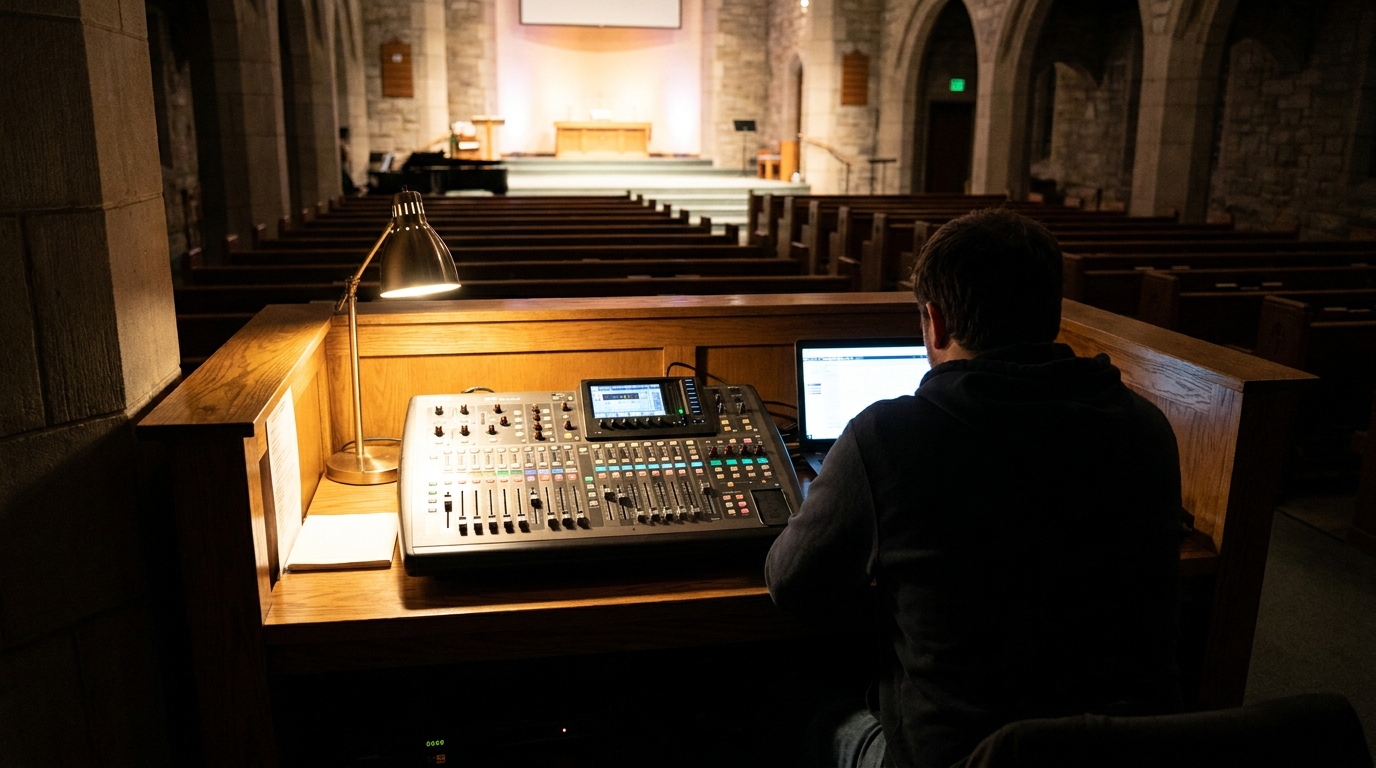
Volunteers are often responsible for audio, video, presentation, streaming, and other production tasks. Their experience can range from seasoned professionals to people still learning what the controls do. A system designed around the knowledge of the most technically advanced operator can therefore create problems for everyone else.
If starting a service requires navigating multiple interfaces in exactly the right sequence, or recovering from a minor failure requires calling the one person who understands the system, complexity has become an operational liability.
Simplicity should be treated as a design requirement rather than a compromise. Clearly labeled controls, useful presets, repeatable startup procedures, documented troubleshooting, and interfaces that expose only necessary functions can make sophisticated technology far more manageable.
Training matters just as much. It should not be a single session after installation. Volunteer teams change, systems evolve, and skills fade when they are not regularly used. Documentation and ongoing training should be considered part of the AV system itself.
More gear does not automatically fix bad AV
When something is not working, purchasing new equipment can feel like the obvious next step. Sometimes it is. Often, the underlying problem is somewhere else.
A new mixing console will not fix difficult room acoustics. A larger display will not correct poor sightlines caused by its placement. A better camera cannot compensate for a livestream workflow that volunteers find too complicated. Adding another device to a poorly integrated system may simply create another point of failure.
Before approving an upgrade, worship teams should determine whether the problem is coming from the equipment, room design, configuration, workflow, training, or integration between existing systems.
That diagnosis can be particularly valuable for organizations working within tight budgets. The smartest investment may be improving what is already there rather than replacing it.
Reliability beats features nobody can use
AV purchasing decisions often focus on what a system can do. Houses of worship should spend just as much time considering what happens every week after the installation is finished.
Can volunteers operate it confidently? Does it work with existing infrastructure? How difficult is it to troubleshoot? Can components be maintained and supported? What happens when the primary technical director is unavailable?
These questions may be less exciting than comparing feature lists, but they have a much greater impact on Sunday morning.
The purchase price is also only one part of the cost. Installation, training, maintenance, support, upgrades, and eventual replacement all contribute to the system’s long-term value. An experienced AV integration partner can help evaluate those factors as a complete environment rather than treating each microphone, display, camera, or control device as an isolated purchase.
Ask what is getting in the way
Before the next AV upgrade, worship and technical leaders can start with a few straightforward questions: What repeatedly distracts the congregation? Where do volunteers struggle? Which failures happen most often? What equipment is difficult to support? And which capabilities are genuinely improving participation?
Those answers may point toward new technology, but they may also reveal opportunities to simplify workflows, improve training, reconfigure existing equipment, or address problems in the room itself.
Great worship AV does not have to be invisible in the literal sense. People will see the displays, cameras, microphones, and loudspeakers around them. What matters is whether those tools demand attention when they should be supporting something else.
The best worship AV removes barriers between the congregation, the message, the music, and those joining remotely. Before asking what technology to add next, ask what is currently getting in the way. The answer can lead to simpler systems, more confident volunteers, smarter spending, and technology that supports the worship experience without becoming the experience.
- AVNation Staff
- AVNation Staff

- AVNation Staff

- AVNation Staff