Category: Article

  • AWS at IBC 2025: Agentic AI & Enterprise AV

    AWS at IBC 2025: Agentic AI & Enterprise AV

    At IBC 2025, AWS set its sights on problems that resonate deeply with higher-ed and corporate AV/IT leaders: the need for smarter production workflows, confidence in data sovereignty, and practical applications of AI. Stephanie Lone from AWS at IBC 2025 highlighted three themes guiding the company’s work: Agentic AI, Live Production & News, and a new European Cloud built for digital sovereignty. Together, these reflect AWS’s push to make cloud-based media workflows both agile and trustworthy.

    Create, Connect, Captivate

    AWS IBC 2025 workflow
    AWS IBC 2025 workflow

    The booth itself was organized around three verbs: Create Content, Connect Workflows, Captivate Audiences. That framing offered a customer-first perspective: don’t just build technology for technology’s sake, but instead start with the problems media teams face. Whether the challenge is producing more content with fewer resources, moving video quickly across geographies, or ensuring compliance with European regulations, AWS showed how its cloud services and partners fit together.

    Agentic AI in Action

    A striking detail was that two-thirds of the booth demos relied on some form of generative or agentic AI. Rather than simply producing text or images, these AI agents were designed to take on tasks inside media workflows: assembling clips into highlight packages, enriching metadata in real time, or automating quality checks. Tools like AWS’s Framelight AI agent illustrated how production teams could offload repetitive work while still maintaining creative control. For universities or corporate comms teams, AI isn’t just a novelty; it’s becoming embedded in the production pipeline.

    Time-Addressable Media Store

    One of the most concrete demonstrations came through the Time-Addressable Media Store (TAMS). This open API allows organizations like Reuters to capture and share live video across multiple outlets almost instantly, without endless file duplication. By combining cloud storage with event-level metadata, TAMS made it possible to search, retrieve, and distribute clips in seconds. For a campus setting, that kind of efficiency could transform how lecture captures, guest talks, or live events are archived and shared across departments.

    AWS at IBC 2025 Deep Dive

    Behind the demos, AWS also stressed a less glamorous but equally critical factor: observability. Stephanie described how AWS tools can pull logs from multiple sources—flagging dropped frames, 404 errors, or network hiccups—to give teams real-time visibility into system health. For AV managers, especially in distributed environments like universities with multiple lecture halls or corporations with offices worldwide, that operational transparency may be the difference between a smooth event and a support nightmare.

    Digital Sovereignty

    The third major theme spoke directly to European customers: a sovereign cloud designed for peace of mind. This upcoming AWS infrastructure will keep data within Europe and align with strict regulatory frameworks. For public universities and enterprises operating under GDPR and national rules, that commitment isn’t just a checkbox—it’s a prerequisite for moving critical media workflows to the cloud. By emphasizing sovereignty alongside innovation, AWS positioned itself as both forward-looking and pragmatic.

    What It Means for Higher Ed & Corporate AV

    Taken together, AWS’s IBC presence painted a picture of workflows that are more intelligent, resilient, and adaptable. Agentic AI can reduce the manual load on small teams, allowing them to do more with less. TAMS illustrates how content distribution can be faster and less error-prone, opening the door to new collaboration models. Observability promises fewer surprises mid-event, which AV/IT leaders know is priceless. And the sovereign cloud initiative provides the compliance framework that many European institutions have been waiting for before embracing large-scale cloud adoption.

    Future of Production

    For AV and IT decision makers in higher education and enterprise environments, AWS’s IBC 2025 story boiled down to solving real problems: faster workflows, smarter automation, clearer visibility, and compliant infrastructure. While questions remain about adoption speed and training, cloud-native media workflows are no longer an experiment. They are quickly becoming the backbone of modern AV.

    To see all of AVNation’s IBC 2025 coverage go here.

  • Securing AV Systems: Why You Can’t Afford to Ignore the Risks

    Securing AV Systems: Why You Can’t Afford to Ignore the Risks

    “Securing AV systems. Not everybody’s favorite topic, but it’s critical,” said host Steve Greenblatt as he opened Episode 131 of A State of Control. For many IT and AV leaders, security conversations still feel like a burden. Yet the reality is unavoidable: every connected device in a conference room, classroom, or command center represents another potential point of entry for attackers.

    In this episode, Greenblatt was joined by co-host Rich Fregosa and returning guest Paul Konikowski of Kronos LLC. Together they unpacked why AV is no longer a side note in enterprise security strategies and what decision makers need to do about it.

    Expanding Attack Surfaces

    Konikowski, a longtime advocate for AV security, framed the issue in simple terms: “As we add more and more AV devices to a network, we’re basically increasing that attack surface that a hacker could come in and do something bad.”

    From unpatched wireless presentation systems to cameras streaming unencrypted video, AV gear can easily become a pivot point for attackers. Worse, default passwords and overlooked firmware updates often go unnoticed until they’re exploited. California’s SB-327 law requiring unique device passwords was a start, but, as Konikowski noted, “these laws are passing, yet AV often lags behind IT in patching and accountability.”

    When Heads Roll

    For Fregosa, the stakes are both technical and reputational. He shared a hard truth that decision makers sometimes overlook: “When an event happens, people get angry and look for somebody to blame. You don’t want to be the person to blame.”

    He recounted projects where even peripheral involvement in a breach meant vendors had to prove, with documentation, that their systems weren’t the source. That’s why shortcuts, like texting passwords or skipping encryption to meet a deadline, carry risks far beyond a single project. In the worst cases, they can cost integrators clients or even sink companies.

    Shifting from Convenience to Process

    The conversation highlighted a cultural shift that must happen across AV projects. For decades, success meant systems worked reliably and on time. Today, reliability without security is a liability.

    Greenblatt underscored the point: “It does require a little extra effort and a little thinking outside the box… but it’s part of the professionalism of our business.”

    That extra effort includes:

    • Assigning responsibility for firmware updates.
    • Using multifactor authentication (MFA) wherever possible.
    • Locking down user privileges so not everyone is an admin.
    • Documenting security processes from project kickoff through closeout.

    Testing, Training, and Transparency

    Looking ahead, Konikowski predicted that penetration testing of AV systems, once considered far-fetched, will increasingly be driven by clients. “The bigger corporate clients will hire penetration testers, third-party or internal red teams, to try to hack different things and get access,” he explained.

    He also hinted at industry rumblings of hands-on training environments where integrators can practice uncovering vulnerabilities in lab conditions. That kind of transparency, though uncomfortable, may be necessary to bring AV up to the level of scrutiny already expected in IT.

    Why AV Security

    The episode closed on a sober reminder: AV systems are no longer “set and forget” installations. They are fully networked, data-rich environments. And while no system will ever be 100% secure, organizations that treat AV security as optional are leaving the door open to risk.

    For IT and AV leaders, the call to action is clear: demand secure practices from integrators, ensure teams follow documented processes, and foster a culture where security is everyone’s responsibility.

    Because, as Konikowski put it bluntly, “I just kind of assume everything is compromisable and try to isolate it.”

    Listen to the full episode of A State of Control 131 here.

  • Sony at IBC 2025

    Sony at IBC 2025

    At IBC 2025 in Amsterdam, Sony made it clear that live production is entering a new era, with AI-powered tools doing heavy lifting in camera tracking, workflow automation, and spatial content creation. For organisations such as houses of worship, universities and colleges, or any team operating with tight staffing, Sony’s announcements promise both relief and new creative potential. Sony at IBC 2025 made clear statements about automated production and sustainability.

    Sony IBC 2025
    Sony IBC 2025

    One of the standouts is Sony’s OCELLUS camera tracking system, which was demonstrated alongside the Virtual Production Tool Set version 3.0. The company showed how OCELLUS integrates with Sony’s LED display technologies (Crystal LED CAPRI, VERONA) and spatial content production hardware and software to enable automated tracking of talent in studio, virtual or hybrid settings. Sony describes the evolution of this architecture as “connected media ecosystem” where camera, cloud, AI, and IP tools are tightly integrated to reduce setup complexity and operator load.

    Sony at IBC 2025 Higher ED

    In higher education, for example, the ability to rely on AI tracking means professors can move freely around lecture halls without concern for camera operators. Sony claims that its AI-powered tools can adjust camera framing in real time, responding to both motion and spatial context. This kind of automation reduces the burden on technical staff, who often must juggle camera, audio, lighting and streaming tasks simultaneously. One university AV manager quoted by Sony said: “We need tools that anticipate movement, that can track speakers without us having to constantly adjust. Sony’s tracking minimizes our technical overhead so we can focus on content, not camera operation.”

    In houses of worship, many congregations face similar constraints: volunteer staff, limited budgets, and varying levels of technical expertise. Sony’s AI tracking and integrated virtual production hardware allows worship services to look much more professional without hiring a full crew. The precision of systems like OCELLUS, combined with Sony’s LED display solutions, means that churches can project engaging visuals, follow speakers or performers across the stage, or mix live and pre-produced content with less manual intervention. The benefit is two-fold enhanced attendee experience and reduced staffing/operational cost.

    Sony Sustainability

    Sony also emphasised its sustainable and cloud-native tools as part of its exhibit. One of the goals is to enable remote monitoring or control, so that fewer people need to be physically on site. This is especially useful for campus environments or houses of worship with multiple locations one technician can oversee several spaces, schedule automated tracking profiles, and ensure consistent visual quality. Sony’s press materials highlight that its Virtual Production Tool Set 3.0, due later in the year, will enhance remote operation and AI-augmented scene control.

    But there are trade-offs to consider. The initial investment in LED walls, tracking hardware, and higher bandwidth for IP/ cloud workflows may be substantial for smaller institutions. Training is still required, even if operation is easier. Yet for organizations willing to make that leap, the return often shows up in reduced personnel costs, more consistent output, and greater flexibility in programming (whether worship service, lecture, or live event).

    In sum, Sony’s presence at IBC 2025 made a strong case that AI tracking is more than a feature it’s becoming a foundation for live production in sectors where staffing and resources limit what is possible visually. For houses of worship, educational institutions, and lean content teams, the promise is that better visuals, more freedom, and lower operating stress are now reachable.

    Check out all of AVNation’s IBC 2025 coverage here.

  • Matrox at IBC 2025: AVoIP Highways

    Matrox at IBC 2025: AVoIP Highways

    At IBC 2025, one clear theme was the continued march toward open standards and software-defined infrastructures. For higher education and corporate environments, that shift is not academic. It’s essential. Universities and enterprises are tasked with supporting live events, hybrid collaboration, and large-scale distribution of video across campuses and offices. Matrox Video, with a strong broadcast pedigree and a growing AV footprint, used IBC to spotlight how it is re-engineering live production and AV transport to meet those needs.

    To see all AVNation’s coverage of IBC 2025 go here

    The Matrox Legacy

    Matrox has been part of the video technology ecosystem for decades, serving broadcast engineers, OEMs, and AV/IT managers with encoders, decoders, converters, KVM, and SDKs. Their strength has always been reliability, but the conversation in Amsterdam was about flexibility. According to Albierto Cieri, senior vice president at Matrox, the company’s approach now centers on giving developers and integrators the building blocks to design scalable, software-driven workflows that take advantage of commercial IT infrastructure.

    ORIGIN Fabric: The IP “Highway”

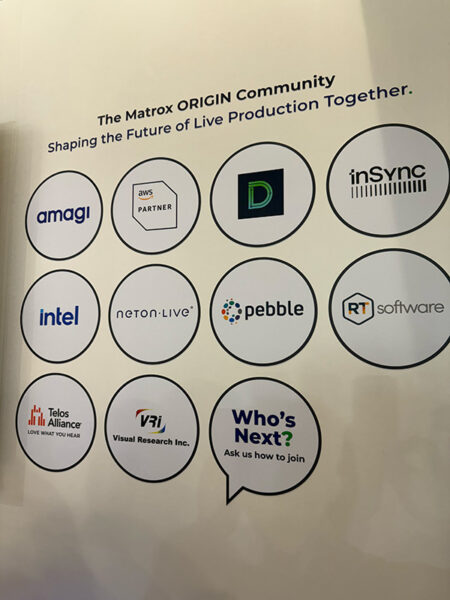
    Matrox Partners IBC 2025
    Matrox Partners IBC 2025

    At the center of Matrox’s message this year was ORIGIN Fabric, a transport framework designed for asynchronous, IP-based media. Cieri described it as a kind of “highway”—a layer that sits underneath applications, ensuring video signals move efficiently across networks. Built to run on AWS as well as on-prem IT environments, Fabric allows DevOps teams to create live production solutions with the agility of software deployment rather than bespoke hardware builds.

    By exposing this as a developer-friendly SDK, Matrox gives universities and corporations the ability to design applications that fit their unique needs—whether that’s live streaming lectures, distributing signage across campus, or managing complex multi-room corporate events. Running on commercial off-the-shelf IT servers also means institutions aren’t locked into proprietary appliances.

    Open Standards First: Matrox at IBC 2025

    A critical message at IBC was Matrox’s support for open standards. Cieri emphasized that campus and enterprise deployments will often begin with ST 2110 in central production environments. From there, content can be distributed more efficiently across the rest of the campus or corporate network using IPMX, the emerging standard tailored for AV. This staged approach reduces complexity: high-end workflows where they’re needed, lighter standards everywhere else.

    Matrox also showed alignment with the MXL (Media eXchange Layer) initiative, a collaboration led by the EBU and Linux Foundation. MXL aims to harmonize how media applications talk to each other. For end users, that translates to fewer compatibility headaches and easier integration across multi-vendor systems.

    Bridging Formats with VION

    Another highlight was the VION gateway, which supports baseband input and IP in/IP out. The gateway’s role is to bring in a variety of IP transports and convert them seamlessly to IPMX. For large organizations juggling older gear alongside newer IP endpoints, this conversion layer is essential. It means that migration to IP doesn’t have to be a disruptive rip-and-replace process.

    What it means for you

    For AV and IT decision makers, Matrox’s IBC 2025 showcase carries several takeaways. ORIGIN Fabric reduces the need to manage multiple point-to-point paths. Instead, it provides a robust, software-defined transport that can adapt as networks scale. With ST 2110 at the core and IPMX at the edge, organizations can plan phased migrations that match their budgets and operational realities. MXL and IPMX support mean IT teams aren’t tied to one vendor’s proprietary ecosystem. In an era where AV and IT must integrate seamlessly, that flexibility reduces risk. VION ensures legacy baseband or non-IPMX transports can still be part of the workflow, easing transitions for campuses or corporations that can’t replace everything at once. The fact that ORIGIN Fabric is already running on AWS signals a readiness for hybrid and cloud-based deployments, whether for disaster recovery, overflow capacity, or remote production.

    What to Watch Going Forward

    Matrox’s announcements point to a pragmatic path: start with standards, add flexibility, and make migration less painful. For universities streaming lectures across multiple campuses or corporations managing global town halls, the value is clear. The question now is adoption. Will IT and AV teams embrace developer-friendly SDKs like ORIGIN Fabric to craft their own solutions, or will they wait for turnkey offerings from integrators? And how quickly will IPMX, still a developing standard, become the default in campus AV?

    IBC 2025 confirmed that IP and IT workflows are no longer the future; they are the present. With ORIGIN Fabric, VION, and its alignment with IPMX and MXL, Matrox is positioning itself as both a bridge and a highway: connecting legacy formats to new standards while paving the way for scalable, resilient, and cost-efficient AV systems. For higher education and corporate decision-makers, that message resonates loud and clear.

  • NDI at Ten: Why It’s Now Mission-Critical

    NDI at Ten: Why It’s Now Mission-Critical

    The Network Device Interface (NDI) standard celebrated its tenth anniversary at IBC 2025 in Amsterdam, but it’s clear that this is not a moment for resting on laurels. From modest beginnings as a tool for replacing individual video cables in local studios, NDI has grown into a broad ecosystem, deeply embedded in broadcast, production, and increasingly in corporate, educational, and live event sectors.

    To see all AVNation’s coverage of IBC 2025 go here.

    At its core, NDI at ten now enables low-latency, high-quality transport of video plus audio and metadata over standard networks. This makes it useful in situations where traditional SDI cabling becomes cumbersome or prohibitive. Especially when you need multiple video sources, flexible camera positioning, or remote inputs. Over IBC’s last show cycles, as IP-based workflows have matured, NDI’s role has expanded beyond mere transport to include discovery, control, monitoring, and integration with cloud and software tools.

    What Was New at IBC 2025

    One of the key announcements was the release and preview of NDI 6.2 / 6.2.1 and the upcoming 6.3. These versions bring refinements in discovery, monitoring, and control features—important when there are many NDI streams on the network. The Discovery Server tools are better at helping devices identify each other, checking compatibility (number of audio channels, codec support) before connections are made, which helps reduce errors and simplified setup.

    Another focus is on expanded hardware and partner ecosystem. Brands like RØDE introduced their first NDI-enabled audio devices. Panasonic showed NDI-enabled remote camera controllers and multi-purpose cameras. This trend of traditionally analog or SDI-oriented hardware becoming “NDI smart” gives organizations more choice and flexibility.

    Also at IBC, “NDI Connected Talks” panels dove into cloud production, the consumerization of broadcast tools, audio-over-IP, and workflows for hybrid/remote production. For corporate or educational users, these are not merely theoretical: they map directly onto problems like under-resourced AV teams, distributed campuses, or remote contributors.

    NDI at Ten with Higher ED and HOW

    In corporate communications, higher education, and houses of worship, the pressures are similar: greater expectation for video quality and more channels or outlets (internal streaming, external, recording, and virtual meetings), often with limited staff, variable budgets, and sometimes older infrastructure. NDI addresses many of these challenges.

    Because it works over regular networks and often requires much less physical cabling or dedicated hardware, NDI can reduce setup time, logistical complexity, and staffing needs. For example, you can have PTZ or mobile cameras, even phones, feeding into the system over Ethernet or WiFi, send graphics or presentation systems as NDI sources, monitor feeds via standard PCs. The simplified discovery tools in newer versions mean fewer manual interventions or troubleshooting. The ability to carry metadata (tally, camera control, remote control) further reduces ancillary gear. (General technical details from the standard, use cases across sectors).

    Case in point: A recent event production workflow (MMG Events via Atomos) used over 200 simultaneous NDI streams across countries to deliver hybrid sessions with tight delivery windows. That kind of scale shows NDI is not just for “small setups” but can scale.

    For worship venues, which often juggle streaming, overflow screens, social-media video, and volunteer teams, NDI permits reusing existing Ethernet infrastructure, reducing dependency on SDI patching or physical signal routing, and enabling remote monitoring or control. Education environments similarly benefit: lecture capture, remote guest lecturers, hybrid classes, streaming to multiple rooms or platforms. All become more manageable.

    Challenges & Considerations

    That said, NDI is not without trade-offs. The network infrastructure needs to be up to the task: bandwidth, switching, buffering, multicast/ discovery etc. Latency, while generally very low, depends heavily on the quality and design of the network. Misconfigured or overloaded networks can introduce delays or quality drops. Also, while many devices now support NDI, integration, training, and compatibility with legacy systems (SDI, HDMI, existing switchers) need to be planned. Some users report that in older articles.

    What’s Next

    The roadmap (NDI 6.3, expanded partner hardware, better control/discovery) suggests that NDI will continue shifting from being a transport protocol to being a full connectivity platform for AV/IT producers. As more devices support it out of the box, as cloud workflows mature, and as hybrid production becomes more common, NDI’s role will only grow. For corporate users, educational institutions, and houses of worship, that means more opportunities to deliver polished video content without having to build a full-broadcast infrastructure.


  • IPMX in Context: Following the Hype Cycle to the Future of Open AV-over-IP

    IPMX in Context: Following the Hype Cycle to the Future of Open AV-over-IP

    Back in 2012, it looked like AVB was going to take over the Pro AV landscape. With its precision timing, deterministic behavior, and elegant integration with Ethernet, AVB (and later Milan) was poised to be the open standard that unified the industry. At InfoComm that year, the Avnu Alliance announced that over 40 AV equipment platform providers were supporting the standard, with 15 of them participating in a live interoperability event. If that sounds familiar, it should.

    It was a moment of genuine optimism and yet, the broader Pro AV revolution never quite arrived. Despite real technical success in live sound, AVB’s video ambitions quietly faded. Milan wisely narrowed its focus and found success in a clearly defined space. But that left the larger AV market still waiting.

    Now, five years after IPMX was introduced, many are asking: where do we stand?

    Is this another chapter in the same story? Or is the IPMX path shaping up to be something different?

    To answer that, it helps to look at IPMX through the lens of the Gartner Hype Cycle, which is a framework that maps how new technologies evolve, from early excitement through disillusionment to widespread adoption.

    Let’s walk through it together and explore the story, progress, and future of IPMX and what it could mean for Pro AV. Where did it begin? What’s been accomplished? And where is next?

    Phase 1: The Innovation Trigger — A Broader Vision for AV

    Every Hype Cycle begins with a breakthrough, which is when a new idea promises to reshape an industry. For both broadcast and Pro AV, that breakthrough was the shift to COTS infrastructure and IP-based media transport.

    In broadcast, the transition began with ST 2022 and soon evolved into ST 2110: a flexible, essence-based architecture that, when paired with NMOS, enabled synchronized, professional-grade control and media transport over standard IP networks. While ST 2110 was designed as a general-purpose standard, its development and early deployment focused squarely on the needs of broadcast.

    In Pro AV, the shift was more fragmented. Some efforts, like AVB and later Milan, were openly standardized but struggled to gain traction due to limited switch support. Others, such as SDVoE, NDI, and Dante AV, focused on building vendor-driven ecosystems. Meanwhile, vendor-specific platforms like Crestron NVX and AMX SVSI gained loyal followings, with NVX becoming the most widely adopted AV-over-IP solution for several years in a row. Each of these technologies was technically strong. Some achieved real adoption. But none became the shared foundation the industry could build upon and the fragmentation was smothering the benefits AV-over-IP.

    By 2018, AIMS had begun efforts to introduce ST 2110 to Pro AV. After helping shepherd the standard into mainstream use in broadcast, the goal was to bring the same open, interoperable

    approach to an industry that seemed in need of it. But it quickly became clear that a bundle of standards wasn’t enough. The market needed something more unified, more accessible, and easier to understand.

    Phase 2: Peak of Inflated Expectations — The Promise and the Pressure

    IPMX was launched just as the world was on the brink of massive disruption. In early 2020, with the pandemic looming, the AV industry was introduced to a new initiative that promised to bring clarity, openness, and long-term stability to a fragmented market.

    The goal of IPMX was bold: to create an open, multi-vendor, interoperable AV-over-IP ecosystem that could flex to meet the full range of Pro AV needs from high-end installations to software-based workflows, and from individual content creators to global enterprise networks. It would build on the proven foundation of ST 2110, in part because it worked, but also because it offered a unifying framework in a world where nearly everyone was now creating and distributing content.

    From the outset, awareness was essential. Unlike proprietary technologies developed quietly in R&D labs, open standards need visible momentum to thrive. AIMS and its member companies embraced the spotlight, taking every opportunity to promote the IPMX roadmap and to bring new participants into the effort. Evangelism was the fuel that would build momentum.

    And it worked. Within VSF, AMWA, the EBU, and across the Pro AV press, excitement around IPMX spread quickly. It represented a serious, coordinated industry effort to close long-standing gaps: simplified timing requirements, support for HDCP, EDID, USB, and asynchronous workflows. The ambition was clear, and for many, it was exactly what the market had been waiting for.

    By 2022, IPMX was no longer just an idea. It was showing up in real demonstrations and companies were publicly joining the effort. Enthusiasm had turned into expectation.

    Phase 3: The Trough of Disillusionment — Impatience and Realignment

    By 2023, the questions started to shift:

    When will I see real products?

    When will it be finished?

    The hype was reaching its peak. And with it came the pressure.

    Trade publications, hallway conversations, and panel discussions all began to reflect a common undercurrent: We love the idea, but when can we actually use it? Is this going to be another AVB?

    It was a fair question. The Pro AV industry had seen this pattern before: bold initiatives, big promises, and then…stall-outs.

    Meanwhile, the world kept changing. Remote and hybrid workflows accelerated. Infrastructure investments shifted. Integrators needed solutions they could deploy today. IPMX had captured mindshare, but now it needed to show real, tangible progress.

    This was Phase 3 of the Hype Cycle: the inevitable trough between vision and adoption. And the scrutiny clarified something essential. If we wanted IPMX to succeed, we had to deliver value and prove that it could work in the real world.

    Phase 4: The Slope of Enlightenment — Building on Proven Success

    That progress is rapidly accelerating. We’ll be introducing our training materials to the Pro AV community later this year. Test plans are going through the editing process and we’re preparing for the test to certify the first IPMX products.

    Phase 4 of the Hype Cycle happens when a technology succeeds completely in some market segment.

    Today, ST 2110, AES67, and NMOS are powering thousands of channels and live events every single day. They’re the backbone of modern sports production, live news, and large-scale event coverage. New systems in the broadcast world are now routinely built on ST 2110 and NMOS. What was a cutting-edge experiment is now just how things are done. The industry trusts it because it works and scales.

    That’s what makes IPMX different from every other AV-over-IP initiative before it. It’s not a bet on something that seems promising – it’s the next step in the evolution of that success story.

    And now, as more companies support the IPMX initiative, implement the profiles, and prepare compliant products, we can begin to see what Phase 5 looks like, with IPMX-ready products from several vendors already in the market.

    Phase 5: The Plateau Ahead — One Foundation for All of AV

    This is the destination. The Plateau of Productivity happens when a technology moves beyond its early proving grounds and becomes the standard approach across markets, workflows, and applications.

    That’s where we’re headed.

    ST 2110 has already reached this milestone in broadcast. It’s how that industry does media transport. At AIMS, AMWA, VSF, the EBU, and SMPTE, we’re proud of what we’ve achieved with ST 2110 and NMOS. We worked together to bring them to life and make them successful for that market.

    With IPMX, we’re aiming for ubiquity by extending that success into Pro AV, education, live events, medical imaging, content producers, and beyond.

    Simply put, we want IPMX to become the way people do video and audio over IP networks.

    The Road Ahead

    So where do we stand today?

    • We’ve published the TR-10 suite of foundational documents.
    • We’ve completed three IPMX testing events, with a fourth on the horizon that will certify the first official IPMX products.
    • We’ve defined the structure of IPMX, including profiles, capabilities, and product guidelines.
    • The documents that define IPMX, govern implementation and trademark usage are in draft and active review. Drafts will be published within the next month.
    • A professionally produced training program created by Patrick Killianey is in development.

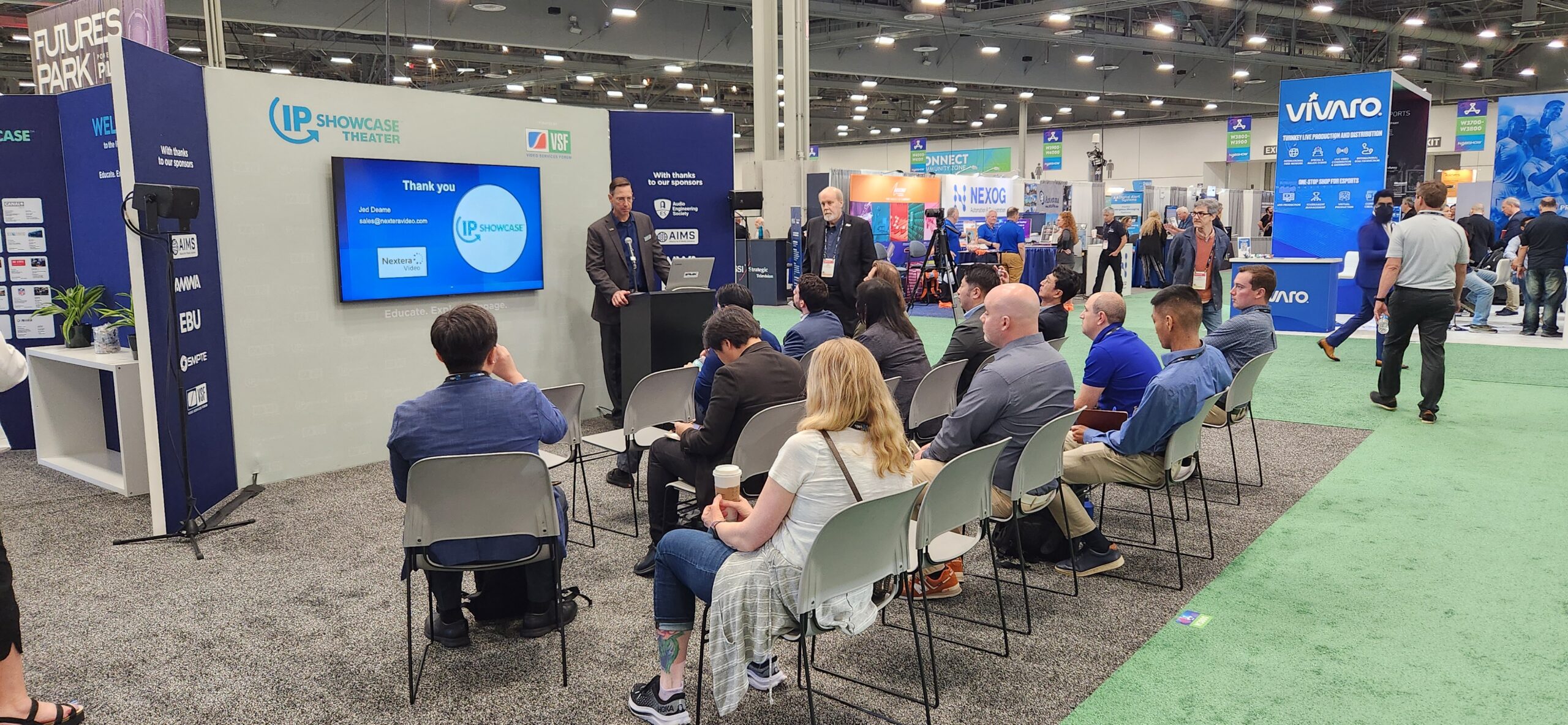
    By the time we get to ISE, you’ll be hearing a lot more about IPMX – especially at the IP Showcase at IBC 2025 on September 14th, 2025 – and we hope you’ll be as excited as we are.

    Of course, that could sound like more hype and although you’ve heard it before, we’re hard at work to make sure IPMX has a successful launch. Because if we get this right, we’ll have a shared, open foundation for AV-over-IP that spans from small content creators to broadcast to the boardroom, and far beyond.

    That just might be worth all the hype.

  • Bridging the Gap: Integrating Automation with Legacy Systems

    Bridging the Gap: Integrating Automation with Legacy Systems

    The manufacturing industry is on the cusp of a technological revolution, but many companies face a significant challenge: bridging the gap between their legacy systems and the modern automation tools that promise to optimize production. Automation is quickly becoming a key player in transforming manufacturing processes, yet integrating these cutting-edge technologies with existing legacy infrastructure can feel like a daunting task.

    For manufacturers in the Audio-Visual sector, this integration is particularly crucial. AV solutions have become essential in managing communication and monitoring systems, and combining these tools with modern automation can create a seamless, efficient, and safer operational environment. Let’s explore how companies can bridge the gap between automation and legacy systems to maximize efficiency, safety, and communication.

    Understanding the Challenge: Legacy Systems vs. Modern Automation

    Before diving into the solution, it’s important to understand the challenge. Legacy systems, often still in use on manufacturing floors, refer to older hardware or software that was designed with the technology of its time. While these systems may have worked well in the past, they often fall short in meeting the demands of modern manufacturing environments, especially when it comes to automation.

    The biggest hurdle to integrating automation with legacy systems lies in the technological gaps between the old and the new. Many older systems lack the capability to integrate with modern tools, leaving manufacturers with disjointed operations and inefficient workflows. On top of that, there’s a strong resistance to change from employees who may be accustomed to the old ways of working.

    For manufacturers in the AV industry, the key pain points of this gap include:

    • Communication breakdowns on production floors, especially when teams are spread across multiple locations.
    • Technology gaps that prevent seamless remote monitoring or real-time data sharing across systems.

    As manufacturing becomes increasingly complex, this gap can hinder a company’s ability to meet operational goals efficiently.

    The Benefits of Integrating Automation with Legacy Systems

    Despite the challenges, integrating automation with legacy systems offers a host of benefits. By leveraging automation while maintaining legacy infrastructure, manufacturers can significantly improve operational efficiency and safety.

    Increased Efficiency

    Automating manual processes and tasks can free up valuable time for employees to focus on more strategic work. For example, by integrating AV systems into the automation framework, manufacturers can streamline communication, monitor production in real-time, and make immediate adjustments to production lines without needing to rely on manual oversight. This leads to improved throughput and fewer errors.

    Enhanced Safety

    In high-risk manufacturing environments, safety is a top priority. Automated systems that can monitor conditions remotely, from machine malfunctions to environmental hazards, ensure that operators can stay informed in real-time. With AV solutions integrated into the automation system, critical safety alerts and updates can be instantly communicated to all relevant teams, reducing response times and preventing accidents.

    Improved Communication

    The integration of AV technology with automation enhances communication across teams. For instance, smart displays can be installed on factory floors to display real-time production data, while video conferencing tools enable instant meetings across different shifts or even locations. This helps eliminate information silos, ensuring everyone is on the same page at all times.

    Key Strategies for Seamless Integration

    Now that we’ve explored the benefits, how do manufacturers go about integrating automation with legacy systems effectively?

    1. Assessment and Planning

    The first step is a thorough assessment of current systems and processes. Identify which parts of the legacy infrastructure are still effective and which are holding the business back. Understanding these gaps will allow you to determine which automation solutions should be implemented.

    2. Choosing the Right AV and IT Solutions

    Not all AV and IT solutions are created equal. It’s critical to choose tools that are not only compatible with legacy systems but also scalable for future growth. Look for AV systems that allow for easy integration with automation platforms, such as smart displays, video conferencing tools, and remote monitoring systems.

    3. Upgrading Hardware and Software

    While the goal is to keep the legacy systems intact, it may be necessary to upgrade certain hardware or software components to enable integration. Ensure that the solutions selected are compatible with older systems and offer the flexibility to support future automation needs.

    4. Training and Support

    To ensure that the integration is successful, provide training for your team on how to use the new automated tools and AV systems. This will ensure that everyone is prepared to operate and maintain the new systems effectively. Ongoing technical support will also be crucial in minimizing downtime and troubleshooting issues.

    Overcoming Common Barriers to Integration

    There are several barriers that manufacturers often face when integrating automation with legacy systems, and it’s important to address them head-on.

    Cost Considerations

    The upfront cost of integrating new automation solutions with legacy systems can be daunting. However, manufacturers must view this investment as a long-term benefit, with the potential for reduced operational costs, improved efficiency, and higher production quality. Over time, the savings from automating processes will far outweigh the initial outlay.

    Downtime and Disruptions

    A common concern is the potential downtime during the transition phase. To minimize disruptions, plan the integration process carefully. Consider scheduling upgrades during off-peak hours and gradually implementing new systems to avoid halting production.

    Durability and Technical Support

    Manufacturing environments can be harsh, and the equipment used must be durable enough to withstand tough conditions. Choose automation solutions that are built to last and come with comprehensive technical support to ensure your systems are always up and running.

    Case Studies: Success Stories of Automation Integration

    Several companies have successfully integrated automation with legacy systems and reaped the rewards:

    • Example 1: A leading electronics manufacturer integrated automated systems for real-time quality control while maintaining legacy production lines. By adding AV solutions to monitor the processes remotely, they saw a 25% improvement in throughput and a 40% reduction in operational errors.
    • Example 2: A large automotive company used AV tools for remote monitoring and communication across production teams. By integrating these tools with automated processes, they were able to cut down production downtime and ensure a safer working environment.

    The Future of AV and Automation in Manufacturing

    The future of manufacturing is undoubtedly tied to AI, IoT, and machine learning, and these technologies will continue to shape the landscape of automation. As AI becomes more sophisticated, automation systems will offer even greater levels of efficiency, predictive maintenance, and real-time monitoring.

    AV systems will play a key role in this evolution, helping to create interconnected environments where real-time data, video feeds, and remote control systems all work in harmony.

    The Final Piece of the Puzzle

    Integrating automation with legacy systems doesn’t have to be a daunting task. With the right strategy, manufacturers in the AV industry can bridge the technological gap and unlock a world of benefits, from enhanced efficiency to improved safety and communication.

    By planning carefully, selecting the right AV and IT solutions, and investing in long-term support, manufacturers can ensure that their operations are future-proof and ready for the demands of tomorrow’s digital landscape.

    Ready to upgrade your systems? Start integrating automation today and see the impact it can have on your operations.

  • Medical-grade Display Tech

    Medical-grade Display Tech

    When calibrating the image quality of a display system intended for use in a commercial or home theater setting, I focus on fine-tuning the picture to ensure the resulting video image accurately reflects the artist’s work. Generally, content creators use reference displays that closely follow the color and detail standards used in video production. Viewing this content on another display calibrated to a similar standard offers the best chance to see the artist’s vision as intended.

    Klein Instruments K10-A colorimeter - Image credit: Heron Fidelity
    Klein Instruments K10-A colorimeter – Image credit: Heron Fidelity

    It should be obvious why accurate video imagery is crucial for medical professionals. These display systems are essential for evaluations, diagnoses, and real-time monitoring during procedures. While there is some overlap between the display needs of doctors and artists, medical-grade display technologies have specific visual standards and hardware requirements that ensure their effectiveness as tools to support patients’ health and well-being.

    DICOM logo - Image credit: DICOM
    DICOM logo – Image credit: DICOM

    DICOM to the Rescue

    In the early 1980s, medical professionals using computed tomography (CT) or magnetic resonance imaging (MRI) systems were limited to tools provided by the device manufacturers for decoding and viewing images produced by these machines. A technical standard was necessary to define a common file format for medical imaging and the display systems used to view it. By the early 1990s, hardware manufacturers had widely adopted the Digital Imaging and Communications in Medicine (DICOM) standard, which included an optimized image format and specifications for a communication protocol (utilizing TCP/IP) to facilitate data transmission.

    GE SIGNA 7T MRI scanner - Image credit: GE HealthCare
    GE SIGNA 7T MRI scanner – Image credit: GE HealthCare

    In addition to image data, DICOM also specifies an extensive metadata system that can incorporate a wide variety of relevant information, including patient details, the referring physician, equipment and procedure descriptions, device configuration, and the name of the machine technician on duty. DICOM also specifies a de-identification process to protect patient privacy when sharing medical data for educational or research purposes, or to comply with privacy regulations.

    DICOM file metadata - Image credit: Robert Heron
    DICOM file metadata – Image credit: Robert Heron

    Since the introduction of DICOM, various initiatives and services have enhanced its interoperability, making it easier to integrate into practical clinical workflows. One of these technologies is the Picture Archiving and Communication System (PACS), a server-based environment that enables medical IT departments to provide a unified acquisition pathway across various machine types (imaging modalities), file storage, and access to DICOM-encoded data within a secure network.

    PACS system diagram - Image credit: Curogram
    PACS system diagram – Image credit: Curogram

    The Grayscale Standard Display Function

    One of the core attributes of DICOM imagery that differentiates it from the pictures and videos we typically consume is the way DICOM handles grayscale information. The default grayscale configuration for many screens, ranging from mobile devices to televisions, features a luminance configuration (from black to peak white) that mimics the natural sensitivity of the human visual system. Our visual system is better optimized to notice small changes in the brighter areas of an image compared to the darker portions (a distinctly non-linear response). We’ve modeled our picture and video standards to recreate visual content with a similar response.

    Given that much of the patient imagery used by medical professionals is in grayscale format (i.e., colorless), DICOM specifies that the presentation of grayscale imagery prioritizes detail perception over artistic intent. The DICOM Part 14 Grayscale Standard Display Function (GSDF) describes a “perceptually linearized” grayscale that helps ensure the viewer can perceive a Just-Noticeable Difference (JND) between successive steps across the entire grayscale luminance range. The model for GSDF factored 1023 luminance levels, ranging from 0.0500 nits to 4000 nits, representing the lowest practical luminance of CRT monitors to the very bright light boxes used for interpreting X-ray imagery.

    DICOM GSDF and gamma 2.2 comparison - Image credit: Eizo
    DICOM GSDF and gamma 2.2 comparison – Image credit: Eizo

    When medical imagery requires a full-color presentation, most medical display systems automatically transition to commercial-style gamma and color standards (e.g., gamma 2.2 and BT.709). High-dynamic-range (HDR) monitors are also gaining traction in the medical field, offering higher brightness, contrast, and a wider color gamut that can more accurately reproduce the range of hues visible to the human eye. Some medical display manufacturers have developed hybrid visualization modes that can process video at a pixel level, delivering detailed and accurate grayscale and color processing simultaneously on a single screen.

     Speciality Displays

    Every display device found in a hospital or medical setting will offer a set of features that make it particularly well-suited for its intended use case. One common characteristic of medical-grade displays is a design that can withstand the rigors of regular use, which includes thorough cleanings to maintain a hygienic environment. It’s common to see medical displays with metal chassis or encased in anti-bacterial plastics, and most feature ratings for ingress protection against dust and moisture.

    Barco JAO18 MKII bedside terminal - Image credit: Barco
    Barco JAO18 MKII bedside terminal – Image credit: Barco

    Barco JAO18 MKII

    The most visible display from the patient’s perspective, while spending time in a hospital room, is the one they depend on to provide a bit of distraction and entertainment. The Barco JAO18 MKII Smart Terminal is a multi-touch, 18.5-inch LED-backlit LCD screen with HD resolution. The otherwise similar JAO21 increases the screen size to 21.5 inches and the pixel resolution to 1080p. The JAO18 can provide patients with access to television programming, video-on-demand services, and internet access. The terminal also features WiFi and Bluetooth connectivity, as well as standard AV inputs for use with external devices, such as media players or game consoles. The JAO18 MKII’s integrated RFID scanner facilitates patient authentication, and an optional wired handset provides enhanced patient control, including a dedicated call button for assistance.

    Barco JAO-series remote control - Image credit: Barco
    Barco JAO-series remote control – Image credit: Barco

    Eizo RadiForce MX317W

    For medical professionals examining diagnostic imagery, a monitor like the Eizo RadiForce MX317W can provide enhanced image clarity and consistency while minimizing eye fatigue. The MX317W features a 30.5-inch IPS LCD monitor with a native DCI 4K resolution of 4096 x 2160 pixels. This monitor literally monitors itself, utilizing dedicated sensors to measure backlight luminance and ambient room light, optimizing its video output to a desired target based on user preferences and environmental conditions. An integrated front sensor, built into the MX317W’s bezel, enables software tools to perform calibration verification and adjustments, ensuring consistent performance over the long term.Eizo RadiForce MX317W – Image credit: Eizo

    LG 32HQ713D

    The ability to produce well-contrasted imagery is a critical function for video monitors used in medical diagnostic work. The LG 32HQ713D is an impressively bright 31.5-inch display that features the company’s IPS Black panel technology, which claims contrast levels greater than those of many of its competitors. While this 4K monitor offers up to 1000 nits of peak brightness, I was more impressed with its stabilized luminance mode, which can maintain a consistent 500 nits of output, making it well-suited for use in well-lit viewing environments. The 32HQ713D also features integrated down-firing and rear-firing LED lights to enhance document viewing or provide an eye-friendly bias lighting configuration, respectively. The LG 32HQ713D’s internal front calibration sensor enables tool-free display validation and adjustment.

    LG 32HQ713D diagnostic monitor - Image credit: LG
    LG 32HQ713D diagnostic monitor – Image credit: LG

    Barco MDSC-8527

    The Barco MDSC-8527 is a 4K UHD LCD designed for real-time imaging in an active surgical environment. The display’s 27-inch screen achieves a high pixel density of over 163 pixels per inch (PPI). In addition to providing a DICOM Part 14 mode for grayscale imagery, the MDSC-8527 supports standard video gamma curves, as well as HDR-HLG (hybrid log gamma), and a stabilized 550 nit luminance mode. The 8527 features a chemically strengthened glass screen protector, capacitive touch controls, and a fanless design, together providing improved durability and a system that can withstand regular, necessary cleanings.

    Barco MDSC-8527 - Image credit: Barco
    Barco MDSC-8527 – Image credit: Barco

    Looking Forward

    I’m impressed with the forward-thinking approach of the now 40-year-old DICOM standard in treating monochromatic imagery, considering the range of potential luminance levels found in various forms of medical imagery – not to mention the standard’s extensive metadata support. As more medical professionals incorporate color imagery into their diagnostic workflows, the current HDR video standards are well-suited to provide the improved image contrast and detail made possible with high-brightness display technology.

    The DICOM GSDF’s requirement for consistent high luminance over time demands a proven and reliable display technology for medical applications – LED-backlit LCDs dominate this sector. Recent improvements in peak luminance and lifespan of OLED displays have not yet convinced medical display manufacturers to adopt them. The light-emitting organic materials in OLED displays remain vulnerable to accelerated wear when driven to produce peak output over extended periods of time.

    Samsung electroluminescent quantum dot demo - Image credit: Robert Heron
    Samsung electroluminescent quantum dot demo – Image credit: Robert Heron

    Medical display manufacturers may require future display technologies, such as inorganic electroluminescent quantum dots, to offer the practically perfect contrast of an emissive display and the pixel wear resistance needed to sustain the consistent high-brightness levels used in modern medical imaging.

  • How to Build a Zero-Trust Architecture for Financial Systems

    How to Build a Zero-Trust Architecture for Financial Systems

    In today’s fast-evolving digital landscape, cybersecurity has become a top priority, especially in financial services where breaches can cost millions and erode customer trust. As the threat landscape grows more complex, the concept of Zero-Trust Architecture (ZTA) has emerged as the gold standard for securing financial systems and sensitive data. But what does Zero-Trust mean for industries like Audio-Visual (AV) and Information Technology (IT), which are increasingly integral to financial operations? This guide delves deep into Zero-Trust architecture, its application in financial systems, and how AV and IT professionals can work together to create a secure, compliant, and resilient infrastructure.

    What is Zero-Trust Architecture (ZTA)?

    Zero-Trust is not just a buzzword, it’s a cybersecurity paradigm that fundamentally rethinks how we protect data, networks, and users. Traditional perimeter security models, where the focus is on defending the network boundary, are no longer effective in today’s decentralized, cloud-driven world. Zero-Trust flips this model on its head by assuming breach is inevitable and that every device, user, and service is untrusted until verified.

    Key Principles of Zero-Trust:

    • Never Trust, Always Verify: Every user, device, and service is considered untrusted until explicitly authenticated.
    • Least-Privilege Access: Limit access to only the resources necessary for a user or device’s role, minimizing the potential damage of a breach.
    • Continuous Monitoring and Validation: Constantly check the behavior of users and devices, even after initial authentication, to detect anomalies.

    A Zero-Trust Architecture operates on multiple levels:

    • Identity and Access Management (IAM)
    • Endpoint Security
    • Network Segmentation
    • Encryption
    • Continuous Risk Assessment

    By treating every entity as a potential threat, Zero-Trust minimizes the attack surface and enables organizations to prevent insider threats, data breaches, and ransomware attacks.

    Why Zero-Trust is a Game-Changer for Financial Services

    The Growing Threat Landscape in Financial Institutions

    The financial services sector is a prime target for cybercriminals due to the sensitive nature of the data it handles. Whether it’s customer accounts, transactions, or investment portfolios, protecting these assets from unauthorized access is paramount. Financial institutions are facing several unique challenges when it comes to cybersecurity:

    • Regulatory Pressure: Financial organizations must comply with stringent regulations such as GDPR, HIPAA, PCI-DSS, and SOX. These regulations mandate that sensitive data is encrypted, access is controlled, and communications are secure.
    • Legacy Systems: Many financial institutions still rely on outdated infrastructure, which can be difficult to secure with modern security models.
    • Increased Cyber Threats: With cybercrime on the rise, especially phishing attacks and ransomware, financial systems are under constant threat.

    Benefits of Zero-Trust for Financial Institutions

    Implementing a Zero-Trust framework can provide significant security advantages, including:

    • Minimizing Attack Surface: By enforcing least-privilege access and continuous authentication, Zero-Trust limits the number of attack points within the financial system.
    • Data Protection and Encryption: Zero-Trust ensures that all data, whether at rest or in transit, is encrypted using state-of-the-art encryption protocols like AES-256 and TLS.
    • Compliance: Zero-Trust architecture helps financial institutions meet regulatory requirements by providing robust access control and audit mechanisms.
    • Resilience Against Insider Threats: Since all devices and users are continuously verified, insider threats (whether intentional or accidental) can be swiftly detected and neutralized.

    How to Implement Zero-Trust Architecture in Financial Systems

    Step 1: Define Security Perimeters and Critical Assets

    In a Zero-Trust framework, the traditional network perimeter ceases to exist. Instead, financial institutions must identify critical assets, such as transaction databases, customer information, and compliance documentation. These assets must be isolated and protected through:

    • Micro-Segmentation: Dividing networks into smaller, secure zones to prevent lateral movement of threats.
    • Data Loss Prevention (DLP): Ensuring that sensitive information is not leaked or accessed by unauthorized entities.
    Step 2: Identity and Access Management (IAM)

    Strong Identity and Access Management (IAM) policies are foundational to Zero-Trust. By utilizing Multi-Factor Authentication (MFA) and Single Sign-On (SSO), you can enhance the security of financial systems by making it far more difficult for unauthorized users to gain access.

    Step 3: Device and Endpoint Security

    In the Zero-Trust model, each device accessing the network must meet security compliance standards before being allowed access. Use Endpoint Detection and Response (EDR) to track device health and ensure compliance. This step is crucial in environments where employees use bring-your-own-device (BYOD) policies.

    Case Study: Major Global Bank

    A major global bank implemented a Zero-Trust architecture with device compliance checks and saw a 50% reduction in unauthorized access attempts in the first six months. Devices that failed security checks were automatically quarantined, reducing exposure to potential breaches.

    Step 4: Continuous Monitoring and Risk Assessment

    Zero-Trust requires continuous monitoring to ensure that no unauthorized activity is taking place, even after an initial authentication. By leveraging behavioral analytics, you can detect suspicious activities like lateral movement, privilege escalation, and anomalous access patterns.

    Step 5: Encrypt Everything

    All data, whether in transit or at rest, must be encrypted. In the financial services sector, encryption is not only essential for protecting sensitive data but also for complying with regulations like PCI-DSS.

    • End-to-End Encryption (E2EE): Encrypting communication from source to destination ensures that even if a cybercriminal intercepts data, it cannot be read.

    Industry Trends and Insights on Zero-Trust Adoption

    Adoption of AI and Machine Learning

    The integration of Artificial Intelligence (AI) and Machine Learning (ML) is becoming a game-changer for Zero-Trust security. These technologies can be used to analyze user behavior, detect anomalies, and prevent potential threats in real-time.

    Cloud-native Zero-Trust

    As financial services increasingly adopt cloud technologies, implementing a cloud-native Zero-Trust model is critical. Leading cloud providers like AWS, Microsoft Azure, and Google Cloud now offer Zero-Trust solutions that integrate seamlessly with their infrastructure.

    The Role of AV Technologies in Zero-Trust

    As AV technologies continue to evolve, they play an integral role in ensuring secure communication in the financial sector. Systems like video conferencing, digital signage, and real-time collaboration tools are vital for internal and external communication within financial institutions.

    Secure AV Solutions for Financial Services

    • Video Conferencing: Financial firms are adopting encrypted video conferencing solutions (e.g., Cisco WebEx, Microsoft Teams) that align with Zero-Trust principles. This ensures that confidential financial discussions are secure, even in distributed environments.
    • Collaboration Tools: With an increasing demand for secure document sharing and real-time collaboration, solutions like Slack and Google Workspace are being secured within a Zero-Trust framework to protect sensitive financial data.

    Conclusion: Zero-Trust for a Secure Financial Future

    As financial systems become more complex and interconnected, Zero-Trust Architecture offers an essential framework for mitigating risks and ensuring compliance with ever-evolving regulations. By integrating AV technologies within this model, financial institutions can maintain secure, seamless communication across global teams while safeguarding sensitive data.

    Key Takeaways:

    • Zero-Trust is crucial for securing financial data and operations against modern cyber threats.
    • AV technologies, when integrated with Zero-Trust principles, enable secure communication and collaboration.
    • Continuous monitoring, MFA, encryption, and AI-driven security are key components of a robust Zero-Trust strategy.

    For AV and IT professionals, understanding and implementing Zero-Trust principles within financial systems can enhance cybersecurity, streamline compliance efforts, and mitigate the risks posed by evolving cyber threats.

  • 10 Ways Technology Can Deepen Your Congregation’s Worship Experience

    10 Ways Technology Can Deepen Your Congregation’s Worship Experience

    In today’s rapidly evolving worship environment, technology isn’t just an add-on, it’s a ministry enabler. Whether your congregation gathers in a cathedral, a contemporary church, or a makeshift auditorium, integrating the right AV and IT tools can significantly enrich the worship experience.

    But many houses of worship face real-world challenges: limited budgets, non-technical volunteers, and the pressure to maintain spiritual authenticity while adopting modern tools.

    This blog highlights 10 impactful and cost-effective ways that technology can help you create more immersive, inclusive, and meaningful services for the community.

    1. High-Quality Audio Reinforcement: Ensuring Every Word and Note Resonates

    Crystal-clear sound is essential in delivering a powerful sermon or music ministry. The technology behind audio reinforcement is key to providing an experience that engages your congregation fully. Invest in line array speakers, digital mixers, and wireless microphone systems to ensure that every word and note resonates, even in acoustically difficult spaces.

    Did you know? According to Shure, 56% of attendees say poor sound distracts from worship engagement. Without proper audio, the message gets lost.

    2. Dynamic Visual Displays: Keeping the Congregation Visually Connected

    Large-format LED walls or projection systems help display lyrics, scriptures, and live feeds clearly to every seat in the sanctuary. Dynamic visuals keep the congregation visually connected to the message, especially in larger spaces or multi-campus churches. This technology enhances the experience, creating a more immersive worship environment.

    Pro Tip: Consider using interactive projections to engage your congregation in a deeper, more participatory way.

    3. Livestreaming and Remote Worship: Expanding Your Reach Beyond the Walls

    Livestreaming is one of the most important technologies available to modern houses of worship. It allows you to reach those who cannot physically attend services and keeps your ministry available globally. Set up multi-camera livestreaming systems with user-friendly software to ensure that online worshipers feel just as involved as those in the pews.

    Stat: 36% of U.S. adults attended church online in 2023- up from 19% pre-pandemic (Barna Research).
    Case Study: Elevation Church Scales Worship with Livestreaming Tech
    Challenge: Reaching a global audience during the pandemic.
    Solution:
    Multi-camera production using PTZ cameras and ProPresenter integrated with YouTube Live and Facebook.
    Result: Grew online attendance by 400%, with consistent 100K+ weekly live viewers.

    4. Acoustic Treatment Solutions: Enhancing Speech and Music Quality

    Technology isn’t just about fancy gadgets; it’s also about creating a rich worship atmosphere. Acoustic treatment solutions such as panels, diffusers, and bass traps can drastically improve speech intelligibility and musical warmth. Treating your space with affordable acoustic solutions allows you to achieve clear, high-quality sound without needing expensive equipment.

    Real-Time Worship Technology Trends (2025)

    As of 2025, over 61% of U.S. churches now offer hybrid or fully virtual services, reflecting the growing importance of technology in ministry.
    Source: 2025’s Church Technology Overview: A Pastor’s Guide

    5. Lighting for Atmosphere and Focus: Setting the Tone for Worship

    Lighting is a powerful tool in creating the right atmosphere during worship. With intelligent lighting systems, you can create thematic moods that align with different parts of the service—soft lighting for prayer, dynamic motion for praise. Affordable LED fixtures can make a significant impact when programmed correctly, helping guide the congregation’s focus.

    6. Easy-to-Use Control Systems: Empowering Your Volunteer Team

    Volunteers often serve as the backbone of worship tech teams. Simplifying your system can empower your volunteers and ensure smooth service operations. Choose touchscreen interfaces, pre-programmed scenes, and centralized AV control systems like Q-SYS or Crestron to make your system more user-friendly.

    Tip: Choose systems that offer training modules or remote support for easy onboarding of new volunteers.

    How to Train Volunteers on Your New AV Setup (in 5 Simple Steps)

    Start with the “Why” – Explain how AV helps support ministry and not just tech for tech’s sake.
    Segment Training – Separate sessions for audio, video, lighting, and livestreaming.
    Use Visual Aids and Cheat Sheets – Create quick-reference posters or PDF guides.
    Practice Runs Before Services – Simulate real scenarios with mock services.
    Record and Share – Use screen recordings for recurring volunteer onboarding.

    7. Multilingual Accessibility Tools: Expanding Your Reach to a Global Congregation

    Offer real-time translation and closed captioning using AI-powered tools like AI live captioning glasses or streaming apps. These technologies allow you to reach a diverse, multilingual congregation, as well as those with hearing impairments, creating a truly inclusive worship experience.

    8. Digital Signage: Effective Communication Beyond the Sanctuary

    Digital signage is an excellent way to engage members outside the sanctuary. Use digital displays for announcements, wayfinding, and event updates to keep your congregation informed. These systems provide a modern communication channel for both newcomers and regulars.

    9. Wireless and BYOD Integration: Enhancing Interaction in Real-Time

    Enable worship leaders, musicians, and attendees to connect their own devices to the AV system for live content sharing, note-taking, or app-based interactions. Wi-Fi-enabled platforms and BYOD-friendly AV bridges make these integrations seamless and effective for enhancing real-time participation.

    10. Cloud-Based Media Management: Streamlining Your Content Across Teams

    Cloud-based systems like ProPresenter Cloud allow worship leaders and AV teams to access, update, and schedule content from anywhere. This ensures easy collaboration across teams, reduces last-minute tech stress, and keeps content fresh for every service.

    FAQs

    Q1: How can small churches with limited budgets implement tech upgrades?

    A1: Start small with scalable solutions like modular audio systems, budget-friendly lighting, and refurbished gear. Partner with vendors who understand the unique needs of houses of worship and who specialize in delivering affordable, tailored AV solutions.

    Q2: What’s the best way to train volunteers on new tech?

    A2: Look for systems with intuitive interfaces, built-in tutorials, and remote support. Consider hosting short, hands-on workshops once a month to ensure smooth onboarding.

    Q3: Can AV solutions integrate with our existing setup?

    A3: Yes, most modern systems are designed to integrate seamlessly with older infrastructure. A site survey from a professional integrator can help you plan the transition.

    Q4: Can older AV gear be upgraded to support digital livestreaming?

    A4: Absolutely! Many AV-over-IP or NDI systems can work with older analog outputs using converters, allowing for an affordable upgrade.

    Conclusion: Amplifying Worship through Technology

    Technology should never replace the spiritual core of your services, but when done right, it can amplify and enhance it. Whether it’s making every voice heard or welcoming remote worshippers, investing in the right AV and IT tools can create a more inclusive, impactful, and inspiring worship experience.

    Ready to take the next step? Whether you’re just beginning your tech journey or looking to upgrade, these 10 ideas can guide your team toward deeper engagement without overcomplicating the workflow.